
Free
$0Free plan available.
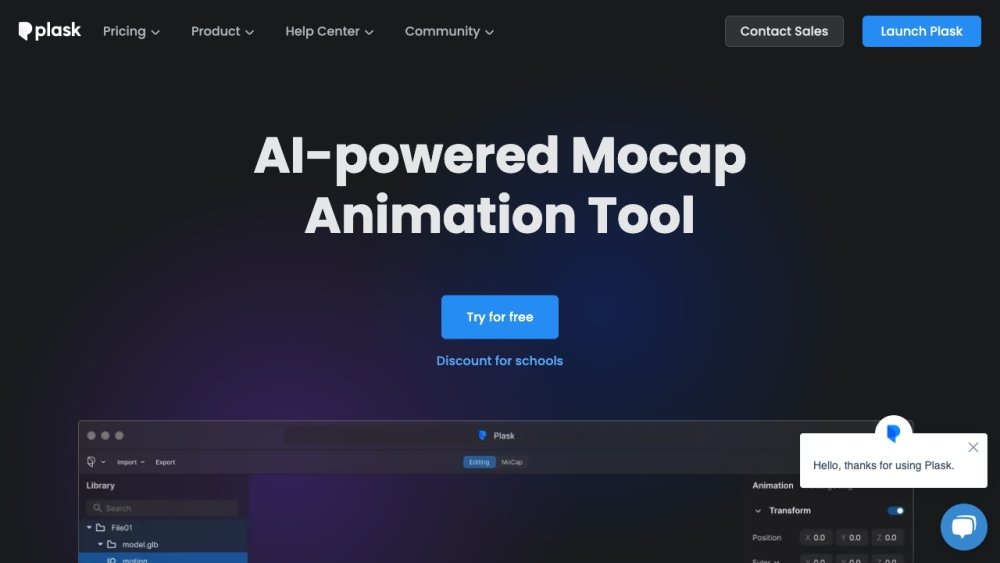
Plask Motion is an AI-powered mocap animation tool that transforms videos into stunning 3D animations. It offers AI motion capture from video, allowing users to create studio-quality 3D animations in minutes, not months. The tool supports effortless video import, seamless model animation, intuitive video direction, and versatile export options compatible with industry-standard tools like Unreal, Maya, and Blender.
Upload a video to Plask Motion, and the AI will extract the motion data. Import your 3D character to apply the captured motion. Use the built-in controls to adjust lighting and camera angles. Finally, render your video or export the 3D assets.
If you have any other questions, please get in touch.
If you have any other questions, please get in touch.
If you have any other questions, please get in touch.
If you have any other questions, please get in touch.
If you have any other questions, please get in touch.
Your Plask subscription will automatically renew until canceled. You can cancel by navigating to your Profile (top right) > Subscription > Billing, then clicking the "Cancel Plan" button. You will retain access to paid features until the end of your current billing cycle. If you encounter issues, please contact us via chat or at support@plask.ai.
If you have any other questions, please get in touch.
If you have any other questions, please get in touch.
To subscribe to the Mocap Pro plan with an academic discount, log in using your educational email address, click your username, select "Subscription," and click "Upgrade." If the discount is not applied automatically at checkout, it may be because your institution's domain is not recognized. In this case, subscribe to the free trial week first, then contact us at contact@plask.ai for assistance with academic pricing.
If you have any other questions, please get in touch.
If you have any other questions, please get in touch.
If you have any other questions, please get in touch.
To ensure high-quality motion capture, follow these guidelines: Use horizontal video, as vertical video may not be recognized correctly. The software is designed for human forms, so avoid baggy clothing and ensure the subject is clearly visible against the background without overlapping limbs. Capture the full body with a minimum resolution of 720p, and record from a direct, head-on angle. Supported formats include mp4 and webm, with a file size limit of 100MB and a duration between 3 seconds and 5 minutes. For multi-person capture, keep the camera stationary, avoid overlapping individuals, limit the group to fewer than 10 people, and ensure the video is under 1 minute (calculated as 1800 frames).
Free plan available.
Use these comparison pages to understand the trade-offs between the models most relevant to Plask Motion.
Compare Gemini 1.0 Pro Deprecated and Gemini 2.0 Flash across pricing, context window, capabilities, benchmarks, and API access to choose the better fit for long-context workloads versus long-context workloads.
Compare Gemini 1.0 Pro Deprecated and Gemini 2.5 Flash across pricing, context window, capabilities, benchmarks, and API access to choose the better fit for long-context workloads versus long-context workloads.
Compare Gemini 2.0 Flash Lite and Gemini 2.0 Flash across pricing, context window, capabilities, benchmarks, and API access to choose the better fit for long-context workloads versus long-context workloads.
Compare Gemini 2.5 Flash and Gemini 2.0 Flash across pricing, context window, capabilities, benchmarks, and API access to choose the better fit for long-context workloads versus long-context workloads.

Similar AI tool in the AI Image Generator category.
Similar AI tool in the Large Language Models (LLMs) category.
Similar AI tool in the AI Video Generator category.
Similar AI tool in the AI API category.
Similar AI tool in the AI Assistant category.
Similar AI tool in the No-Code&Low-Code category.
Similar AI tool in the AI Assistant category.
Similar AI tool in the AI Video Generator category.
Similar AI tool in the AI Video Generator category.
Similar AI tool in the AI Marketing category.
Similar AI tool in the AI Image Generator category.
Similar AI tool in the AI Developer Tools category.