
Free
$0Free plan available.
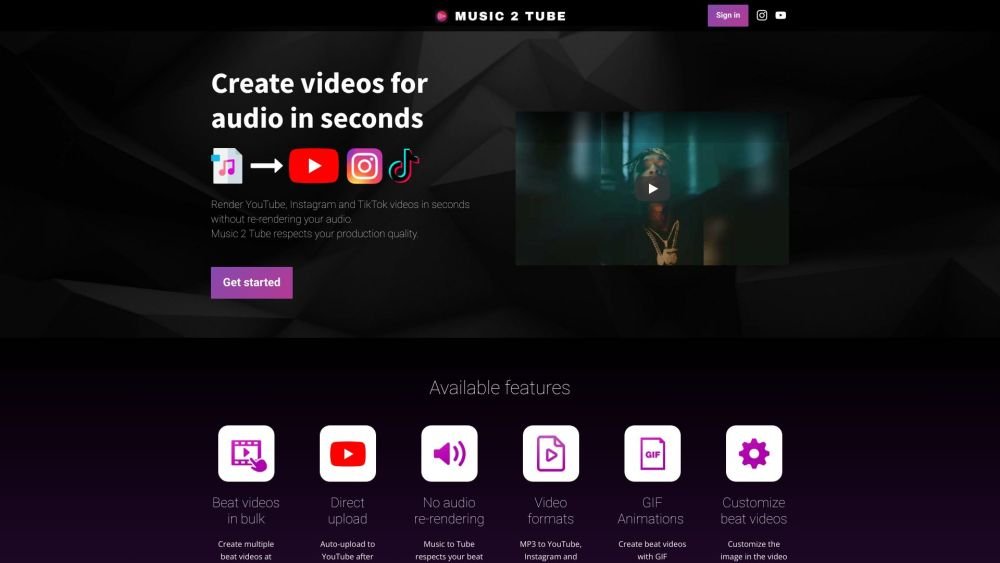
Music 2 Tube is a tool designed to help musicians, producers, artists, and podcasters create videos for their audio files quickly and easily. It allows users to upload MP3 and WAV files and generate videos for platforms like YouTube, Instagram, and TikTok. The software offers features such as bulk video creation, direct uploading to YouTube, GIF animation support, customizable video elements, and the ability to add watermarks and overlays.
To use Music 2 Tube, sign in, upload your audio file (MP3 or WAV), select an image or GIF for the video cover, customize the video with effects and overlays if desired, and render the final file. You can then upload the video directly to YouTube or other platforms.
Music 2 Tube is supported on Windows 10 (or higher) and macOS. Versions of Windows earlier than 10 are not supported. Future releases for iOS and Android are planned.
Yes, you can cancel your monthly subscription at any time.
The following image formats are supported for creating beat videos: JPG, JPEG, PNG, and GIF.
Music 2 Tube supports .mp3 and .wav formats. We recommend using .mp3 files to optimize your videos for the web.
Minimum recommended specifications: Intel i3 processor or equivalent, graphics card with at least 2GB of memory, and 4GB of RAM. Recommended specifications: Intel i5 processor or equivalent, graphics card with 4GB of memory or higher, and 8GB of RAM.
Yes, all future updates are free. We will notify you via email whenever a new update is released.
If you encounter any technical issues, please contact us at support@music2tube.com.
You can select the "blurred background" effect to create border-less videos or upload an image that matches the dimensions of your selected video size, which is 1920x1080 by default.
Free plan available.
Use these comparison pages to understand the trade-offs between the models most relevant to Music 2 Tube.
Compare Gemini 1.0 Pro Deprecated and Gemini 2.0 Flash across pricing, context window, capabilities, benchmarks, and API access to choose the better fit for long-context workloads versus long-context workloads.
Compare Gemini 1.0 Pro Deprecated and Gemini 2.5 Flash across pricing, context window, capabilities, benchmarks, and API access to choose the better fit for long-context workloads versus long-context workloads.
Compare Gemini 2.0 Flash Lite and Gemini 2.0 Flash across pricing, context window, capabilities, benchmarks, and API access to choose the better fit for long-context workloads versus long-context workloads.
Compare Gemini 2.5 Flash and Gemini 2.0 Flash across pricing, context window, capabilities, benchmarks, and API access to choose the better fit for long-context workloads versus long-context workloads.

Similar AI tool in the AI Chatbot category.
Similar AI tool in the AI Video Generator category.
Similar AI tool in the AI Image Generator category.
Similar AI tool in the AI Image Generator category.
Similar AI tool in the AI Writing Assistants category.
Similar AI tool in the AI Assistant category.
Similar AI tool in the AI Video Generator category.
Similar AI tool in the AI Image Generator category.
Similar AI tool in the AI Image Generator category.
Similar AI tool in the AI Assistant category.
Similar AI tool in the AI Video Generator category.
Similar AI tool in the AI Video Generator category.