
Free
$0Free plan available.
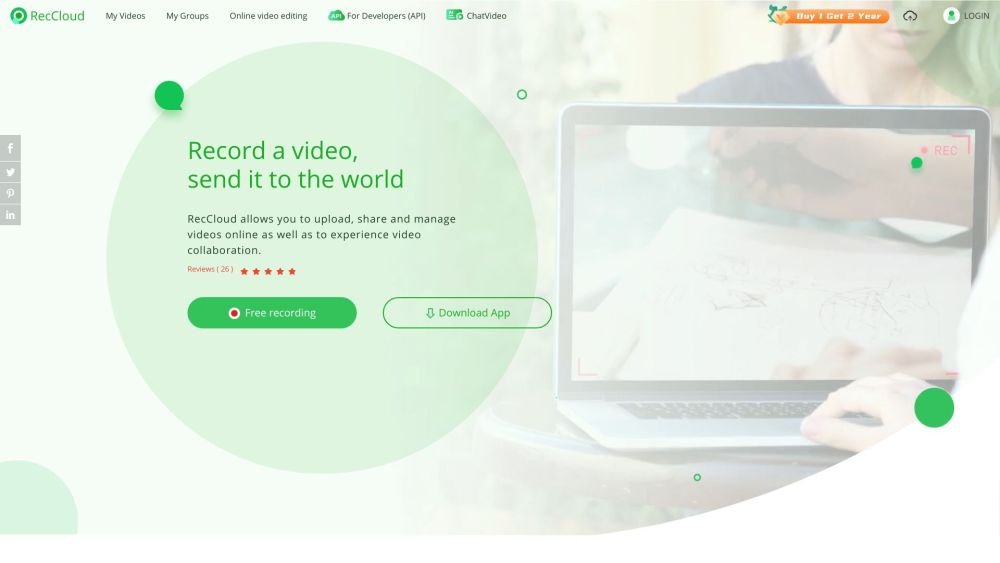
RecCloud is a free, multifunctional online application designed to provide comprehensive video recording and editing services. It includes AI-powered tools such as ChatVideo, speech-to-text transcription, and automated subtitling. As an AI video creation platform, it offers multimedia solutions including AI video chat, subtitles, speech-to-text, online screen recording, video editing, storage, and sharing.
Users can record their screens online without installing software. They can also utilize AI tools to process video and audio, such as summarizing content with ChatVideo, generating subtitles, and converting speech to text. Additionally, RecCloud provides video editing features including trimming, cropping, merging, and file conversion.
RecCloud uses credits as a unit for accessing AI-powered features. Annual or weekly memberships include a set number of credits. If you require additional credits, you can purchase them via the 'Upgrade Credits' option. Credits are deducted based on the specific features used and the platform's consumption rules.
Credits purchased separately via the 'Upgrade Credits' option are permanent and do not expire. However, credits included as part of a RecCloud membership plan are only valid for the duration of that membership; they expire once the membership period ends.
Yes, a RecCloud VIP membership can be used across all devices, including mobile, tablet, and desktop, granting access to all corresponding VIP features.
The primary difference is the number of complimentary credits provided. Basic and Pro members receive the same feature access, which is restricted to personal, non-commercial, and non-profit use. Business members receive additional benefits and are permitted to use generated audio and video files for commercial and profit-making purposes.
If you have subscribed and require a refund due to special circumstances, you may submit a request. Refund amounts are calculated in accordance with our official refund policy (https://reccloud.com/refund-policy).
Free plan available.
Use these comparison pages to understand the trade-offs between the models most relevant to RecCloud.
Compare Gemini 1.0 Pro Deprecated and Gemini 2.0 Flash across pricing, context window, capabilities, benchmarks, and API access to choose the better fit for long-context workloads versus long-context workloads.
Compare Gemini 1.0 Pro Deprecated and Gemini 2.5 Flash across pricing, context window, capabilities, benchmarks, and API access to choose the better fit for long-context workloads versus long-context workloads.
Compare Gemini 2.0 Flash Lite and Gemini 2.0 Flash across pricing, context window, capabilities, benchmarks, and API access to choose the better fit for long-context workloads versus long-context workloads.
Compare Gemini 2.5 Flash and Gemini 2.0 Flash across pricing, context window, capabilities, benchmarks, and API access to choose the better fit for long-context workloads versus long-context workloads.

Similar AI tool in the AI Assistant category.
Similar AI tool in the AI Assistant category.
Similar AI tool in the AI Writing Assistants category.
Similar AI tool in the AI Writing Assistants category.
Similar AI tool in the AI Writing Assistants category.
Similar AI tool in the AI Assistant category.
Similar AI tool in the AI Chatbot category.
Similar AI tool in the AI Chatbot category.
Similar AI tool in the AI Chatbot category.
Similar AI tool in the AI Chatbot category.
Similar AI tool in the Large Language Models (LLMs) category.
Similar AI tool in the AI Assistant category.