
Free
$0Free plan available.
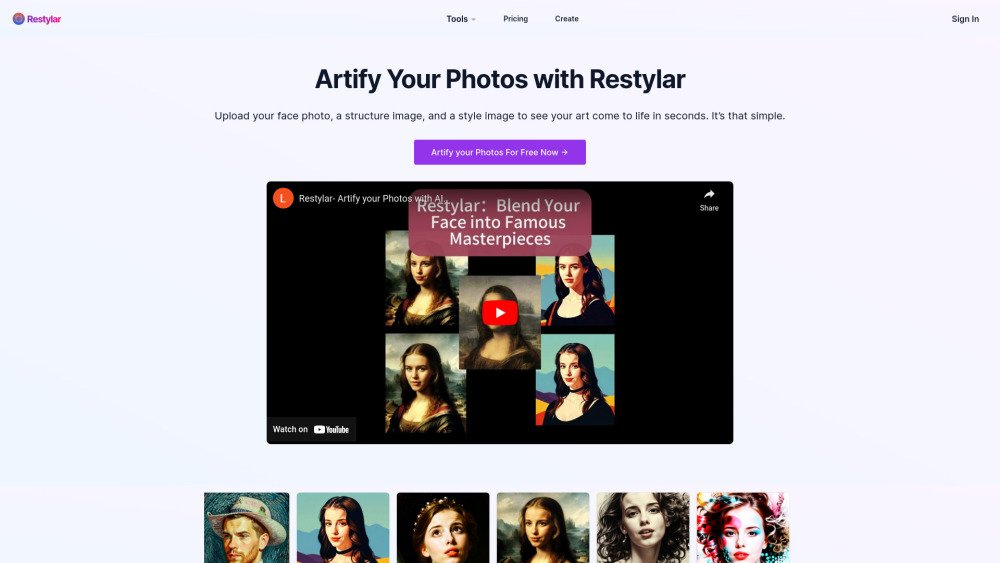
Restylar is an AI-powered photo restyling tool that allows users to transform portraits into various styles, enhance images, and create dynamic avatars. It offers a range of tools including style transformations, image optimization, and creative portrait generation. Users can upload photos and apply different AI-driven effects to reimagine their images.
Users upload a photo, and optionally a structure image and a style image, then select a restyling tool to transform the photo. The AI processes the image and generates a new version based on the selected style or optimization.
Restylar provides a variety of tools. Our portrait transformation features are designed specifically for single-person portraits with clear, visible faces. However, our image optimization tools can be used on any type of photo, including non-portrait images.
For our portrait transformation tools, we recommend using single-person portraits with clearly visible faces. However, our image optimization tools can effectively process group photos, landscapes, and other types of images.
We prioritize data security. For paid users, data is securely stored for 60 days to allow for reprocessing or downloading, after which it is automatically deleted. For free users, data is stored for 7 days.
No technical skills are required. Restylar is designed to be user-friendly, with an intuitive interface that guides you through the process of using our various tools.
Processing time depends on the specific tool and current server load, but most transformations are completed within seconds to a few minutes.
The number of transformations or optimizations you can perform is determined by your subscription plan. Please refer to our pricing page for detailed information on plan limits.
Yes, we offer a free trial to all new users. Upon signing up, you receive 2 free credits, with each credit allowing you to use any of our tools once. This enables you to test our AI-driven image transformation and optimization technologies. After your free credits are used, you may upgrade to a paid plan to continue using Restylar's features.
Free plan available.
Use these comparison pages to understand the trade-offs between the models most relevant to Restylar.
Compare Gemini 1.0 Pro Deprecated and Gemini 2.0 Flash across pricing, context window, capabilities, benchmarks, and API access to choose the better fit for long-context workloads versus long-context workloads.
Compare Gemini 1.0 Pro Deprecated and Gemini 2.5 Flash across pricing, context window, capabilities, benchmarks, and API access to choose the better fit for long-context workloads versus long-context workloads.
Compare Gemini 2.0 Flash Lite and Gemini 2.0 Flash across pricing, context window, capabilities, benchmarks, and API access to choose the better fit for long-context workloads versus long-context workloads.
Compare Gemini 2.5 Flash and Gemini 2.0 Flash across pricing, context window, capabilities, benchmarks, and API access to choose the better fit for long-context workloads versus long-context workloads.

Similar AI tool in the AI Assistant category.
Similar AI tool in the AI Productivity Tools category.
Similar AI tool in the AI Marketing category.
Similar AI tool in the AI Chatbot category.
Similar AI tool in the AI Image Generator category.
Similar AI tool in the AI Assistant category.
Similar AI tool in the AI Image Generator category.
Similar AI tool in the AI Image Generator category.
Similar AI tool in the No-Code&Low-Code category.
Similar AI tool in the AI Productivity Tools category.
Similar AI tool in the AI Marketing category.
Similar AI tool in the AI Assistant category.