
Free
$0Free plan available.
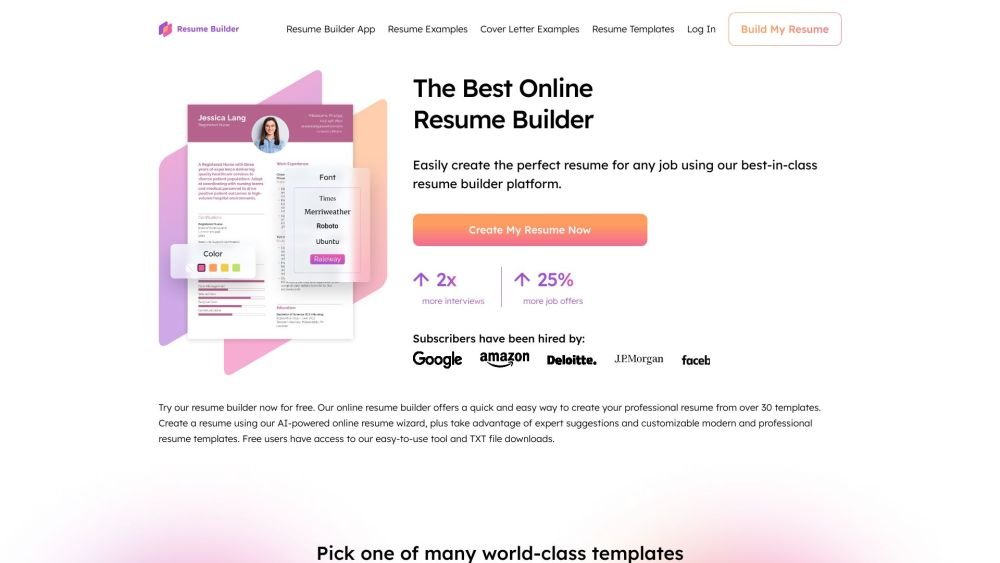
ResumeBuilder.com is an online platform that helps users create professional resumes and cover letters. It offers a variety of customizable templates, AI-powered suggestions, and expert guidance to assist users in crafting effective resumes for various job applications. The platform aims to simplify the resume-building process and increase users' chances of getting hired.
Users can select a template, customize it with their information, and utilize AI-powered suggestions and expert tips to enhance their resume. They can either start from scratch or import their LinkedIn profile. After completing the resume, users can download it in TXT format for free or subscribe to a paid plan to download it as a PDF.
Using the Resume Builder app, users report a 30% higher chance of securing a job and a 42% higher response rate from recruiters. The platform provides expert guidance throughout the process, offering over 30 professional resume templates and AI-enabled suggestions to help you write a results-oriented resume.
To use Resume Builder, select and customize a template, then build your resume using step-by-step guidance or by importing your LinkedIn profile. You can add your experience, education, and key skills with the help of expert tips, suggested phrases, and an AI writing tool. Once finished, save your resume by creating a free account. You can download a TXT version for free or upgrade to a paid subscription to download a professionally designed PDF.
Yes. Tailoring your resume is one of the most effective ways to secure more interviews. Review the job posting to identify what the employer is seeking, specifically looking for important keywords or phrases to include in your profile and key skills sections.
Yes. Resume Builder offers over 500 free resume examples and templates. You can use these examples to receive expert advice on what to include—and what to avoid—such as common key skills and action verbs relevant to your desired position.
We recommend keeping your resume in both PDF and text formats. A professionally designed PDF ensures visual consistency across different computer systems, while a text format is often required for specific job application systems.
The Resume Builder app allows you to build, save, and download your resume in text format for free. A paid subscription is required to download your resume as a PDF.
Free plan available.
Use these comparison pages to understand the trade-offs between the models most relevant to ResumeBuilder.com.
Compare Amazon Nova Pro and Amazon Nova Lite across pricing, context window, capabilities, benchmarks, and API access to choose the better fit for tool-augmented workflows versus tool-augmented workflows.
Compare Amazon Nova Lite and Amazon Nova Micro across pricing, context window, capabilities, benchmarks, and API access to choose the better fit for tool-augmented workflows versus tool-augmented workflows.
Compare Amazon Nova Lite and Mistral Medium 3 across pricing, context window, capabilities, benchmarks, and API access to choose the better fit for tool-augmented workflows versus tool-augmented workflows.
Compare Amazon Nova Lite and Mistral Small 3.1 (25.03) across pricing, context window, capabilities, benchmarks, and API access to choose the better fit for tool-augmented workflows versus cost-efficient scale.

Similar AI tool in the AI Assistant category.
Similar AI tool in the AI Assistant category.
Similar AI tool in the AI Assistant category.
Similar AI tool in the AI Productivity Tools category.
Similar AI tool in the AI Writing Assistants category.
Similar AI tool in the AI Assistant category.
Similar AI tool in the AI Writing Assistants category.
Similar AI tool in the AI Writing Assistants category.
Similar AI tool in the AI Assistant category.
Similar AI tool in the AI Chatbot category.
Similar AI tool in the AI Assistant category.
Similar AI tool in the AI Chatbot category.