
Free
$0Free plan available.
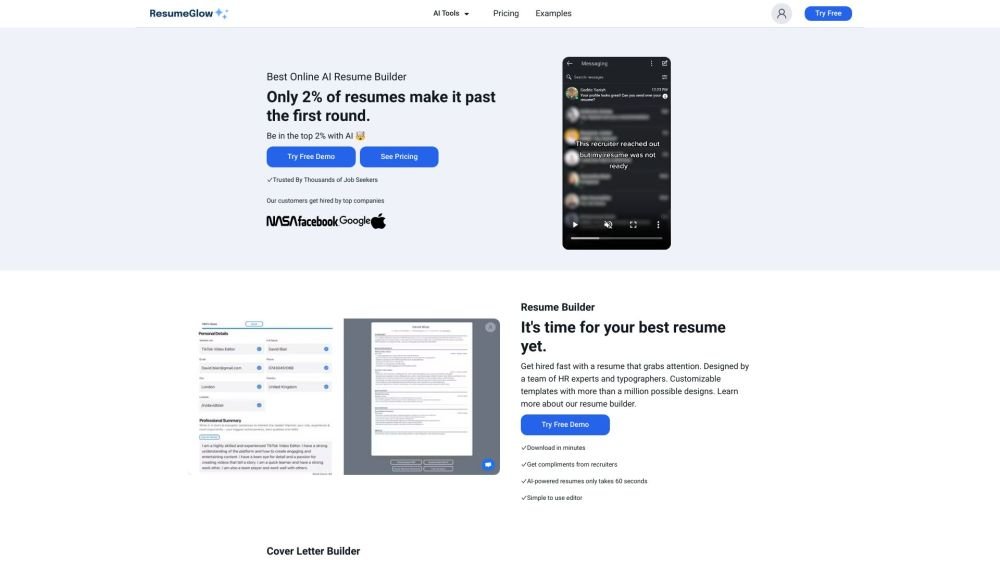
ResumeGlow is an AI-powered resume builder designed to help job seekers create professional resumes and cover letters quickly and easily. It offers customizable templates, AI-driven content generation, and multi-format download options to improve job application success.
Users can create a resume from scratch using the builder, select from various resume templates, or generate content using the AI Bullet Writer and Cover Letter Writer. Completed resumes can be downloaded in PDF, DOCX (Word), or TXT formats.
ResumeGlow.com offers several free tools for creating your resume. You can use the resume builder to start from scratch or utilize resume templates to build one in minutes. Additionally, you can use the cover letter builder or cover letter templates to create documents quickly at no cost.
Yes, once your resume is complete, you can export your documents for job applications. You can download your resume or cover letter as a PDF, DOCX (Word), or TXT file directly from your Dashboard or the Resume Editor.
You can cancel your ResumeGlow subscription directly through our website without needing to log in. Visit our Contact Us page and select the “Cancel Subscription” option from the settings menu.
Yes, you can create an unlimited number of resumes and have unlimited access to AI features, allowing you to iterate easily until your resume is perfect.
After placing your order, you gain full access to ResumeGlow, including over 300 resume templates, the AI writer for CV creation, the automated cover letter creator, and unlimited downloads. You will be automatically redirected to continue building your resume.
We offer a full refund if requested within 5 days of purchase.
You can manage your subscription cancellation through the “Customer Portal” page on our website. Alternatively, you can email admin@resumeglow.com or use our live chat feature to request assistance in real-time.
Free plan available.
Use these comparison pages to understand the trade-offs between the models most relevant to ResumeGlow.
Compare Amazon Nova Pro and Amazon Nova Lite across pricing, context window, capabilities, benchmarks, and API access to choose the better fit for tool-augmented workflows versus tool-augmented workflows.
Compare Amazon Nova Lite and Amazon Nova Micro across pricing, context window, capabilities, benchmarks, and API access to choose the better fit for tool-augmented workflows versus tool-augmented workflows.
Compare Amazon Nova Lite and Mistral Medium 3 across pricing, context window, capabilities, benchmarks, and API access to choose the better fit for tool-augmented workflows versus tool-augmented workflows.
Compare Amazon Nova Lite and Mistral Small 3.1 (25.03) across pricing, context window, capabilities, benchmarks, and API access to choose the better fit for tool-augmented workflows versus cost-efficient scale.

Similar AI tool in the AI Image Generator category.
Similar AI tool in the AI Assistant category.
Similar AI tool in the AI Assistant category.
Similar AI tool in the AI Marketing category.
Similar AI tool in the AI Writing Assistants category.
Similar AI tool in the AI Assistant category.
Similar AI tool in the AI Chatbot category.
Similar AI tool in the AI Writing Assistants category.
Similar AI tool in the AI Writing Assistants category.
Similar AI tool in the AI Assistant category.
Similar AI tool in the AI Chatbot category.
Similar AI tool in the AI Chatbot category.