Free
$0Free plan available.
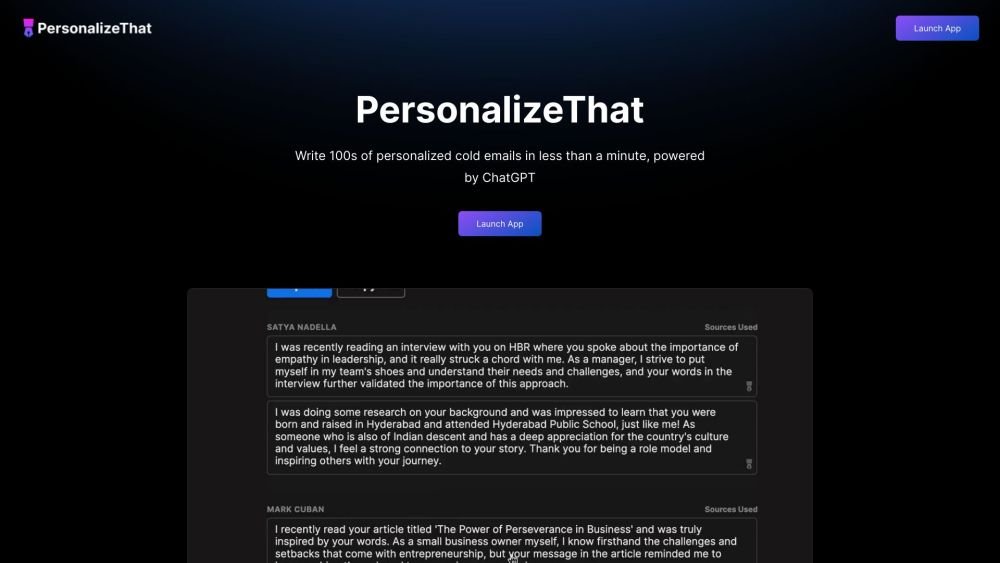
PersonalizeThat is an AI-powered tool designed to supercharge sales productivity by generating personalized cold emails. It leverages ChatGPT to analyze LinkedIn profiles, news articles, and industry blogs to create tailored emails, follow-up emails, and first lines for each prospect. It also helps find leads based on user-defined criteria.
To use PersonalizeThat, you can either generate personalized emails for specific LinkedIn profiles or identify new leads by providing a description of your ideal prospect. The tool then utilizes ChatGPT to draft the tailored email content.
PersonalizeThat reviews a prospect's LinkedIn profile, analyzes relevant employer news, and identifies industry blog articles. It then synthesizes this research and uses ChatGPT to generate cold emails customized for that prospect.
You can request access by submitting your email address via the 'Request Access' button. Access is granted weekly, with priority given based on the number of referrals you generate.
The base plan is priced at $9 per month.
Yes, you can try the tool for free. Your first 5 AI-generated cold emails are provided at no cost.
Yes, there are upcoming plans to integrate PersonalizeThat with Gmail, MailChimp, and Salesforce.
You can access your history of AI-generated emails at any time. If you wish to have your data removed from our records, simply send us an email request. Please note that because we use third-party tools like OpenAI, we cannot guarantee their data retention policies, so please exercise caution when sharing confidential information.
Free plan available.
Use these comparison pages to understand the trade-offs between the models most relevant to PersonalizeThat.
Compare GPT 5.4 and GPT 5.4 Pro across pricing, context window, capabilities, benchmarks, and API access to choose the better fit for long-context workloads versus long-context workloads.

Compare GPT 5.5 and GPT 5.4 across pricing, context window, capabilities, benchmarks, and API access to choose the better fit for long-context workloads versus long-context workloads.
Compare GPT 5.5 and Claude 4.6 Sonnet across pricing, context window, capabilities, benchmarks, and API access to choose the better fit for long-context workloads versus long-context workloads.
Compare GPT 5.5 and DeepSeek V4 Pro across pricing, context window, capabilities, benchmarks, and API access to choose the better fit for long-context workloads versus long-context workloads.
corrAI is a Chrome extension designed to correct and translate web-based text while preserving your original meaning, style, and intent. Powered by OpenAI's Large Language Models, it automates proofreading to save you time. By handling spelling and grammar, corrAI allows you to focus on your ideas and communication structure while maintaining your unique writing voice.
The XOR Chrome extension streamlines recruiting and HR workflows by enabling you to add candidate phone numbers from your ATS to campaigns with a single click. By leveraging an AI chatbot, XOR automates repetitive tasks including interview scheduling, employee onboarding, and pulse surveys. The platform also supports large-scale communication via text and WhatsApp to enhance candidate and employee engagement. Trusted by global organizations like IKEA, McDonald's, Exxon Mobil, and Manpower Group, XOR helps teams improve hiring efficiency.
ChatTuesday.com is an AI-powered platform that enables users to build personalized, ChatGPT-style chatbots trained on their own data. These digital assistants can be embedded directly into websites or accessed via API and various integrations, featuring support for custom data sources, flexible configurations, multi-bot management, and multi-language capabilities.
SinteseAI is a Chrome extension that converts educational videos into concise, easy-to-read summaries. By leveraging artificial intelligence, it analyzes YouTube content to extract essential points and core concepts.
The Datafi Chrome Extension integrates directly with the Datafi Platform to provide real-time data productivity tools within your browser. It is designed to streamline data workflows by offering immediate access to custom insights, one-click data card insertion, and integrated data chat functionality.
TEE Buddy is a Chrome extension designed to automate the process of booking tee times at high-demand golf courses. By mimicking user behavior on reservation websites, it repeatedly attempts to secure a slot based on your specific criteria, improving your likelihood of a successful booking.
doSmartQA is a Chrome extension that provides a SmartQA toolbox based on the HyBIST (Hypothesis Based Immersive Session Testing) methodology. It is designed to support QA professionals in Agile development environments by enhancing intellectual testing practices. The tool assists in creating smart probes and conducting system testing through structured reconnaissance, exploration, and recoup sessions.
GPT-EW is a Chrome extension that integrates ChatGPT directly into your browser, allowing you to access AI assistance on any website. It can analyze and summarize page content, generate various types of text—such as emails, product descriptions, and social media posts—and create images using OpenAI's generation tools.
KauGPT is a Chrome extension that integrates GPT-4 and other AI models directly into your browser. It enhances your online workflow by providing file flexibility, real-time information access, customizable AI templates, and an integrated image generator.
Deep Find is a Chrome extension that identifies AI-generated text directly on webpages, eliminating the need to copy and paste content into external detectors. Similar to a grammar checker, it highlights AI-written text in real time. Use it to help identify fake emails, news articles, social media bots, and AI-generated academic papers.
The GPTsLab Chrome extension offers convenient access to over 20,000 GPT applications, allowing you to easily explore, search, view, and manage various GPT technologies directly from your browser.
Sloth Search is a Chrome extension that answers your queries by analyzing the content of your current webpage. It extracts page text, identifies relevant snippets, and generates responses using OpenAI's GPT, making it ideal for text-heavy sites like Wikipedia.