
Free
$0Free plan available.
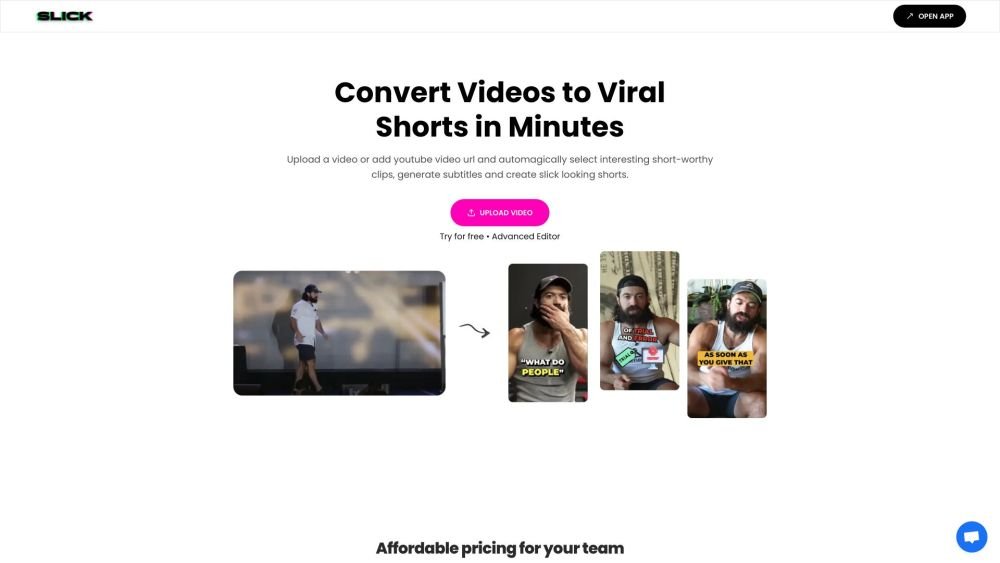
Slick is an AI-powered tool designed to generate and edit viral short videos. It automatically selects interesting clips, generates subtitles, and adds trendy captions, B-roll, sound effects, and magic zooms. Users can customize their content using the editor to cut silences, remove filler words, and adjust aspect ratios.
To use Slick, upload a video file or provide a YouTube URL. The AI will automatically select engaging clips and generate subtitles, after which you can further customize the video with captions, B-roll, transitions, and emojis. Finally, export your video to share on platforms like TikTok, Instagram, and YouTube.
Your video upload frequency is determined by your specific subscription plan.
The time required for video generation varies.
Yes, a free trial is available for Slick.
Yes, you may cancel your subscription at any time.
You can access the API documentation at https://www.notion.so/shivanshco/Slick-API-Documentation-58dee86738504d7289e988ef03bd2156?pvs=4
Free plan available.
Use these comparison pages to understand the trade-offs between the models most relevant to Slick.
Compare Gemini 1.0 Pro Deprecated and Gemini 2.0 Flash across pricing, context window, capabilities, benchmarks, and API access to choose the better fit for long-context workloads versus long-context workloads.
Compare Gemini 1.0 Pro Deprecated and Gemini 2.5 Flash across pricing, context window, capabilities, benchmarks, and API access to choose the better fit for long-context workloads versus long-context workloads.
Compare Gemini 2.0 Flash Lite and Gemini 2.0 Flash across pricing, context window, capabilities, benchmarks, and API access to choose the better fit for long-context workloads versus long-context workloads.
Compare Gemini 2.5 Flash and Gemini 2.0 Flash across pricing, context window, capabilities, benchmarks, and API access to choose the better fit for long-context workloads versus long-context workloads.

Similar AI tool in the AI Video Generator category.
Similar AI tool in the AI Social Media Post Generator category.
Similar AI tool in the AI API category.
Similar AI tool in the AI Marketing category.
Similar AI tool in the AI Chatbot category.
Similar AI tool in the AI Assistant category.
Similar AI tool in the AI Video Generator category.
Similar AI tool in the AI Chatbot category.
Similar AI tool in the AI Video Editor category.
Similar AI tool in the AI Design Generator category.
Similar AI tool in the AI Marketing category.
Similar AI tool in the AI Marketing category.