
Free
$0Free plan available.
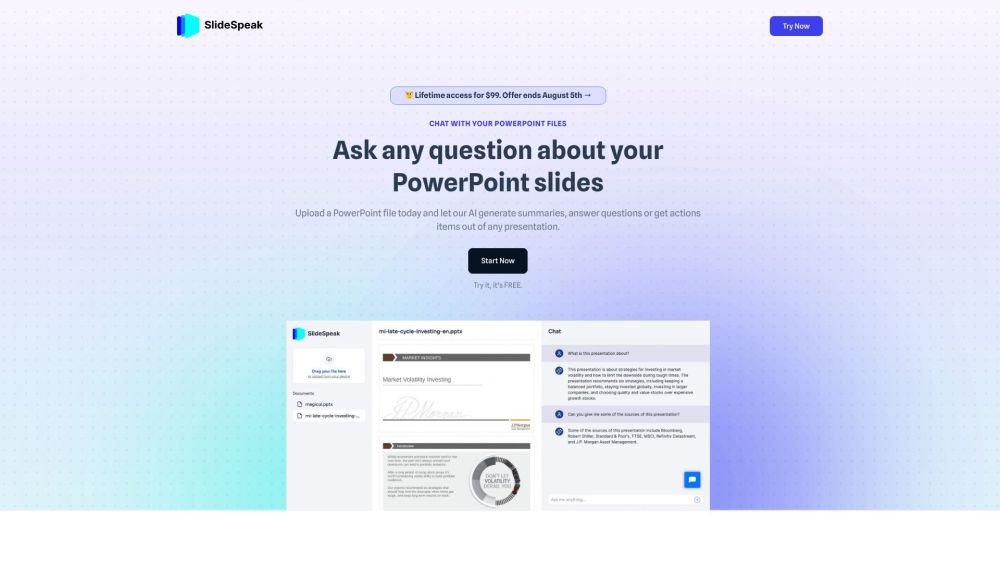
SlideSpeak is an AI-powered tool that allows users to chat with their PowerPoint files, summarize PDFs, generate presentations from text, and more. It uses ChatGPT to generate summaries, answer questions, and extract action items from presentations. SlideSpeak offers features like summarizing PDFs with AI, generating presentations with AI, and chatting with document groups.
Upload a PPTX file and ask questions regarding its content. The AI engine, powered by ChatGPT, will provide answers based on your slides within seconds. You can also use the tool to generate summaries and extract action items.
Yes, SlideSpeak is currently free. While this may change in the future, you are welcome to use the platform at no cost for now.
Customer data is stored with encryption and is not shared with third parties. We utilize advanced security technology to protect your information. Please note that data may be submitted to OpenAI during processing, as we use their technology to power our services.
We are currently developing this feature. Please contact us via the support chat to join the waitlist.
Currently, we only support PowerPoint files. However, we are working on integrating support for other formats, such as PDFs and Google Slides.
SlideSpeak can summarize PDF, Word, and PowerPoint files. Simply upload your document and ask questions such as, "Can you provide a summary of this document?"
Yes, you can cancel your SlideSpeak subscription at any time. Your subscription will remain active until the end of the current billing cycle.
If you are not satisfied with our product, please contact us via the support chat. We will issue a refund within 7 days of your initial purchase, excluding promotional offers.
SlideSpeak prioritizes user privacy and security. All uploaded documents are processed using encryption protocols and are not stored permanently on our servers after processing. While we implement robust security measures, users should exercise discretion when uploading highly sensitive documents to any online platform.
It is not possible to summarize documents like PowerPoint, Word, or PDF files directly within ChatGPT. Services like SlideSpeak allow you to upload your documents to generate summaries, ask questions, and perform other analytical tasks.
Free plan available.
Use these comparison pages to understand the trade-offs between the models most relevant to SlideSpeak.
Compare GPT 5.4 and GPT 5.4 Pro across pricing, context window, capabilities, benchmarks, and API access to choose the better fit for long-context workloads versus long-context workloads.
Compare GPT 5.5 and GPT 5.4 across pricing, context window, capabilities, benchmarks, and API access to choose the better fit for long-context workloads versus long-context workloads.
Compare GPT 5.5 and Claude 4.6 Opus across pricing, context window, capabilities, benchmarks, and API access to choose the better fit for long-context workloads versus long-context workloads.
Compare GPT 5.5 and Claude 4.6 Sonnet across pricing, context window, capabilities, benchmarks, and API access to choose the better fit for long-context workloads versus long-context workloads.

Similar AI tool in the AI Assistant category.
Similar AI tool in the AI Assistant category.
Similar AI tool in the AI Productivity Tools category.
Similar AI tool in the AI Chatbot category.
Similar AI tool in the AI Image Generator category.
Similar AI tool in the AI Assistant category.
Similar AI tool in the AI Assistant category.
Similar AI tool in the AI Chatbot category.
Similar AI tool in the AI Chatbot category.
Similar AI tool in the AI Image Generator category.
Similar AI tool in the AI Productivity Tools category.
Similar AI tool in the AI Image Generator category.