
Free
$0Free plan available.
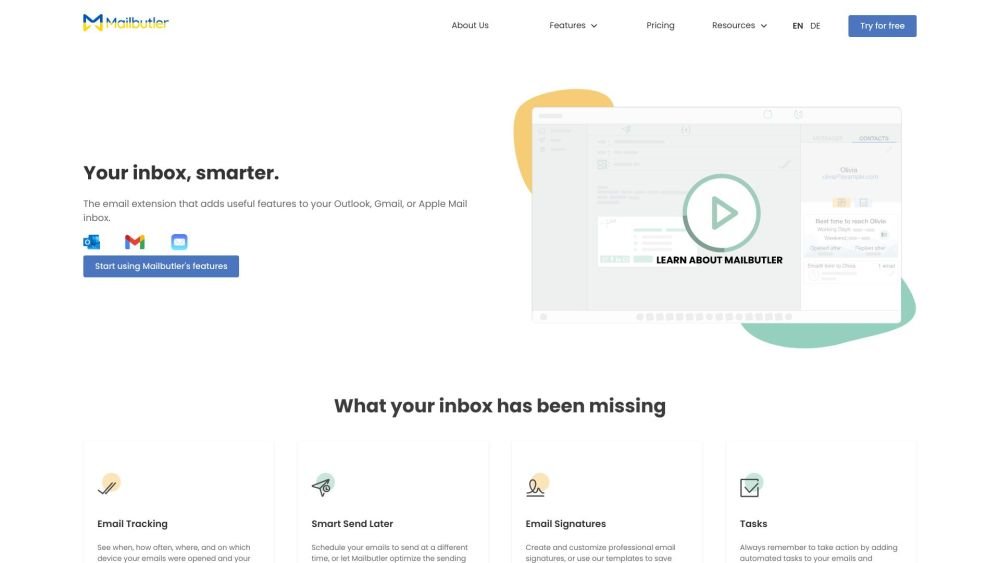
Mailbutler is an AI-powered email assistant that integrates with Apple Mail, Gmail, and Outlook. It offers features such as email tracking, smart send later, email signatures, notes, email templates, contacts, tasks, snooze, collaborators, and a smart assistant. It helps users stay productive and professional by enhancing their inbox with useful features.
Install the Mailbutler extension for your preferred email client (Apple Mail, Gmail, or Outlook). Register for an account to begin using the features immediately. The tool integrates seamlessly without requiring a complicated setup process.
Mailbutler is an email extension that integrates directly into your Apple Mail, Gmail, or Outlook inbox. It provides a range of productivity features designed to make your inbox smarter.
Yes, we offer a 14-day free trial for all new users to test all Mailbutler features. You do not need to provide payment details during sign-up, allowing you to decide whether to start a subscription later.
Mailbutler functions with the three most popular email clients: Gmail, Apple Mail, and Outlook. Our features work cross-platform, so you can use different clients than your colleagues. Please note that we do not support Apple Mail versions older than macOS 10.13.
Yes, Mailbutler is designed for ease of use. It integrates seamlessly with Outlook, Gmail, and Apple Mail with a simple plug-and-play setup. Once you register for an account and install the extension, you can start using Mailbutler immediately.
Mailbutler is fully GDPR compliant and adheres to European data regulations. Our servers are located in Germany, and we do not save or process the content of your emails. Emails are sent directly from your server, and you can customize your data settings to choose what is saved.
Our dedicated customer support team is available 24/7 to answer your queries. We are committed to resolving issues quickly and can be reached at support@mailbutler.io.
We are based in Berlin, Germany, though our users are located all across the world.
Free plan available.
Use these comparison pages to understand the trade-offs between the models most relevant to Mailbutler.
Compare Amazon Nova Pro and Amazon Nova Lite across pricing, context window, capabilities, benchmarks, and API access to choose the better fit for tool-augmented workflows versus tool-augmented workflows.
Compare Amazon Nova Lite and Amazon Nova Micro across pricing, context window, capabilities, benchmarks, and API access to choose the better fit for tool-augmented workflows versus tool-augmented workflows.
Compare Amazon Nova Lite and Mistral Medium 3 across pricing, context window, capabilities, benchmarks, and API access to choose the better fit for tool-augmented workflows versus tool-augmented workflows.
Compare Amazon Nova Lite and Mistral Small 3.1 (25.03) across pricing, context window, capabilities, benchmarks, and API access to choose the better fit for tool-augmented workflows versus cost-efficient scale.

Similar AI tool in the AI Assistant category.
Similar AI tool in the AI Assistant category.
Similar AI tool in the AI Productivity Tools category.
Similar AI tool in the AI Writing Assistants category.
Similar AI tool in the AI Assistant category.
Similar AI tool in the AI Chatbot category.
Similar AI tool in the AI Assistant category.
Similar AI tool in the AI Productivity Tools category.
Similar AI tool in the AI Productivity Tools category.
Similar AI tool in the AI Assistant category.
Similar AI tool in the AI Assistant category.
Similar AI tool in the AI Productivity Tools category.