
Free
$0Free plan available.
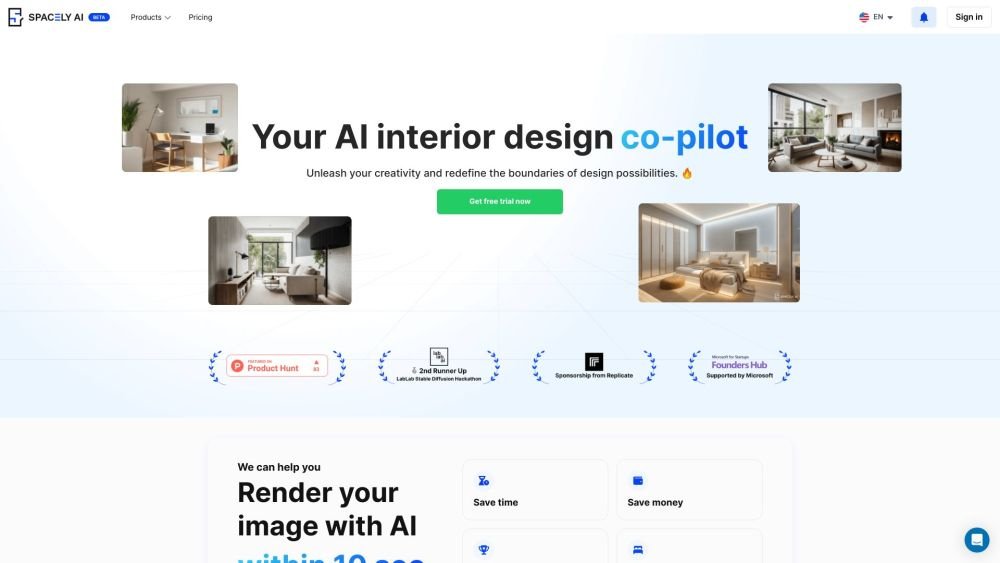
Spacely AI is an AI-powered interior design platform designed to help users generate stunning visuals, unlock creative potential, and improve productivity. It offers interior design ideas and inspiration for bedrooms, living rooms, and kitchens, delivering results in less than 30 seconds.
1. Click on “Get started.” 2. Select the type of room you want to redesign. 3. Choose your preferred design style. 4. Upload a clear photo of the room or select a template. 5. Click the generate button to view design options. 6. Iterate on your designs as needed.
Spacely AI is an interior design platform that combines AI technology with a team of professional designers. We aim to create innovative, personalized design experiences that bring your vision to life with a focus on quality and uniqueness.
Spacely AI provides a 3-day free trial for new users. A subscription is required to continue using the service after the trial period ends. You can find detailed pricing and package information on our subscription page.
Our platform integrates advanced AI technology with the expertise of professional interior designers. Users upload an image of their space and select a design style; the system then generates initial AI-driven suggestions, which are refined by our design team to ensure accuracy and style.
1. Click on “Get started.” 2. Select the room type you want to redesign, such as a bedroom, living room, or kitchen. 3. Choose a design style, such as Scandinavian, Japanese, or Minimalist. 4. Upload a clear photo of your room or select one of our templates. 5. Click the generate button to receive design options. 6. Iterate as needed until you find the ideal design for your space.
You can use our integrated feedback portal to rate designs, leave comments, and request specific alterations. This allows us to better cater to your needs. For additional questions or feedback, you can contact us via email at spacely.ai@gmail.com or through our Facebook and Twitter accounts.
We do not offer refunds because the costs associated with generating AI images are significant. Our upstream providers do not offer refunds for the GPU processing time required to create your designs. By signing up, you agree to waive your right to a refund for this reason.
Free plan available.
Use these comparison pages to understand the trade-offs between the models most relevant to Spacely AI.
Compare Amazon Nova Pro and Amazon Nova Lite across pricing, context window, capabilities, benchmarks, and API access to choose the better fit for tool-augmented workflows versus tool-augmented workflows.
Compare Amazon Nova Lite and Amazon Nova Micro across pricing, context window, capabilities, benchmarks, and API access to choose the better fit for tool-augmented workflows versus tool-augmented workflows.
Compare Amazon Nova Lite and Mistral Medium 3 across pricing, context window, capabilities, benchmarks, and API access to choose the better fit for tool-augmented workflows versus tool-augmented workflows.
Compare Amazon Nova Lite and Mistral Small 3.1 (25.03) across pricing, context window, capabilities, benchmarks, and API access to choose the better fit for tool-augmented workflows versus cost-efficient scale.

Similar AI tool in the AI Copilot category.
Similar AI tool in the AI Assistant category.
Similar AI tool in the AI Chatbot category.
Similar AI tool in the AI Assistant category.
Similar AI tool in the AI Image Generator category.
Similar AI tool in the No-Code&Low-Code category.
Similar AI tool in the AI Chatbot category.
Similar AI tool in the AI Image Generator category.
Similar AI tool in the AI Assistant category.
Similar AI tool in the AI Image Generator category.
Similar AI tool in the AI Design Generator category.
Similar AI tool in the AI Chatbot category.