
Free
$0Free plan available.
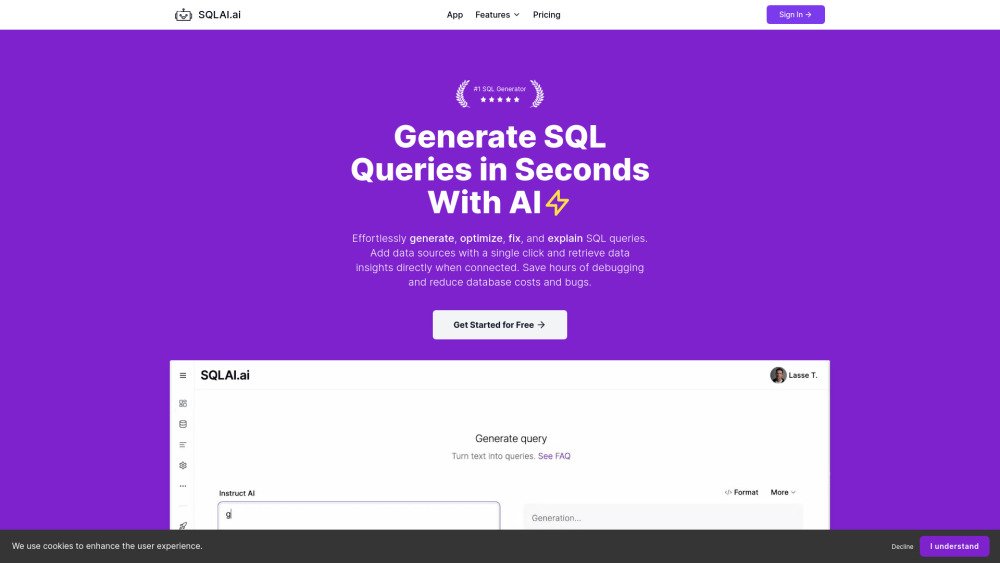
SQLAI.ai is a professional SQL multi-tool designed for generating, fixing, explaining, and optimizing SQL queries and databases. It caters to both SQL beginners and professionals, offering AI-powered SQL generators that simplify working with SQL and NoSQL. The platform supports various database engines and schemas, providing instant SQL skills, accelerating workflows, and optimizing time and cost.
Users can generate SQL queries using natural language, optimize queries for performance, validate syntax, simplify complex queries, format for readability, explain SQL queries, convert between database engines, and optimize databases with indexes. You can add data sources to increase accuracy and execute queries directly on connected data sources.
SQLAI.ai is an affordable, easy-to-use SQL multi-tool designed for both beginners and professionals. Our core generators help users produce precise SQL or NoSQL queries, saving time and resources. Additionally, SQLAI.ai includes powerful helper tools such as 'Run Query,' 'View Diff,' and 'Formatting.'
SQLAI.ai serves a diverse range of users, from SQL beginners to seasoned professionals. Whether you need SQL generation, data insights, or query optimization, our platform supports developers, data analysts, business users, students, and startups.
SQLAI.ai stands out by offering high accuracy through optimized prompts and leading AI models. It handles large database schemas without context window issues, provides instant result streaming, and features fully encrypted, containerized database connectivity. It is also affordable, multi-lingual, and includes a variety of helper tools.
Yes, we offer a public API. You can find more details here.
We are currently developing team subscriptions for companies and will announce them on our social media channels once they are available.
Yes, SQLAI.ai has been successfully tested with databases containing over 600 tables.
Yes, you can access our documentation here.
Yes, our data source connectivity acts as a secure proxy. Connection credentials are stored fully encrypted on separate servers and can be deleted at any time. Further details are available in our documentation.
Our platform allows you to generate, optimize, fix, validate, simplify, and explain both SQL and NoSQL queries. Explore all available generators on our site.
We support over 30 SQL and NoSQL database engines, including popular options like MySQL, MongoDB, and Redis. You can view the full list in your settings.
Helper tools, such as "Run query," "Format query," "View diff," and "Save query," are located above the generated SQL in each generator.
Connect your database, use the query generator, and run your SQL or NoSQL query by clicking the play icon. You can then visualize your data as a table or chart directly within the platform.
Database rules allow you to define custom logic for your specific database, ensuring the AI adheres to your unique requirements, such as formatting preferences or result limits (e.g., "Wrap tables and columns in quotes").
Yes, you can access our comprehensive documentation here.
Our system is built for scalability and has been proven to generate SQL queries for database schemas with over 600 tables.
Yes, we offer both team subscriptions and public API access to meet various user needs.
Follow us on LinkedIn or Twitter to stay updated on the latest developments and announcements.
When you run a query on your connected database, you can view the results as an AI-generated chart. For dedicated AI charting tools, please refer to chartmaker.io.
Free plan available.
Use these comparison pages to understand the trade-offs between the models most relevant to SQLAI.ai.
Compare Amazon Nova Pro and Amazon Nova Lite across pricing, context window, capabilities, benchmarks, and API access to choose the better fit for tool-augmented workflows versus tool-augmented workflows.
Compare Amazon Nova Lite and Amazon Nova Micro across pricing, context window, capabilities, benchmarks, and API access to choose the better fit for tool-augmented workflows versus tool-augmented workflows.
Compare Amazon Nova Lite and Mistral Medium 3 across pricing, context window, capabilities, benchmarks, and API access to choose the better fit for tool-augmented workflows versus tool-augmented workflows.
Compare Amazon Nova Lite and Mistral Small 3.1 (25.03) across pricing, context window, capabilities, benchmarks, and API access to choose the better fit for tool-augmented workflows versus cost-efficient scale.