
Free
$0Free plan available.
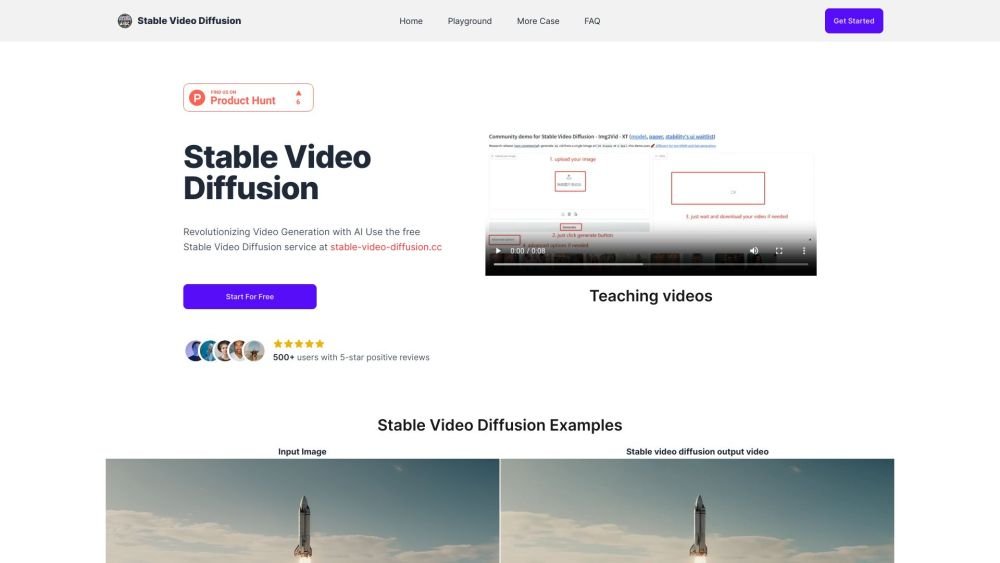
Stable Video Diffusion is a free online tool that utilizes Hugging Face to convert images into videos. It is a generative AI video model crafted by Stability AI, building upon the Stable Diffusion image model. It dynamically transforms static images into high-quality video sequences, delivering high-resolution outputs and multi-view synthesis capabilities. It is currently in a research preview phase, primarily suited for educational or creative purposes.
Step 1. Upload Your Photo: Select and upload the image you want to convert into a video. Step 2. Select Motion Bucket ID (optional): Adjust this setting to control the intensity of motion applied to your image. Step 3. Choose Frames Per Second (optional): Set your preferred frame rate for the output video. Step 4. Click Generate and Await Video Generation: Initiate the process and allow the model to generate your video. Step 5. Download Your Video: Save the final generated video to your device once processing is complete.
Stable Video Diffusion is a generative AI video model created by Stability AI that builds upon the Stable Diffusion image model. It transforms static images into high-quality video sequences.
The tool provides high-resolution video output and multi-view synthesis capabilities, allowing for the generation of videos from a single image for various creative tasks.
It enables 2D image synthesis models to produce dynamic video by integrating temporal layers and refining the model using large-scale video datasets.
The model supports custom frame rates between 3 and 30 frames per second (fps) and produces videos at a resolution of 576×1024.
The tool is currently intended for research use. It produces short video clips and may not always achieve full photorealism.
The model is not currently designed for commercial or real-world applications, though future updates may expand its capabilities.
Free plan available.
Use these comparison pages to understand the trade-offs between the models most relevant to Stable Video Diffusion.
Compare Gemini 1.0 Pro Deprecated and Gemini 2.0 Flash across pricing, context window, capabilities, benchmarks, and API access to choose the better fit for long-context workloads versus long-context workloads.
Compare Gemini 1.0 Pro Deprecated and Gemini 2.5 Flash across pricing, context window, capabilities, benchmarks, and API access to choose the better fit for long-context workloads versus long-context workloads.
Compare Gemini 2.0 Flash Lite and Gemini 2.0 Flash across pricing, context window, capabilities, benchmarks, and API access to choose the better fit for long-context workloads versus long-context workloads.
Compare Gemini 2.5 Flash and Gemini 2.0 Flash across pricing, context window, capabilities, benchmarks, and API access to choose the better fit for long-context workloads versus long-context workloads.

Similar AI tool in the AI Marketing category.
Similar AI tool in the AI Video Generator category.
Similar AI tool in the AI Image Generator category.
Similar AI tool in the AI Assistant category.
Similar AI tool in the AI Video Generator category.
Similar AI tool in the AI Chatbot category.
Similar AI tool in the AI Chatbot category.
Similar AI tool in the AI Image Generator category.
Similar AI tool in the AI Marketing category.
Similar AI tool in the AI Chatbot category.
Similar AI tool in the AI Marketing category.
Similar AI tool in the AI Image Generator category.