
Free
$0Free plan available.
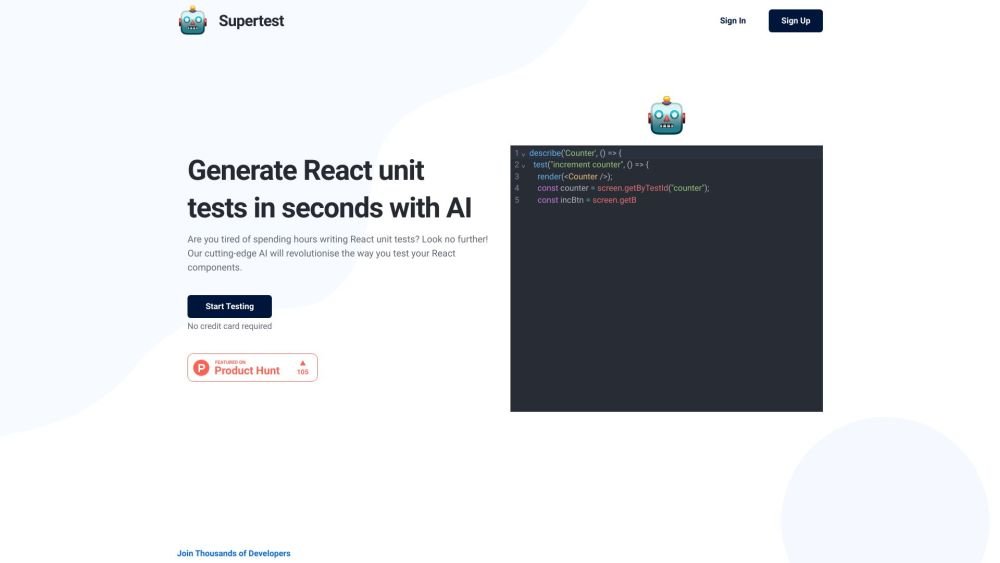
Supertest is an AI copilot for software testing, designed to automate QA engineering tasks, particularly writing unit tests. It offers a VS Code extension that allows users to generate unit tests in seconds with a single click. Supertest currently supports React Testing Library and plans to expand to support multiple testing libraries.
Install the Supertest VS Code extension, sign up, and integrate it into your workflow. Right-click within a file and select 'Generate unit test' or use the keybinding cmd⌘+u cmd⌘+t to create a new file containing the unit test. You can also automatically add test IDs by right-clicking and selecting 'Add test ids' or using the keybinding cmd⌘+u cmd⌘+i.
Supertest is an AI copilot for QA engineers that helps automate daily testing tasks, such as writing unit tests.
Supertest currently supports only the React Testing Library, though there are plans to expand support to additional testing libraries.
Yes, Supertest provides 10 one-time credits that allow you to generate 5 tests, helping you evaluate how the tool fits into your development workflow.
If you have questions or encounter technical issues, please contact our support team at support@supertest.ai.
Yes, Supertest offers refunds based on the unused credits in your account. Please contact support@supertest.ai to request a refund.
Free plan available.
Use these comparison pages to understand the trade-offs between the models most relevant to Supertest.
Compare Amazon Nova Pro and Amazon Nova Lite across pricing, context window, capabilities, benchmarks, and API access to choose the better fit for tool-augmented workflows versus tool-augmented workflows.
Compare Amazon Nova Lite and Amazon Nova Micro across pricing, context window, capabilities, benchmarks, and API access to choose the better fit for tool-augmented workflows versus tool-augmented workflows.
Compare Amazon Nova Lite and Mistral Medium 3 across pricing, context window, capabilities, benchmarks, and API access to choose the better fit for tool-augmented workflows versus tool-augmented workflows.
Compare Amazon Nova Lite and Mistral Small 3.1 (25.03) across pricing, context window, capabilities, benchmarks, and API access to choose the better fit for tool-augmented workflows versus cost-efficient scale.

Similar AI tool in the AI Copilot category.
Similar AI tool in the AI Assistant category.
Similar AI tool in the AI Assistant category.
Similar AI tool in the AI Assistant category.
Similar AI tool in the AI Writing Assistants category.
Similar AI tool in the AI Image Generator category.
Similar AI tool in the AI Assistant category.
Similar AI tool in the AI Chatbot category.
Similar AI tool in the AI Chatbot category.
Similar AI tool in the AI Chatbot category.
Similar AI tool in the AI Productivity Tools category.
Similar AI tool in the Large Language Models (LLMs) category.