
Free
$0Free plan available.
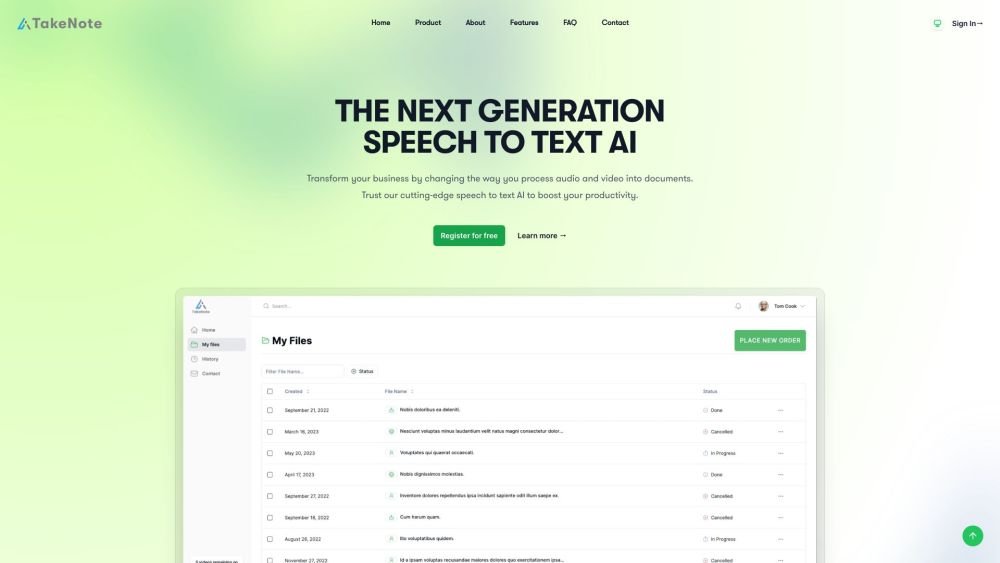
TakeNote is an AI-powered speech-to-text platform that enhances meeting productivity through accurate transcriptions, summaries, and visualizations. It offers fast, accurate, and secure transcription and sentiment analysis, making it an affordable solution for processing audio and video into documents.
Users can upload audio or video files to TakeNote, where the AI transcribes the content, generates summaries, performs sentiment analysis, and identifies speakers. The platform is cloud-based and accessible via standard web browsers.
TakeNote AI improves meeting productivity by providing accurate transcriptions, summaries, and visualizations. It is designed to be fast, accurate, secure, and affordable.
TakeNote AI converts audio and video files into text documents using advanced speech-to-text technology to help increase productivity.
TakeNote AI supports multiple languages.
TakeNote maintains high standards for security, privacy, and data protection.
TakeNote AI utilizes advanced artificial intelligence models to provide high levels of accuracy, automatically managing spelling and punctuation to approach human-level performance.
TakeNote AI transcribes audio files up to 8 times faster than a human transcriber.
You can get started by registering for a free account on the TakeNote website.
Please contact TakeNote directly for detailed pricing information.
Free plan available.
Use these comparison pages to understand the trade-offs between the models most relevant to TakeNote.
Compare Gemini 1.0 Pro Deprecated and Gemini 2.0 Flash across pricing, context window, capabilities, benchmarks, and API access to choose the better fit for long-context workloads versus long-context workloads.
Compare Gemini 1.0 Pro Deprecated and Gemini 2.5 Flash across pricing, context window, capabilities, benchmarks, and API access to choose the better fit for long-context workloads versus long-context workloads.
Compare Gemini 2.0 Flash Lite and Gemini 2.0 Flash across pricing, context window, capabilities, benchmarks, and API access to choose the better fit for long-context workloads versus long-context workloads.
Compare Gemini 2.5 Flash and Gemini 2.0 Flash across pricing, context window, capabilities, benchmarks, and API access to choose the better fit for long-context workloads versus long-context workloads.

Similar AI tool in the AI Assistant category.
Similar AI tool in the AI Assistant category.
Similar AI tool in the AI Marketing category.
Similar AI tool in the AI Image Generator category.
Similar AI tool in the AI Chatbot category.
Similar AI tool in the AI Image Generator category.
Similar AI tool in the AI Video Generator category.
Similar AI tool in the AI Writing Assistants category.
Similar AI tool in the AI Assistant category.
Similar AI tool in the AI Video Generator category.
Similar AI tool in the AI Chatbot category.
Similar AI tool in the AI Chatbot category.