
Free
$0Free plan available.
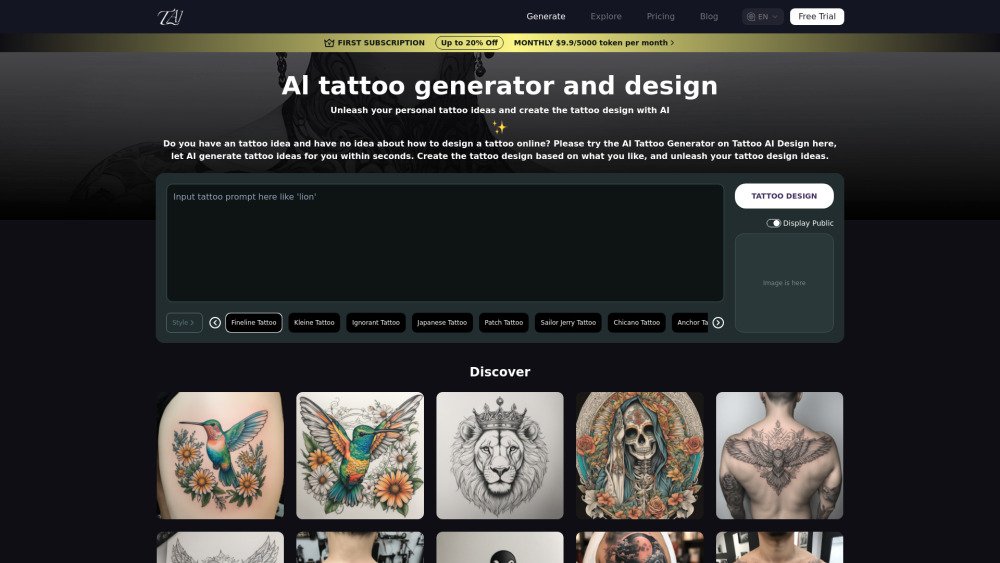
Tattoo AI Design is an innovative tool for tattoo enthusiasts, powered by AI. Users can simply describe their creative ideas, and the system will transform these descriptions into stunning tattoo art. It offers a free AI tattoo generator to design tattoos online using advanced AI. The platform allows users to generate unique tattoo designs from text, unleashing personal tattoo ideas through an online text-to-tattoo AI generator.
1. Open the AI Tattoo Generator. 2. Enter a description of your desired tattoo, whether broad or highly specific. 3. Click "Tattoo your design" to generate your custom artwork using the AI engine.
The AI Tattoo Generator is a tool that helps you create unique tattoo designs using artificial intelligence. It leverages AI technology to provide personalized tattoo pattern generation and design.
1. Open the AI Tattoo Generator. 2. Enter a description of your desired tattoo, whether broad or highly specific. 3. Click "Tattoo your design" to generate your custom artwork using the AI engine.
1. Free to Explore: Users can explore tattoo creation for free, with the ability to remix or download designs directly. 2. AI Tattoo Generator: Simply input your desired description and click "Tattoo your design" to generate your own custom tattoo.
Yes, the AI Tattoo Generator is free for tattoo design, and we offer a free trial for everyone to enjoy the service.
The AI Tattoo Generator supports various tattoo styles, including traditional, neo-traditional, watercolor, geometric, and more.
Popular themes include animals such as lions, eagles, wolves, sharks, tigers, cats, falcons, snakes, bears, and deer. Floral designs like roses, thorns, tulips, cannabis leaves, red poppies, potted plants, agave, lotus flowers, daisies, and cherry blossoms are also frequently used.
If your images are not appearing, try using a different browser or clearing your cache. If issues persist, please contact us at contact@6677.ai.
You can open the AI Tattoo Generator, input your tattoo prompt, and wait for the AI to generate the result.
Once you have your design from the AI Tattoo Generator and get the actual tattoo, your professional tattoo artist will advise you on how long to keep it covered.
If you enjoy our service, consider upgrading to a paid plan, providing feedback, or purchasing merchandise featuring your favorite designs. Your support helps us improve and grow.
Free plan available.
Use these comparison pages to understand the trade-offs between the models most relevant to Tattoo AI Design.
Compare Amazon Nova Pro and Amazon Nova Lite across pricing, context window, capabilities, benchmarks, and API access to choose the better fit for tool-augmented workflows versus tool-augmented workflows.
Compare Amazon Nova Lite and Amazon Nova Micro across pricing, context window, capabilities, benchmarks, and API access to choose the better fit for tool-augmented workflows versus tool-augmented workflows.
Compare Amazon Nova Lite and Mistral Medium 3 across pricing, context window, capabilities, benchmarks, and API access to choose the better fit for tool-augmented workflows versus tool-augmented workflows.
Compare Amazon Nova Lite and Mistral Small 3.1 (25.03) across pricing, context window, capabilities, benchmarks, and API access to choose the better fit for tool-augmented workflows versus cost-efficient scale.