
Free
$0Free plan available.
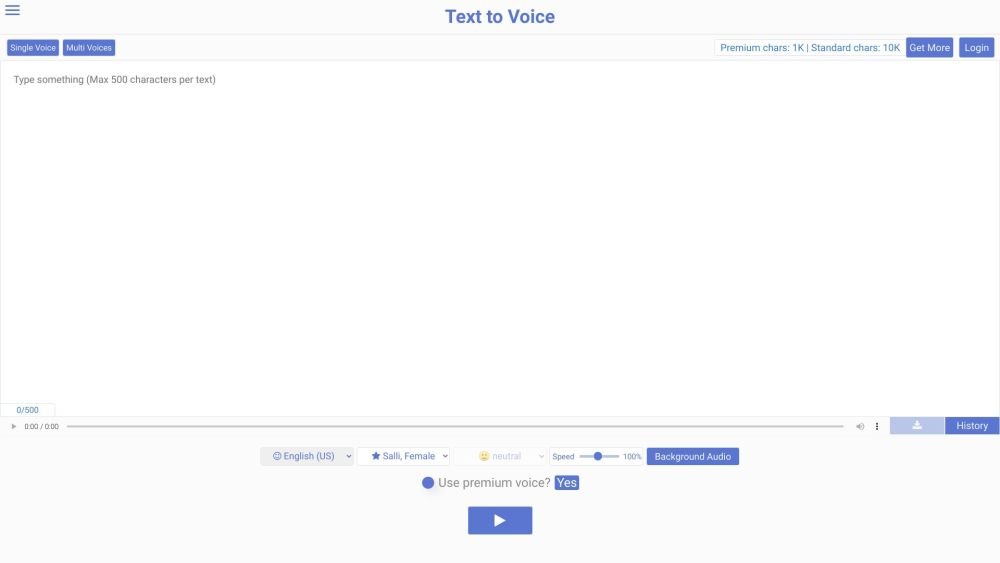
Texttovoice.online is a free online text-to-speech converter that uses AI to transform text into realistic English voices. It supports multiple languages and offers various options for voice emotion. The platform provides both premium and standard voices, with premium voices utilizing advanced algorithms for more natural-sounding output. Users can convert text to speech by selecting from different languages, voices, and speech styles, then download the result as an MP3 file. The site also includes features for voice emotions, background audio, and tools for creating voiceovers for platforms such as Instagram and TikTok.
To use Texttovoice.online, enter or paste your text into the designated text box, select your preferred language and voice, choose a speech style and emotion, and click the Play button. Once the AI has processed your text, you can download the resulting voiceover as an MP3 file.
The premium voice option utilizes an advanced algorithm to generate more realistic, less robotic speech. These voices are marked with a icon next to the language and voice name. Accessing premium voices requires 'premium characters,' which are provided daily for free or can be purchased.
Voice emotions allow you to adjust the speech style and the narrator's tone during conversion. This feature is identified by a 🙂 icon next to the language and voice name and requires a balance of more than 100,000 premium characters.
Narration improves video clarity, adds a professional touch, and helps emphasize key information. Text-to-speech narration is particularly effective for explaining technical topics, especially if you prefer not to record your own voice on camera.
Yes. Texttovoice.online protects your privacy by using random IDs to rename files on the server and storing them under complex file paths. Files are automatically deleted once the queue is filled, ensuring that only you can access your generated audio.
Free plan available.
Use these comparison pages to understand the trade-offs between the models most relevant to Texttovoice.online.
Compare Gemini 1.0 Pro Deprecated and Gemini 2.0 Flash across pricing, context window, capabilities, benchmarks, and API access to choose the better fit for long-context workloads versus long-context workloads.
Compare Gemini 1.0 Pro Deprecated and Gemini 2.5 Flash across pricing, context window, capabilities, benchmarks, and API access to choose the better fit for long-context workloads versus long-context workloads.
Compare Gemini 2.0 Flash Lite and Gemini 2.0 Flash across pricing, context window, capabilities, benchmarks, and API access to choose the better fit for long-context workloads versus long-context workloads.
Compare Gemini 2.5 Flash and Gemini 2.0 Flash across pricing, context window, capabilities, benchmarks, and API access to choose the better fit for long-context workloads versus long-context workloads.

Similar AI tool in the AI Assistant category.
Similar AI tool in the AI Assistant category.
Similar AI tool in the AI Marketing category.
Similar AI tool in the AI Writing Assistants category.
Similar AI tool in the AI Image Generator category.
Similar AI tool in the AI Chatbot category.
Similar AI tool in the AI Image Generator category.
Similar AI tool in the AI Video Generator category.
Similar AI tool in the AI Writing Assistants category.
Similar AI tool in the AI Writing Assistants category.
Similar AI tool in the AI Assistant category.
Similar AI tool in the AI Video Generator category.