
Free
$0Free plan available.
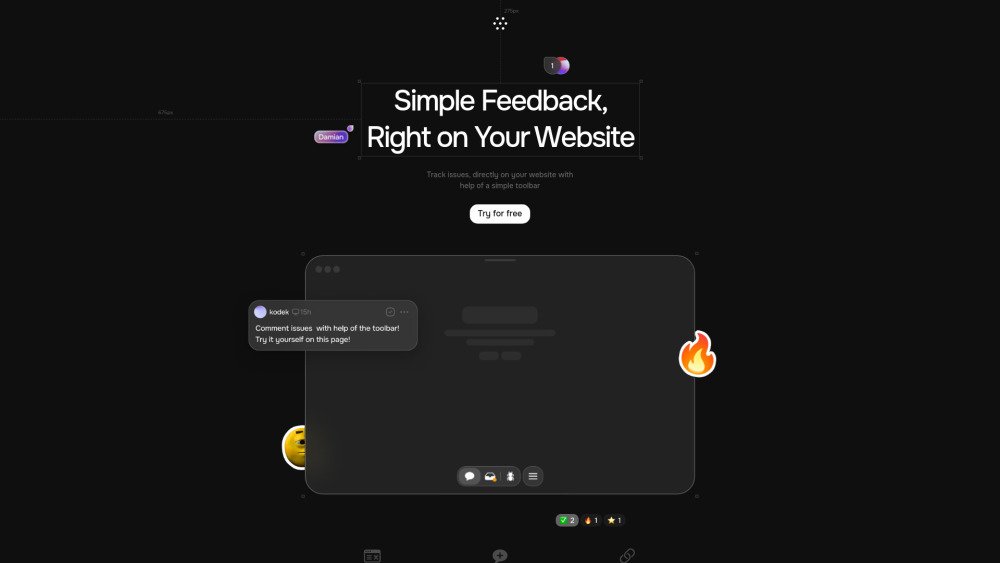
Toolbar is a website feedback tool designed for agencies and teams. It allows users to click, comment, and track issues directly on a website, eliminating the need for emails and screenshots. Developers receive all necessary details automatically, leading to faster bug fixes. It facilitates collaboration between developers, clients, and stakeholders, streamlining the feedback process and task management.
Install Toolbar on your website. Once active, click anywhere on the site to leave comments, track issues, and manage tasks. You can then share links to specific issues to coordinate with your team.
Toolbar simplifies the website feedback process by allowing users to comment and track issues directly on the page, removing the reliance on email threads and screenshots.
Toolbar automatically provides developers with essential diagnostic data, such as viewport, device, and browser information, to help them resolve bugs more quickly.
Toolbar integrates with platforms like Jira and Slack to support efficient task management.
Yes, Toolbar utilizes AI to assist in task resolution by providing solutions based on full page context and visibility.
Free plan available.
Use these comparison pages to understand the trade-offs between the models most relevant to Toolbar.
Compare Amazon Nova Pro and Amazon Nova Lite across pricing, context window, capabilities, benchmarks, and API access to choose the better fit for tool-augmented workflows versus tool-augmented workflows.
Compare Amazon Nova Lite and Amazon Nova Micro across pricing, context window, capabilities, benchmarks, and API access to choose the better fit for tool-augmented workflows versus tool-augmented workflows.
Compare Amazon Nova Lite and Mistral Medium 3 across pricing, context window, capabilities, benchmarks, and API access to choose the better fit for tool-augmented workflows versus tool-augmented workflows.
Compare Amazon Nova Lite and Mistral Small 3.1 (25.03) across pricing, context window, capabilities, benchmarks, and API access to choose the better fit for tool-augmented workflows versus cost-efficient scale.