
Free
$0Free plan available.
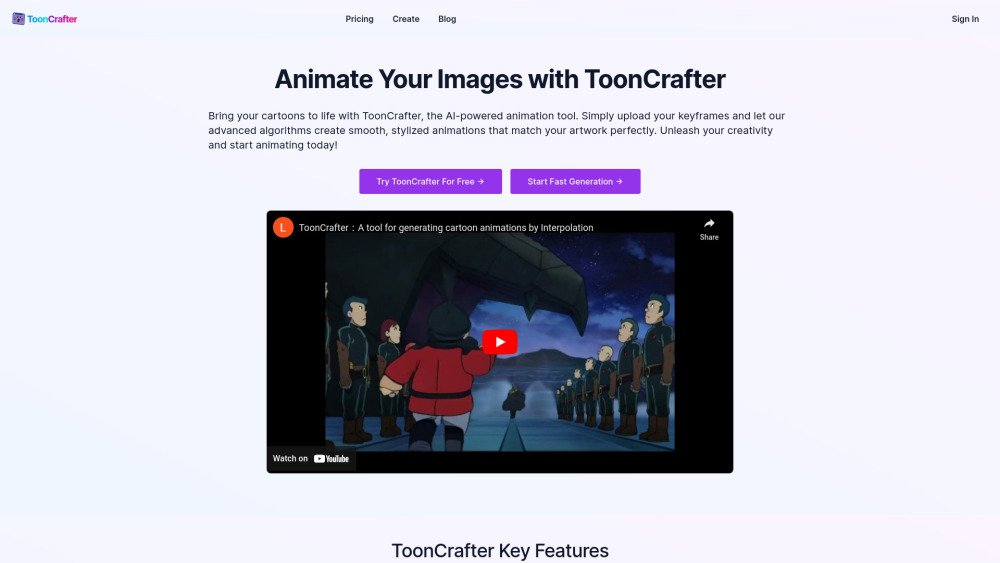
ToonCrafter is an AI-powered animation tool that generates smooth transitions between cartoon key frames. It allows users to upload keyframes and create stylized animations that match their artwork. It offers both free and paid options, with the paid service providing faster processing, multiple keyframe uploads, and access to advanced features.
Upload 2 to 4 keyframe images, provide text prompts to describe your desired animation effects, and click 'Generate'. Once finished, you can preview, download, and share your animation in MP4 format.
ToonCrafter is an advanced AI-powered animation tool that generates smooth transitions between cartoon keyframes. While inspired by an open-source project, our commercial product offers enhanced features and optimizations for creating high-quality cartoon animations with ease.
ToonCrafter's primary function is to create fluid animations from cartoon keyframes. Users upload images, and our AI generates intermediate frames to produce seamless animations. This tool is designed for animators, content creators, and anyone looking to create professional-quality cartoon animations.
The process is simple: 1) Prepare your keyframe images. 2) Upload them to ToonCrafter (2 for free users, multiple for paid users). 3) Optionally, add text prompts to guide the animation. 4) Wait for the AI to process your images. 5) Download your completed animation. Paid users can create longer, more complex animations by uploading multiple keyframes.
No specific animation skills are required. ToonCrafter is designed to be user-friendly for both professionals and beginners. Simply prepare and upload your keyframe images, and the AI will handle the animation process.
ToonCrafter supports WEBP, PNG, and JPG formats with a maximum resolution of 512x512 pixels. For the best results, ensure the motion difference between keyframes corresponds to approximately 1 second of real-world animation.
ToonCrafter produces MP4 files at 8 fps, with a typical duration of 2 seconds (1 second per input image) and a maximum resolution of 512x512 pixels. Paid users have access to a premium looping feature for seamless playback.
We offer both free and paid options. The free service allows you to try ToonCrafter with basic features, including uploading 2 keyframes to generate one animation segment. The paid service offers credits for faster processing, multiple keyframe uploads, and advanced features like dynamic portrait tools.
The free service allows for uploading 2 keyframes to generate one animation segment. The paid service enables uploading multiple keyframes for longer, more complex animations, provides access to exclusive dynamic portrait tools, and offers significantly faster processing speeds without queues.
Choose the free service if you are new to animation or have occasional needs. Opt for the paid service if you require longer animations, faster processing, or advanced features like dynamic portraits. The paid service is recommended for professional use or frequent animation creation.
For paid users, it typically takes around 20 seconds to generate an animation from 2 keyframes. Processing time may vary based on the number of keyframes, whether loop mode is enabled, and the complexity of the images.
ToonCrafter utilizes advanced AI technologies, including toon rectification learning, a dual-reference-based 3D VAE decoder, and sparse sketch guidance. These techniques enable high-quality animation generation from minimal input.
For the open-source project, visit https://doubiiu.github.io/projects/ToonCrafter/ or https://github.com/ToonCrafter/ToonCrafter. For our commercial ToonCrafter service, please explore our website or contact our support team directly.
Free plan available.
Use these comparison pages to understand the trade-offs between the models most relevant to ToonCrafter.
Compare Gemini 1.0 Pro Deprecated and Gemini 2.0 Flash across pricing, context window, capabilities, benchmarks, and API access to choose the better fit for long-context workloads versus long-context workloads.
Compare Gemini 1.0 Pro Deprecated and Gemini 2.5 Flash across pricing, context window, capabilities, benchmarks, and API access to choose the better fit for long-context workloads versus long-context workloads.
Compare Gemini 2.0 Flash Lite and Gemini 2.0 Flash across pricing, context window, capabilities, benchmarks, and API access to choose the better fit for long-context workloads versus long-context workloads.
Compare Gemini 2.5 Flash and Gemini 2.0 Flash across pricing, context window, capabilities, benchmarks, and API access to choose the better fit for long-context workloads versus long-context workloads.

Similar AI tool in the AI Copilot category.
Similar AI tool in the AI Assistant category.
Similar AI tool in the AI Assistant category.
Similar AI tool in the AI Writing Assistants category.
Similar AI tool in the AI Video Generator category.
Similar AI tool in the AI Image Generator category.
Similar AI tool in the AI Writing Assistants category.
Similar AI tool in the AI Writing Assistants category.
Similar AI tool in the AI Assistant category.
Similar AI tool in the AI Video Generator category.
Similar AI tool in the AI Chatbot category.
Similar AI tool in the AI Chatbot category.