
Free
$0Free plan available.
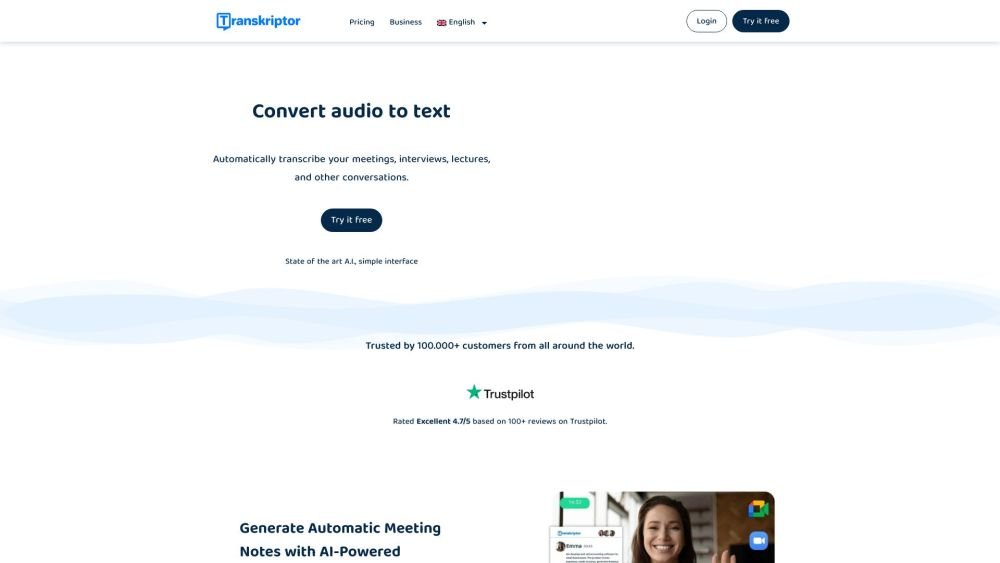
Transkriptor is an AI-powered transcription service that converts audio and video files into text with high accuracy. It offers features like meeting recording, translation, subtitle generation, and AI-driven summarization, making it suitable for various use cases, including business meetings, academic research, and content creation.
To use Transkriptor, upload your audio or video files to the platform, record audio directly within the app, or connect it to meeting platforms such as Zoom and Google Meet. The AI generates a transcript that you can then edit, translate, and download in various formats.
Transcription is the process of converting spoken language from audio or video recordings into written text. It is commonly used for meetings, interviews, lectures, podcasts, and media content. This process can be performed manually by human transcribers or automatically using AI transcription software.
Transcription works by converting spoken words from audio or video into written text. By uploading a file to a tool like Transkriptor, the AI detects speech, identifies speakers, and generates a timestamped transcript. You can then review, edit, and export the text in formats such as TXT, DOCX, or subtitle files like SRT and VTT.
Transcription improves accessibility, enhances content searchability, and increases productivity by turning spoken content into readable, repurposable text. It also supports SEO by creating indexable content. AI tools like Transkriptor automate this process to save time and resources.
Transcription accuracy is influenced by factors such as audio quality, background noise, speaker clarity, overlapping dialogue, accents, and the number of speakers. Poor audio quality or strong accents can impact the performance of AI tools. Using high-quality microphones and ensuring clear speech helps improve results.
Yes, modern transcription tools like Transkriptor use speaker diarization technology to handle multiple speakers. This feature identifies and labels individual speakers within the transcript, making it easier to follow conversations during meetings, interviews, or group discussions.
Transkriptor is a leading transcription software that provides highly accurate AI-powered transcription for clear audio. It supports over 100 languages, accepts various audio and video file formats, and includes features such as speaker identification, subtitle generation, and a built-in transcript editor.
You can conduct sentiment analysis using AI-powered tools like Transkriptor. Its meeting bot can join online meetings or analyze uploaded recordings to transcribe the content and automatically evaluate the emotional tone, classifying segments as positive, neutral, or negative.
Free plan available.
Use these comparison pages to understand the trade-offs between the models most relevant to Transkriptor.
Compare Gemini 1.0 Pro Deprecated and Gemini 2.0 Flash across pricing, context window, capabilities, benchmarks, and API access to choose the better fit for long-context workloads versus long-context workloads.
Compare Gemini 1.0 Pro Deprecated and Gemini 2.5 Flash across pricing, context window, capabilities, benchmarks, and API access to choose the better fit for long-context workloads versus long-context workloads.
Compare Gemini 2.0 Flash Lite and Gemini 2.0 Flash across pricing, context window, capabilities, benchmarks, and API access to choose the better fit for long-context workloads versus long-context workloads.
Compare Gemini 2.5 Flash and Gemini 2.0 Flash across pricing, context window, capabilities, benchmarks, and API access to choose the better fit for long-context workloads versus long-context workloads.

Similar AI tool in the AI Assistant category.
Similar AI tool in the AI Marketing category.
Similar AI tool in the AI Writing Assistants category.
Similar AI tool in the AI Image Generator category.
Similar AI tool in the AI Chatbot category.
Similar AI tool in the AI Image Generator category.
Similar AI tool in the AI Video Generator category.
Similar AI tool in the AI Assistant category.
Similar AI tool in the AI Writing Assistants category.
Similar AI tool in the AI Chatbot category.
Similar AI tool in the AI Video Generator category.
Similar AI tool in the AI Assistant category.