
Free
$0Free plan available.
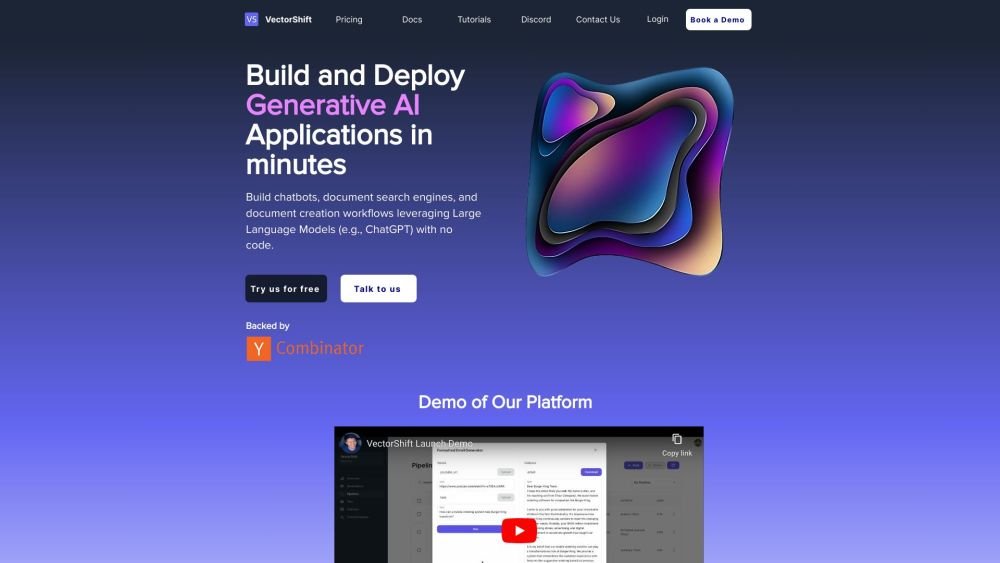
VectorShift is a no-code platform that empowers companies to build generative AI applications. It provides users with access to prebuilt pipelines like document generators, chatbots, and document search, while also offering the flexibility to build and customize their own AI workflows. VectorShift combines a user-friendly no-code interface with a robust Code SDK, allowing users to create applications using drag-and-drop or dive into coding with seamless IDE integration. It supports integrations and automations across various tools, including Google Drive, OneDrive, Salesforce, HubSpot, Notion, and Airtable. VectorShift also provides access to the latest large language models (LLMs) such as OpenAI, Anthropic, Hugging Face, Google, LLaMA, and AWS Mistral AI.
Users can start with pre-built templates, connect data from various sources (websites, documents, CSVs, databases), and use the intuitive drag-and-drop builder to design their AI application's architecture. The platform allows for seamless transitions between the no-code interface and the Python SDK for further customization and deployment.
VectorShift is designed for a wide range of users, from those without coding experience to experienced developers looking to build AI applications.
The platform offers a 'Get started today' option, which may indicate the availability of a free trial or tier; however, specific plan details should be verified on their website.
Yes, VectorShift utilizes a secure infrastructure and development platform.
Yes, VectorShift supports integration with data in various formats, including websites, documents, and CSVs, or through direct database connections.
Yes, VectorShift provides the tools necessary to build custom AI solutions for organizational needs.
Free plan available.
Use these comparison pages to understand the trade-offs between the models most relevant to VectorShift.
Compare Amazon Nova Pro and Amazon Nova Lite across pricing, context window, capabilities, benchmarks, and API access to choose the better fit for tool-augmented workflows versus tool-augmented workflows.
Compare Amazon Nova Lite and Amazon Nova Micro across pricing, context window, capabilities, benchmarks, and API access to choose the better fit for tool-augmented workflows versus tool-augmented workflows.
Compare Amazon Nova Lite and Mistral Medium 3 across pricing, context window, capabilities, benchmarks, and API access to choose the better fit for tool-augmented workflows versus tool-augmented workflows.
Compare Amazon Nova Lite and Mistral Small 3.1 (25.03) across pricing, context window, capabilities, benchmarks, and API access to choose the better fit for tool-augmented workflows versus cost-efficient scale.

Similar AI tool in the AI Assistant category.
Similar AI tool in the AI Assistant category.
Similar AI tool in the AI Assistant category.
Similar AI tool in the AI Productivity Tools category.
Similar AI tool in the AI Assistant category.
Similar AI tool in the AI Assistant category.
Similar AI tool in the AI Chatbot category.
Similar AI tool in the AI Chatbot category.
Similar AI tool in the AI Assistant category.
Similar AI tool in the AI Chatbot category.
Similar AI tool in the AI Assistant category.
Similar AI tool in the AI Assistant category.