
Free
$0Free plan available.
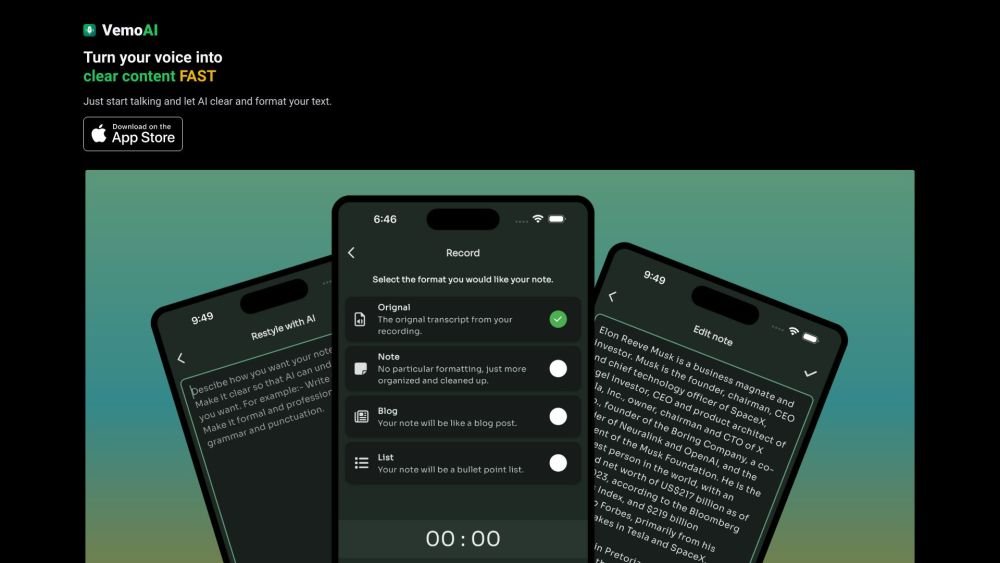
Vemo is an AI-powered meeting note taker that helps users recall every detail of their meetings. It captures detailed, business-ready notes, extracts action items, and provides crystal-clear transcriptions with synced playback. Vemo allows users to focus on the conversation instead of manually taking notes and offers features to enhance notes by speaking and answering questions about the meeting.
Launch Vemo during your meeting to automatically transcribe the audio and generate notes. Afterward, review the content, use voice commands to edit or expand sections, extract action items, and share the finalized notes with your team.
Vemo captures detailed, business-ready notes so you can focus on the conversation rather than writing. It extracts action items from discussions to create a to-do list and allows you to easily edit or update your notes using voice commands.
Vemo allows you to refine your notes using voice input. You can add, remove, or adjust sections of your meeting notes effortlessly by speaking.
Vemo automatically extracts action items from your discussions and organizes them into a to-do list to help you maintain progress after the meeting.
Vemo provides clear transcriptions that account for various accents and audio quality, including synced playback for easy review.
Free plan available.
Use these comparison pages to understand the trade-offs between the models most relevant to Vemo - AI Meeting Note Taker.
Compare Gemini 1.0 Pro Deprecated and Gemini 2.0 Flash across pricing, context window, capabilities, benchmarks, and API access to choose the better fit for long-context workloads versus long-context workloads.
Compare Gemini 1.0 Pro Deprecated and Gemini 2.5 Flash across pricing, context window, capabilities, benchmarks, and API access to choose the better fit for long-context workloads versus long-context workloads.
Compare Gemini 2.0 Flash Lite and Gemini 2.0 Flash across pricing, context window, capabilities, benchmarks, and API access to choose the better fit for long-context workloads versus long-context workloads.
Compare Gemini 2.5 Flash and Gemini 2.0 Flash across pricing, context window, capabilities, benchmarks, and API access to choose the better fit for long-context workloads versus long-context workloads.

Similar AI tool in the AI Transcription category.
Similar AI tool in the AI Copilot category.
Similar AI tool in the AI Summarizer category.
Similar AI tool in the AI Assistant category.
Similar AI tool in the AI Assistant category.
Similar AI tool in the AI Chatbot category.
Similar AI tool in the AI Assistant category.
Similar AI tool in the AI Assistant category.
Similar AI tool in the AI Chatbot category.
Similar AI tool in the AI Assistant category.
Similar AI tool in the AI Assistant category.
Similar AI tool in the AI Assistant category.