
Free
$0Free plan available.
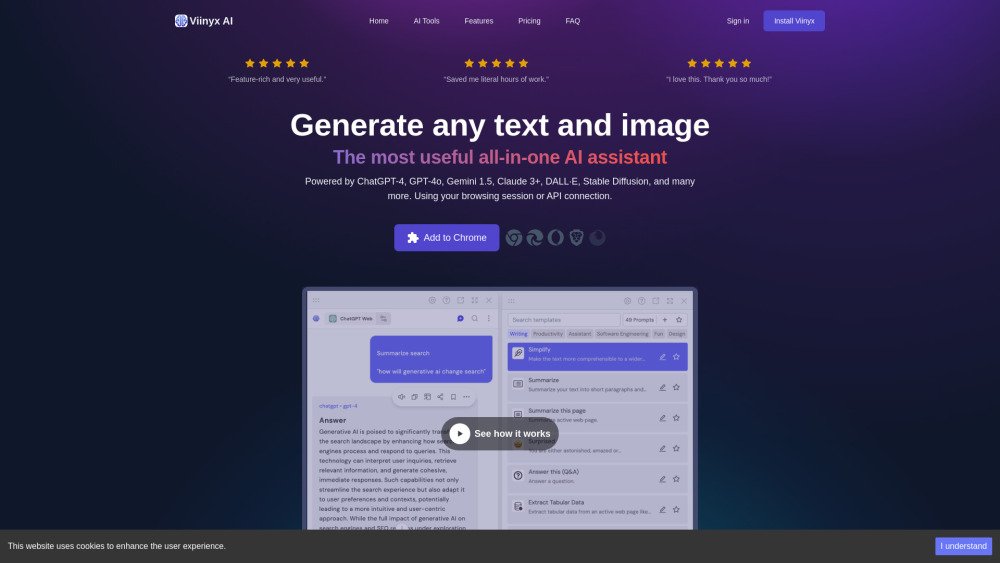
Viinyx AI is an all-in-one browser extension that allows users to access and utilize various AI models like ChatGPT, Claude, Meta AI, and Gemini on any website. It offers features such as summarizing pages and videos, multi-PDF chat, chat history, AI writing assistance, image generation, and more. Viinyx AI uses your browsing session and offers BYOK (Bring Your Own Key) for upgraded user accounts.
Install the Viinyx AI Chrome extension. Press Option + V (or Alt + V on Windows) to open the chatbox on any website. Type // inside any text field to trigger the AI Writing Assistant.
Viinyx AI is a browser extension that integrates leading AI models to improve your web browsing and productivity. It functions as an in-browser assistant for chatting, copywriting, summarization, and content creation.
To use Viinyx AI, press the Option + V (or Alt + V on Windows) shortcut to launch the chatbox on any website. Alternatively, type // inside any text area or rich text editor to activate the AI Writing Assistant.
Viinyx allows you to interact with various models on platforms such as ChatGPT (GPT-4 & GPT-4o), DeepSeek, Claude 3 (Sonnet, Opus, Haiku), Bing Chat, Meta AI (Llama), Gemini Pro 1.5, and LimeWire Studio (Blue Willow, Stable Diffusion, DALL·E, Google Imagen) using your browser session. You can also connect to models via your own API keys, including OpenAI, OpenRouter, Anthropic, DALL·E, and Stable Diffusion.
Viinyx AI is free to use, with optional premium plans available to access advanced features and unlock the full capabilities of the extension.
Viinyx AI operates within your browser. While usage analytics are collected, your configurations, API keys, browsing session data, stored documents, and chat history remain stored locally in your browser. Data is not transferred to remote servers, nor is it sold to third parties.
Free plan available.
Use these comparison pages to understand the trade-offs between the models most relevant to Viinyx AI.
Compare Gemini 1.0 Pro Deprecated and Gemini 1.5 Flash Deprecated across pricing, context window, capabilities, benchmarks, and API access to choose the better fit for long-context workloads versus general-purpose AI workloads.
Compare Gemini 1.0 Pro Deprecated and Gemini 1.5 Flash Vision Deprecated across pricing, context window, capabilities, benchmarks, and API access to choose the better fit for long-context workloads versus general-purpose AI workloads.
Compare Gemini 1.0 Pro Deprecated and Gemini 2.0 Flash across pricing, context window, capabilities, benchmarks, and API access to choose the better fit for long-context workloads versus long-context workloads.
Compare Gemini 1.0 Pro Deprecated and Gemini 2.5 Flash across pricing, context window, capabilities, benchmarks, and API access to choose the better fit for long-context workloads versus long-context workloads.

Similar AI tool in the AI Assistant category.
Similar AI tool in the AI Assistant category.
Similar AI tool in the AI Chatbot category.
Similar AI tool in the AI Assistant category.
Similar AI tool in the AI Image Generator category.
Similar AI tool in the AI Assistant category.
Similar AI tool in the AI Chatbot category.
Similar AI tool in the AI Chatbot category.
Similar AI tool in the AI Image Generator category.
Similar AI tool in the AI Image Generator category.
Similar AI tool in the AI Assistant category.
Similar AI tool in the AI Assistant category.