
Free
$0Free plan available.
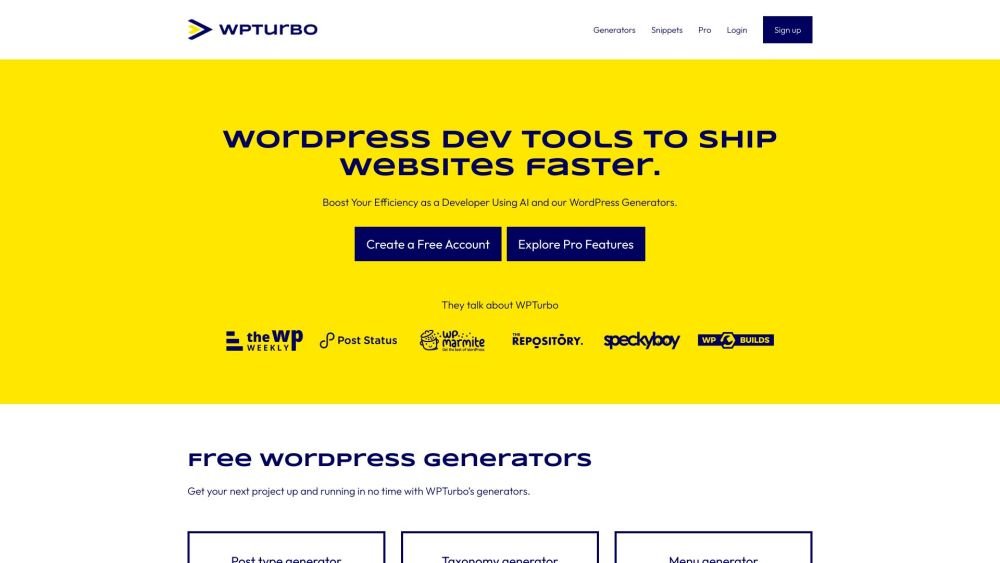
WPTurbo is a platform designed to boost WordPress developers' efficiency by providing AI-powered code generation and WordPress code snippets. It offers tools to generate WordPress code snippets quickly, minimizing plugin overload and streamlining the development workflow. WPTurbo includes features like AI-powered code generation, a snippets library, project management, and integrations with WordPress developer documentation and Elementor docs.
Start by creating a free account to explore the available generators and AI tools. Use the platform to generate code snippets for post types, taxonomies, menus, shortcodes, hooks, and more. Leverage the AI to write WordPress code in seconds, then save and manage your snippets in a personal library to build complete WordPress projects.
WPTurbo generator settings are fields that define data used across all generators, including Function Name Prefix, Text Domain, Author Name, Author URL, Child Theme Support, CSS Class Prefix, and CSS ID Prefix. Configuring these values once saves time by eliminating the need for manual entry.
All WPTurbo generators are available for free. Registering a free account allows you to save snippets and use the WPTurbo AI generator with a limit of 100 requests. While we do not offer a formal free trial for Pro accounts, you may request a refund if you are not satisfied with your purchase.
We process payments via Stripe and PayPal, which support various cards including Visa, Mastercard, American Express, Discover, Diners Club, and JCB.
You may upgrade or downgrade your plan at any time. Downgrades take effect at the end of your current billing cycle, while upgrades are applied immediately.
Yes, you can cancel at any time. Your access to Pro features will continue until the end of your billing cycle. Please note that the Lifetime Plan is not a subscription and cannot be cancelled.
Yes, you can request a full refund within 14 days of your purchase. Please contact us to share your feedback, and if you remain unsatisfied, we will process your refund.
Free users receive 100 requests, while Pro users are limited to 500 requests per day. We reserve the right to modify our fair-use policy to ensure equitable access, and accounts that violate this policy may be subject to suspension or termination.
Free plan available.
Use these comparison pages to understand the trade-offs between the models most relevant to WPTurbo.
Compare Amazon Nova Pro and Amazon Nova Lite across pricing, context window, capabilities, benchmarks, and API access to choose the better fit for tool-augmented workflows versus tool-augmented workflows.
Compare Amazon Nova Lite and Amazon Nova Micro across pricing, context window, capabilities, benchmarks, and API access to choose the better fit for tool-augmented workflows versus tool-augmented workflows.
Compare Amazon Nova Lite and Mistral Medium 3 across pricing, context window, capabilities, benchmarks, and API access to choose the better fit for tool-augmented workflows versus tool-augmented workflows.
Compare Amazon Nova Lite and Mistral Small 3.1 (25.03) across pricing, context window, capabilities, benchmarks, and API access to choose the better fit for tool-augmented workflows versus cost-efficient scale.

Similar AI tool in the AI Copilot category.
Similar AI tool in the AI Assistant category.
Similar AI tool in the AI Assistant category.
Similar AI tool in the AI Productivity Tools category.
Similar AI tool in the AI Assistant category.
Similar AI tool in the AI Assistant category.
Similar AI tool in the AI Assistant category.
Similar AI tool in the AI Assistant category.
Similar AI tool in the AI Chatbot category.
Similar AI tool in the AI Productivity Tools category.
Similar AI tool in the AI Assistant category.
Similar AI tool in the AI Assistant category.