
Free
$0Free plan available.
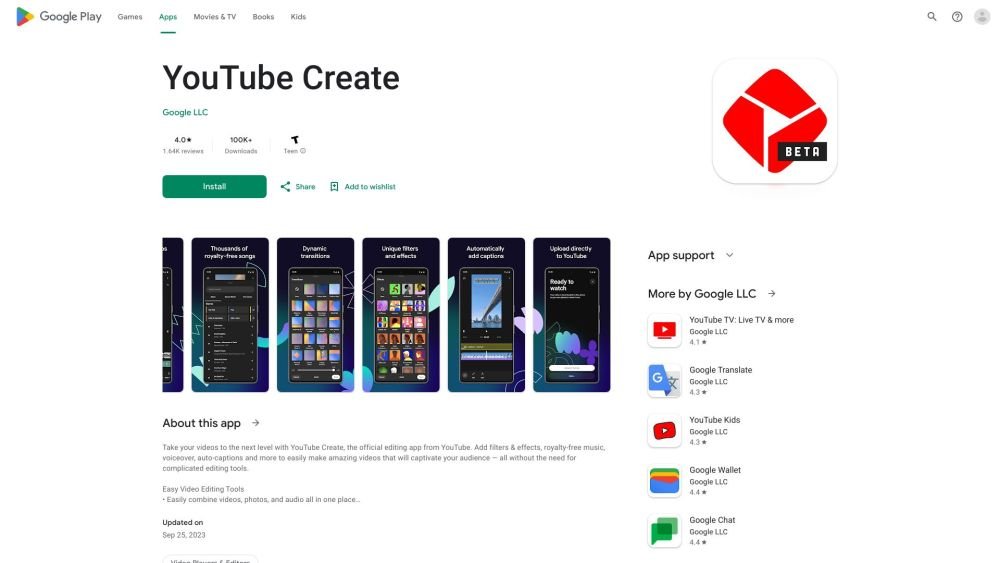
YouTube Create is a user-friendly video editing application designed to simplify the creation of high-quality videos without requiring complex software. It includes tools such as filters, effects, royalty-free music, voiceover recording, and auto-captions to help engage your audience. The app enables users to combine video, photo, and audio files, trim clips, apply transitions, adjust playback speed, and more.
Users can easily combine videos, photos, and audio within the app. You can trim, clip, and crop footage, apply transitions, adjust speed, generate captions, remove background noise, incorporate music and sound effects, record voiceovers, apply filters and effects, and add stickers and text. Finally, you can resize your video for various aspect ratios and upload it directly to YouTube.
YouTube Create is compatible with Android devices running version 8.0 or later that have at least 4GB of RAM.
Yes, YouTube Create allows you to generate captions or subtitles for your videos with a single tap (available in select languages).
Yes, YouTube Create is a free-to-use video editing application.
Free plan available.
Use these comparison pages to understand the trade-offs between the models most relevant to YouTube Create.
Compare Gemini 1.0 Pro Deprecated and Gemini 2.0 Flash across pricing, context window, capabilities, benchmarks, and API access to choose the better fit for long-context workloads versus long-context workloads.
Compare Gemini 1.0 Pro Deprecated and Gemini 2.5 Flash across pricing, context window, capabilities, benchmarks, and API access to choose the better fit for long-context workloads versus long-context workloads.
Compare Gemini 2.0 Flash Lite and Gemini 2.0 Flash across pricing, context window, capabilities, benchmarks, and API access to choose the better fit for long-context workloads versus long-context workloads.
Compare Gemini 2.5 Flash and Gemini 2.0 Flash across pricing, context window, capabilities, benchmarks, and API access to choose the better fit for long-context workloads versus long-context workloads.

Similar AI tool in the AI Video Generator category.
Similar AI tool in the AI Writing Assistants category.
Similar AI tool in the AI Image Generator category.
Similar AI tool in the AI API category.
Similar AI tool in the AI Background Remover category.
Similar AI tool in the AI Image Generator category.
Similar AI tool in the AI Assistant category.
Similar AI tool in the AI Writing Assistants category.
Similar AI tool in the AI Video Generator category.
Similar AI tool in the AI Chatbot category.
Similar AI tool in the AI Video Editor category.
Similar AI tool in the AI Assistant category.