
Free
$0Free plan available.
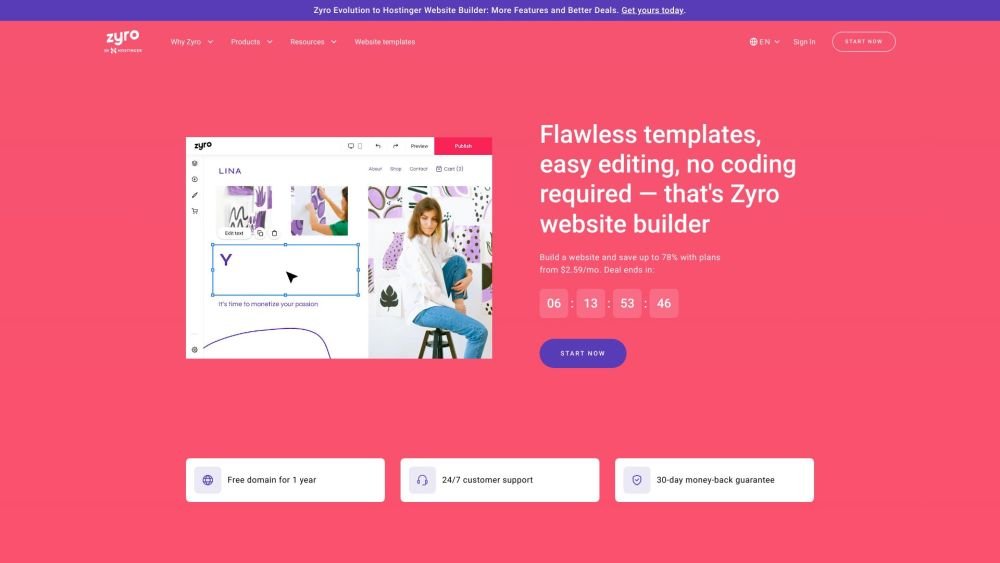
Hostinger Website Builder allows users to create their own websites in minutes. It offers over 150 responsive templates and an AI-powered website builder. It includes features for building various types of websites, from online stores to portfolios, and provides tools for customization, marketing, and SEO.
Users can select a template or utilize the AI builder to initiate their website creation. The drag-and-drop editor facilitates easy customization. Once the design is complete, users can select a domain name and launch their site, benefiting from built-in performance and security features.
A website builder is a tool that allows you to create a website without coding or design experience. Using a drag-and-drop editor and ready-made templates, you can quickly build a blog, portfolio, or ecommerce site. Hostinger Website Builder is a complete suite featuring AI-assisted creation, a free domain, and built-in marketing tools, making it ideal for beginners or business owners who need to get online quickly.
A website helps you establish an online presence and reach a global audience. Whether you are building a portfolio, blog, business site, or ecommerce store, having a website demonstrates legitimacy and builds trust with potential customers.
To create your website, purchase a builder and hosting plan, then follow these steps: Choose a template or let the AI generate a site for you. Customize your layout using the drag-and-drop editor to add images, pages, and adjust design elements. Optimize your site with built-in SEO tools and third-party integrations like Google Analytics, Hotjar, and Facebook Pixel. Finally, click 'go live' to publish. Our platform includes a free domain with yearly plans and live chat support for assistance.
While simple business websites can cost between US$ 100 and US$ 500, Hostinger Website Builder offers an all-in-one solution starting at US$ 2.99/mo. This includes a free domain, AI tools to reduce development costs, and unlimited SSL security. Costs may vary based on advanced requirements; for more details, please refer to our article on website costs.
Most websites, including personal sites, portfolios, and online stores, can be built in minutes. Larger sites with extensive customizations may take slightly longer. You can accelerate the design process by using our AI tools for rapid content and image generation.
Yes. Website builders are designed to eliminate the need for technical skills. You can use our intuitive Smart Grid and drag-and-drop editor to design your site, or use the AI Website Builder to generate a site from scratch by simply describing your business needs.
Hostinger Website Builder provides fully customizable templates and AI technology to help you build a site in minutes. You can edit layouts, text, images, and fonts, and use marketing tools like the AI logo generator, AI writer, and AI heatmap to improve engagement. It also includes comprehensive ecommerce features for managing products, sales, shipping, and taxes.
After purchasing a plan, you can claim your free domain or connect an existing one. A custom domain enhances your professional credibility and makes it easier for your audience to find your website.
Yes. Our platform provides all the essential features small businesses need, including domain-based email accounts, third-party marketing integrations, and SEO tools. It is designed to help business owners launch professional sites and start selling online without technical expertise.
Yes. Hostinger offers templates specifically designed for one-page websites and microsites. These are ideal for marketing campaigns, product launches, or promoting time-sensitive offers.
Yes. You can launch a fully functional online store using Hostinger Website Builder. Features include AI-generated product descriptions, support for over 20 payment methods (such as Apple Pay and Google Pay), and zero transaction fees, allowing you to keep your profits.
Yes. Our builder automatically adjusts your content to ensure your site is mobile-friendly and displays correctly on all screen sizes. This improves user experience and supports better search engine rankings. You can even build and launch your site directly from a smartphone.
You can use our AI tools to identify keywords, generate meta titles and descriptions, and write image alt text. The builder also automatically generates a sitemap to support your SEO efforts. For further guidance on driving traffic, please refer to our dedicated article.
Free plan available.
Use these comparison pages to understand the trade-offs between the models most relevant to Hostinger Website Builder.
Compare Gemini 1.0 Pro Deprecated and Gemini 1.5 Flash Vision Deprecated across pricing, context window, capabilities, benchmarks, and API access to choose the better fit for long-context workloads versus general-purpose AI workloads.
Compare Gemini 1.5 Pro Vision Deprecated and Gemini 1.0 Pro Deprecated across pricing, context window, capabilities, benchmarks, and API access to choose the better fit for general-purpose AI workloads versus long-context workloads.
Compare Gemini 1.0 Pro Vision Deprecated and Gemini 1.5 Flash Vision Deprecated across pricing, context window, capabilities, benchmarks, and API access to choose the better fit for general-purpose AI workloads versus general-purpose AI workloads.
Compare Gemini 1.5 Pro Vision Deprecated and Gemini 1.0 Pro Vision Deprecated across pricing, context window, capabilities, benchmarks, and API access to choose the better fit for general-purpose AI workloads versus general-purpose AI workloads.

Similar AI tool in the AI Image Generator category.
Similar AI tool in the AI Chatbot category.
Similar AI tool in the AI Writing Assistants category.
Similar AI tool in the No-Code&Low-Code category.
Similar AI tool in the AI Assistant category.
Similar AI tool in the AI Assistant category.
Similar AI tool in the AI Chatbot category.
Similar AI tool in the AI Image Generator category.
Similar AI tool in the AI Writing Assistants category.
Similar AI tool in the AI Writing Assistants category.
Similar AI tool in the AI Assistant category.
Similar AI tool in the AI Chatbot category.