
Free
$0Free plan available.
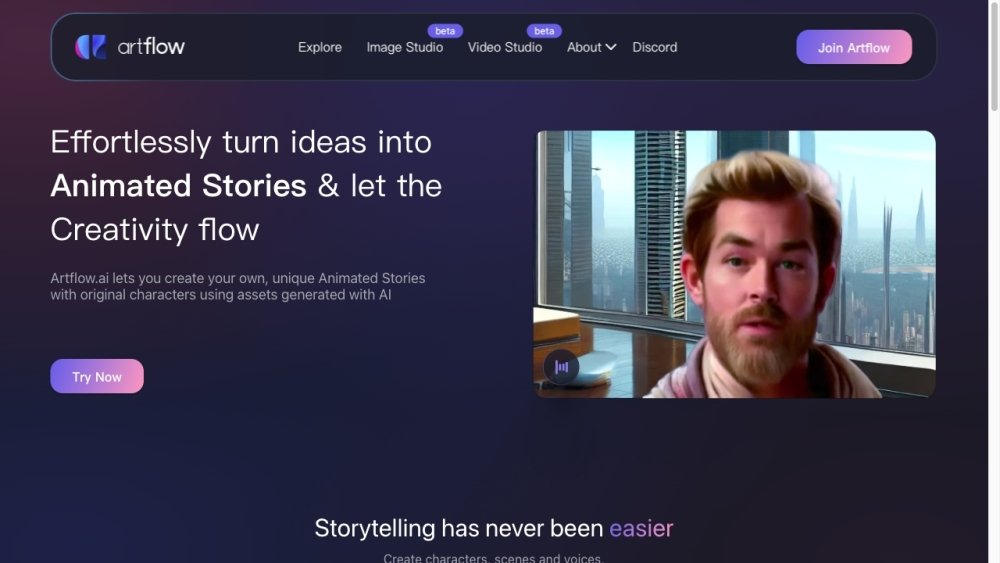
Artflow.ai is an AI-powered platform that allows users to effortlessly turn ideas into animated stories and create unique animated stories with original characters using AI-generated assets. It also functions as an AI photography studio, enabling users to transform themselves into various characters in different locations and outfits. The platform offers tools like Actor Builder, Image Studio, Video Studio, and Story Studio to facilitate creative content generation.
To use Artflow.ai, upload photos to create an AI actor, then use Image Studio to generate images of that actor in different settings. You can convert these images into animated talking videos using Video Studio, or use Story Studio to build complete animated stories.
Actor Builder instantly transforms you into an actor, allowing you to become any character in any setting or adventure.
Upload 10 images of the same person and wait for the training to complete. Once finished, you can use Image Studio to generate images of that person in various settings, outfits, and activities, or use Video Studio to create animated talking videos.
Each actor training costs $8.99. Your first trial training is free, and upgrading to a Pro plan provides additional discounts.
Yes, all uploaded images are deleted immediately after the training process is complete.
On the Basic plan, content is licensed under CC BY-NC, allowing non-commercial use. On the Starter plan, content is licensed under CC BY-4.0, which permits commercial use with attribution. On the Pro plan, you may use content for commercial purposes without the need for attribution.
One minute of video from Story Studio costs 25 credits, while one minute of video from Video Studio costs 50 credits. Your credit balance resets and replenishes monthly based on your subscription plan.
Yes, you can cancel at any time and continue accessing premium features until your current billing period ends.
Refunds may be issued at our discretion for confirmed fraudulent purchases or if a request is submitted within 5 days of a charge, provided no content was created during that billing period. Please contact us to initiate a request; we typically respond within 1-3 business days. Payments are processed via Stripe, and refunds generally take 5-10 business days to process. We reserve the right to deny or prorate refunds if we detect potential policy abuse.
Free plan available.
Use these comparison pages to understand the trade-offs between the models most relevant to Artflow.ai.
Compare Gemini 1.0 Pro Deprecated and Gemini 2.0 Flash across pricing, context window, capabilities, benchmarks, and API access to choose the better fit for long-context workloads versus long-context workloads.
Compare Gemini 1.0 Pro Deprecated and Gemini 2.5 Flash across pricing, context window, capabilities, benchmarks, and API access to choose the better fit for long-context workloads versus long-context workloads.
Compare Gemini 2.0 Flash Lite and Gemini 2.0 Flash across pricing, context window, capabilities, benchmarks, and API access to choose the better fit for long-context workloads versus long-context workloads.
Compare Gemini 2.5 Flash and Gemini 2.0 Flash across pricing, context window, capabilities, benchmarks, and API access to choose the better fit for long-context workloads versus long-context workloads.

Similar AI tool in the AI Image Generator category.
Similar AI tool in the AI Chatbot category.
Similar AI tool in the AI Video Generator category.
Similar AI tool in the AI Image Generator category.
Similar AI tool in the AI Image Generator category.
Similar AI tool in the AI Assistant category.
Similar AI tool in the AI Video Generator category.
Similar AI tool in the AI Image Generator category.
Similar AI tool in the AI Art Generator category.
Similar AI tool in the AI Image Generator category.
Similar AI tool in the AI Assistant category.
Similar AI tool in the AI Image Generator category.