
Free
$0Free plan available.
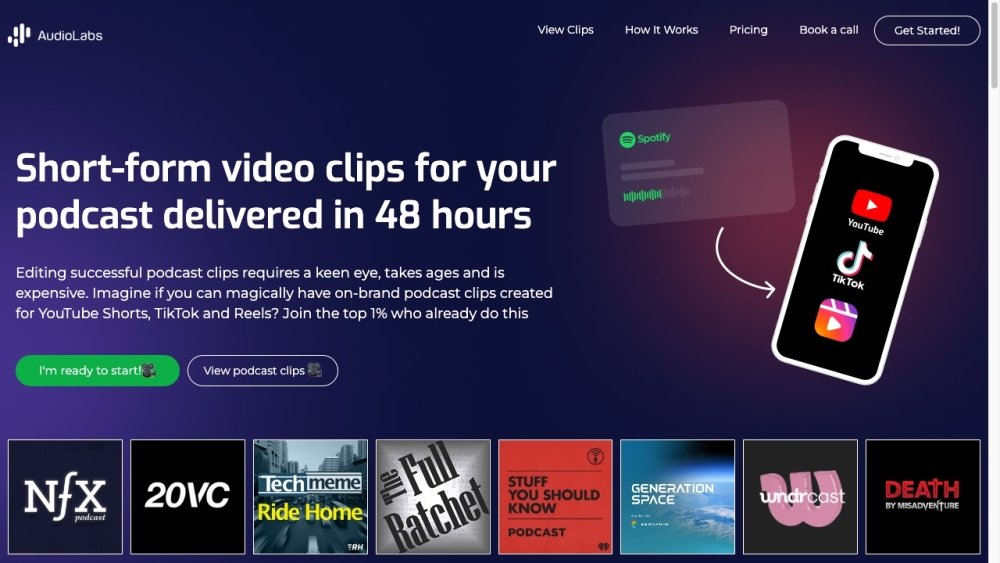
Fame Clips is a platform designed to transform podcasts into short-form videos suitable for platforms like TikTok, YouTube Shorts, and Reels. It aims to help podcasters reach new listeners and drive business outcomes by publishing video clips on short-form platforms, acting as a 'hook' to attract listeners to full episodes or other marketing goals. Fame Clips offers professionally edited clips for social media, providing done-for-you video editing services from existing B2B podcasts, making it easy to scale video content creation.
Users submit their podcast audio or video files to Fame Clips. The platform then professionally edits the content into short, engaging clips optimized for social media. Users can request revisions until they are satisfied and manage their brand guidelines using Brand Kits.
Fame Clips provides unlimited revisions until you are satisfied. You can access Fame Clips Studio, select 'Revision' on your order, provide your feedback, and receive the updated clips within 24 hours.
Yes. If you manage multiple podcasts, such as for an agency or several shows, you can use your package for all of them. You can create multiple 'Brand Kits' to organize specific guidelines for each individual show.
Unless you are a media company, managing video editing internally can be inefficient and costly. Outsourcing saves your team's bandwidth, ensures professional editing quality, and is more cost-effective than hiring an internal employee.
Free plan available.
Use these comparison pages to understand the trade-offs between the models most relevant to Fame Clips.
Compare Gemini 1.0 Pro Deprecated and Gemini 2.0 Flash across pricing, context window, capabilities, benchmarks, and API access to choose the better fit for long-context workloads versus long-context workloads.
Compare Gemini 1.0 Pro Deprecated and Gemini 2.5 Flash across pricing, context window, capabilities, benchmarks, and API access to choose the better fit for long-context workloads versus long-context workloads.
Compare Gemini 2.0 Flash Lite and Gemini 2.0 Flash across pricing, context window, capabilities, benchmarks, and API access to choose the better fit for long-context workloads versus long-context workloads.
Compare Gemini 2.5 Flash and Gemini 2.0 Flash across pricing, context window, capabilities, benchmarks, and API access to choose the better fit for long-context workloads versus long-context workloads.

Similar AI tool in the AI Video Generator category.
Similar AI tool in the AI Social Media category.
Similar AI tool in the AI Social Media category.
Similar AI tool in the AI Video Generator category.
Similar AI tool in the AI API category.
Similar AI tool in the AI Image Generator category.
Similar AI tool in the AI Answer category.
Similar AI tool in the AI Assistant category.
Similar AI tool in the AI Assistant category.
Similar AI tool in the AI Video Generator category.
Similar AI tool in the AI Video Editor category.
Similar AI tool in the AI Marketing category.