
Free
$0Free plan available.
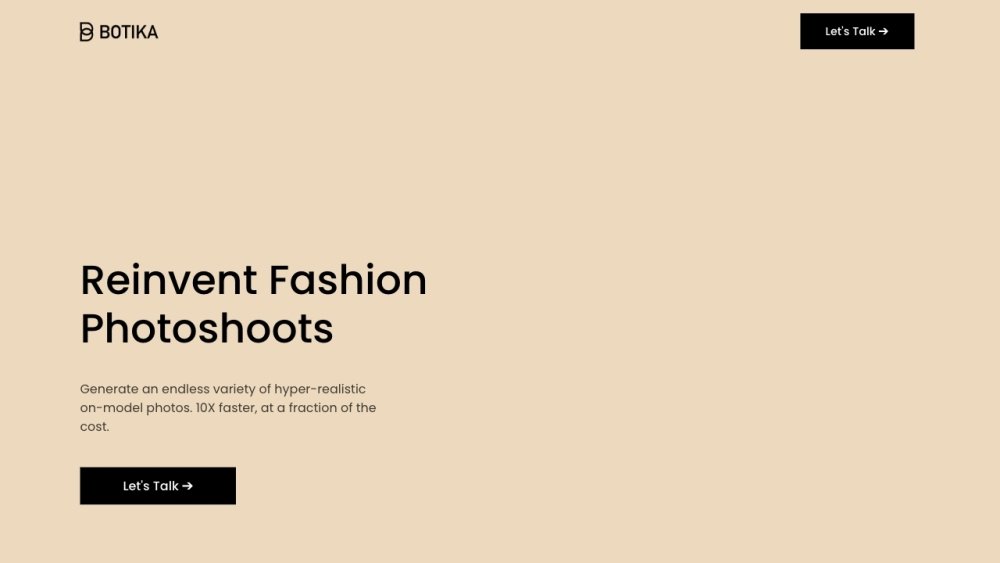
Botika harnesses the power of generative AI to help online apparel retailers and small businesses reduce the hassle, the cost and the time it takes to create fashion photos, while getting 10x more outputs on a large variety of models. Botika utilizes Generative AI to enhance online fashion stores by introducing AI-generated models and unlimited professional fashion photos. This technology helps retailers engage customers, expand into new markets, and improve conversion rates.
Upload your clothing product photos, then select your preferred model and background. Botika's AI processes the images, allowing you to download and share them on your website or social media channels.
Botika is a generative AI platform that helps clothing brands and retailers create high-quality, realistic fashion photography using virtual models. It streamlines the production process, reduces costs, and accelerates the time it takes to launch new clothing collections.
Getting started is simple: upload photos of your clothing products. You can use images taken with a smartphone, provided by suppliers, or submitted by customers—no professional photography required. Start with a free trial today.
Generating photos requires credits, where one credit equals one photo. For example, uploading 4 photos for a product costs 4 credits. To estimate your needs, multiply the number of products or SKUs by the average number of photos per SKU on your website.
Our AI typically processes photos in about 15 minutes. We dedicate extra time to ensure your images maintain a studio-quality appearance. If an issue occurs, we provide free fixes.
You can upload PNG, JPG, and WEBP formats, with support for up to 4K resolution depending on your plan. Final results are provided in JPG and PNG formats, optimized for social media.
Yes. Simply upload your cropped photo, and Botika will blend the AI model into the image for a natural and realistic result.
Not currently, though we may add them in the future. If you are interested in this feature, please contact us at info@botika.io or via our in-app chat.
We do not currently support custom models or backgrounds to ensure consistent quality. However, we offer over 50 models and dozens of backgrounds, with new options added regularly. For specific requests, contact us at info@botika.io or via our in-app chat.
You can reach us through several channels: our in-app chat service, by emailing support@botika.io, or by submitting the contact form on our website (botika.io).
We offer two workflows: On-model photos, where the original image must feature someone wearing the clothing (the pose and body type remain consistent), and a beta version for flat lays and packshots, which currently supports tops like T-shirts and sweatshirts. In the flat lay workflow, you select the model, pose, and background.
If your model is wearing glasses, hats, or jewelry, our AI attempts to preserve them. However, as we do not officially support accessories, they may be altered or removed. We recommend using “accessory-free” photos until official support is added.
Currently, we focus exclusively on clothing to ensure high-quality, realistic results. We plan to expand to other categories in the future.
You can upload up to 100 photos daily. Any additional photos will be processed the following day.
This indicates our AI engine could not process the image. We currently support on-model photos and have a beta for flat-lays/packshots (tops only). Unsupported photos do not consume credits and can be used in future projects.
You can request a free revision by clicking the "Photo Issue" button. Revision timelines depend on your plan: Advanced (3 revisions, up to 1 day), Pro (2 revisions, up to 2 days), and Free/Lite (1 revision, up to 5 days).
We do not support text-to-image generation or custom prompts. Our platform enhances existing photos by applying AI models and backgrounds to your clothing images. We cannot generate new clothing or custom models.
Yes. You can sign up for a free trial without a credit card to test the platform with 8 free credits before upgrading to a paid plan.
Credits are used to submit product photos for editing, with one credit per photo. Your monthly plan includes a set number of credits that reset each month.
We accept major credit and debit cards, including Visa, Mastercard, and American Express, as well as PayPal.
Your credit balance is displayed in the top right corner of your screen, showing the number of credits used versus your total allotment.
Credits on monthly plans expire at the end of each month. You can view your renewal date on your billing page.
No. Photos generated on Botika are free from usage rights fees and can be used for commercial purposes. Please review our terms of service for specific restrictions regarding reselling photos or misrepresenting AI models as real individuals.
We offer flexibility by allowing you to start with as few as 20 credits per month and add up to 500 additional photos mid-month if needed.
Annual plans provide discounts and allow for credit rollover from month to month, whereas monthly plan credits reset at the end of each billing cycle.
Free plan available.
Use these comparison pages to understand the trade-offs between the models most relevant to Botika.
Compare Amazon Nova Pro and Amazon Nova Lite across pricing, context window, capabilities, benchmarks, and API access to choose the better fit for tool-augmented workflows versus tool-augmented workflows.
Compare Amazon Nova Lite and Amazon Nova Micro across pricing, context window, capabilities, benchmarks, and API access to choose the better fit for tool-augmented workflows versus tool-augmented workflows.
Compare Amazon Nova Lite and Mistral Medium 3 across pricing, context window, capabilities, benchmarks, and API access to choose the better fit for tool-augmented workflows versus tool-augmented workflows.
Compare Amazon Nova Lite and Mistral Small 3.1 (25.03) across pricing, context window, capabilities, benchmarks, and API access to choose the better fit for tool-augmented workflows versus cost-efficient scale.

Similar AI tool in the AI Chatbot category.
Similar AI tool in the AI Chatbot category.
Similar AI tool in the AI Image Generator category.
Similar AI tool in the AI Image Generator category.
Similar AI tool in the AI Assistant category.
Similar AI tool in the AI Chatbot category.
Similar AI tool in the AI Image Generator category.
Similar AI tool in the AI Chatbot category.
Similar AI tool in the AI Marketing category.
Similar AI tool in the AI Image Generator category.
Similar AI tool in the AI Image Generator category.
Similar AI tool in the AI Chatbot category.