
Free
$0Free plan available.
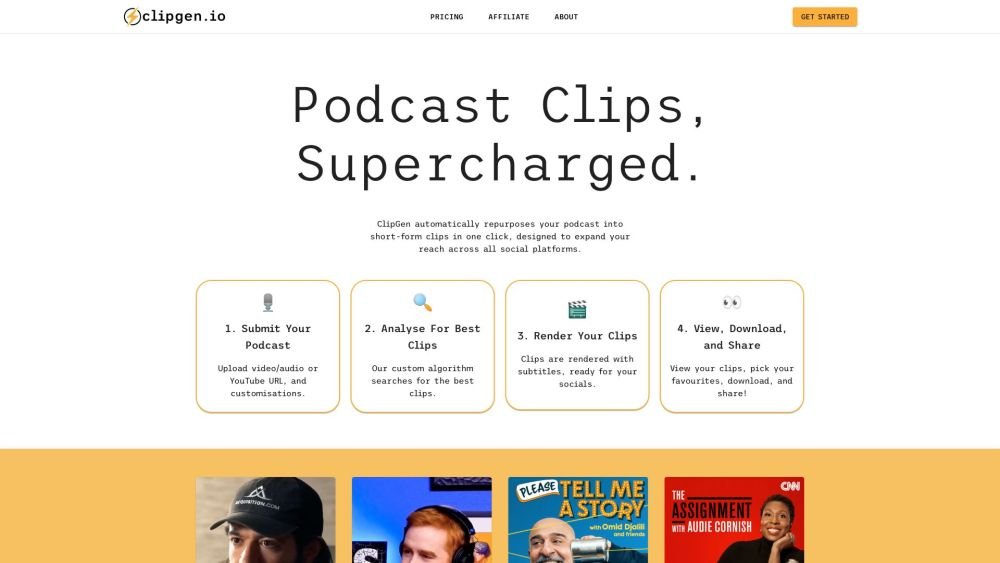
ClipGen takes your long-form podcast content and creates 10-12 short-form clips that are optimized for discoverability on social media platforms. It supports both video and audio podcasts, adding subtitles, custom branding, and supports 30+ languages. ClipGen automatically repurposes your podcast into short-form clips in one click, designed to expand your reach across all social platforms.
1. Submit Your Podcast: Upload your video or audio file, or provide a YouTube URL, and apply your customizations. 2. Analyze For Best Clips: Our custom algorithm identifies the most engaging segments. 3. Render Your Clips: Clips are generated with subtitles, making them ready for social media. 4. View, Download, and Share: Review your clips, select your favorites, download them, and share.
ClipGen automatically repurposes your podcast into short-form clips in one click, designed to expand your reach across all social platforms.
ClipGen supports both video and audio podcasts. You can upload video or audio files, or provide a YouTube URL.
Yes, ClipGen generates subtitles for your clips. You can also fine-tune each clip's start and end points, select specific words to include, highlight keywords for subtitling, and correct any typos.
ClipGen supports over 30 languages.
Yes, ClipGen offers a free plan with limited features.
Free plan available.
Use these comparison pages to understand the trade-offs between the models most relevant to ClipGen.
Compare Gemini 1.0 Pro Deprecated and Gemini 2.0 Flash across pricing, context window, capabilities, benchmarks, and API access to choose the better fit for long-context workloads versus long-context workloads.
Compare Gemini 1.0 Pro Deprecated and Gemini 2.5 Flash across pricing, context window, capabilities, benchmarks, and API access to choose the better fit for long-context workloads versus long-context workloads.
Compare Gemini 2.0 Flash Lite and Gemini 2.0 Flash across pricing, context window, capabilities, benchmarks, and API access to choose the better fit for long-context workloads versus long-context workloads.
Compare Gemini 2.5 Flash and Gemini 2.0 Flash across pricing, context window, capabilities, benchmarks, and API access to choose the better fit for long-context workloads versus long-context workloads.

Similar AI tool in the AI Video Generator category.
Similar AI tool in the AI Social Media category.
Similar AI tool in the AI Social Media category.
Similar AI tool in the AI Video Generator category.
Similar AI tool in the AI Image Generator category.
Similar AI tool in the AI Answer category.
Similar AI tool in the AI Video Generator category.
Similar AI tool in the AI Assistant category.
Similar AI tool in the AI Video Editor category.
Similar AI tool in the AI Marketing category.
Similar AI tool in the AI Video Generator category.
Similar AI tool in the AI Video Generator category.