
Free
$0Free plan available.
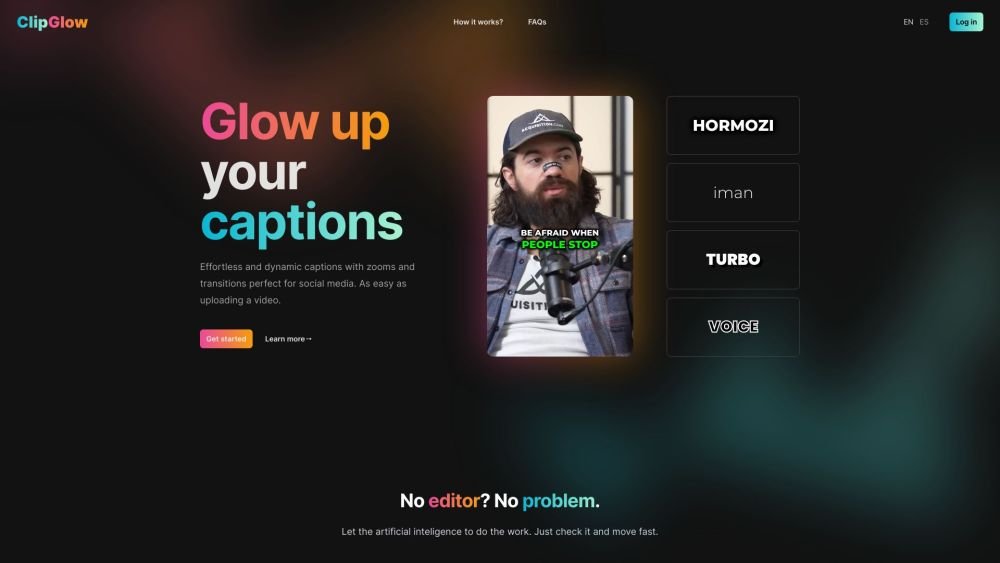
ClipGlow is an AI-powered video editing tool designed to revitalize short-form videos. It allows users to easily transcribe audio to captions, add emojis, sound effects, and stylish transitions, creating professional and engaging social media content. It's ideal for creators seeking an easy, professional touch to their videos.
Upload your video to ClipGlow, and the AI will automatically transcribe the audio into captions. You can then customize the captions, add emojis, sound effects, and transitions using the editor. Finally, export your enhanced video with a single click.
Currently, you can upload MP4 and WebM files, with support for additional formats coming soon.
Our AI analyzes your video's audio and context to generate accurate captions tailored to your content.
Yes, you can adjust the font, color, size, and other settings to ensure your captions align with your brand.
Currently, we support videos up to 1 minute in length, which is ideal for short, impactful clips.
We currently support 39 languages.
Yes, you have full control to edit or remove any captions to ensure they meet your requirements.
If you need assistance, please reach out to us at hello@clipglow.co, and our support team will be happy to help.
Processing is fast, typically taking between a few seconds and one minute, depending on the length of your video.
Simply sign up on our website, upload your video, and allow our AI to process your file.
Free plan available.
Use these comparison pages to understand the trade-offs between the models most relevant to ClipGlow.
Compare Gemini 1.0 Pro Deprecated and Gemini 2.0 Flash across pricing, context window, capabilities, benchmarks, and API access to choose the better fit for long-context workloads versus long-context workloads.
Compare Gemini 1.0 Pro Deprecated and Gemini 2.5 Flash across pricing, context window, capabilities, benchmarks, and API access to choose the better fit for long-context workloads versus long-context workloads.
Compare Gemini 2.0 Flash Lite and Gemini 2.0 Flash across pricing, context window, capabilities, benchmarks, and API access to choose the better fit for long-context workloads versus long-context workloads.
Compare Gemini 2.5 Flash and Gemini 2.0 Flash across pricing, context window, capabilities, benchmarks, and API access to choose the better fit for long-context workloads versus long-context workloads.

Similar AI tool in the AI Video Generator category.
Similar AI tool in the AI Image Generator category.
Similar AI tool in the AI API category.
Similar AI tool in the AI Video Generator category.
Similar AI tool in the AI Assistant category.
Similar AI tool in the AI Writing Assistants category.
Similar AI tool in the AI Video Generator category.
Similar AI tool in the AI Video Editor category.
Similar AI tool in the AI Marketing category.
Similar AI tool in the AI Chatbot category.
Similar AI tool in the Large Language Models (LLMs) category.
Similar AI tool in the AI Image Generator category.