
Free
$0Free plan available.
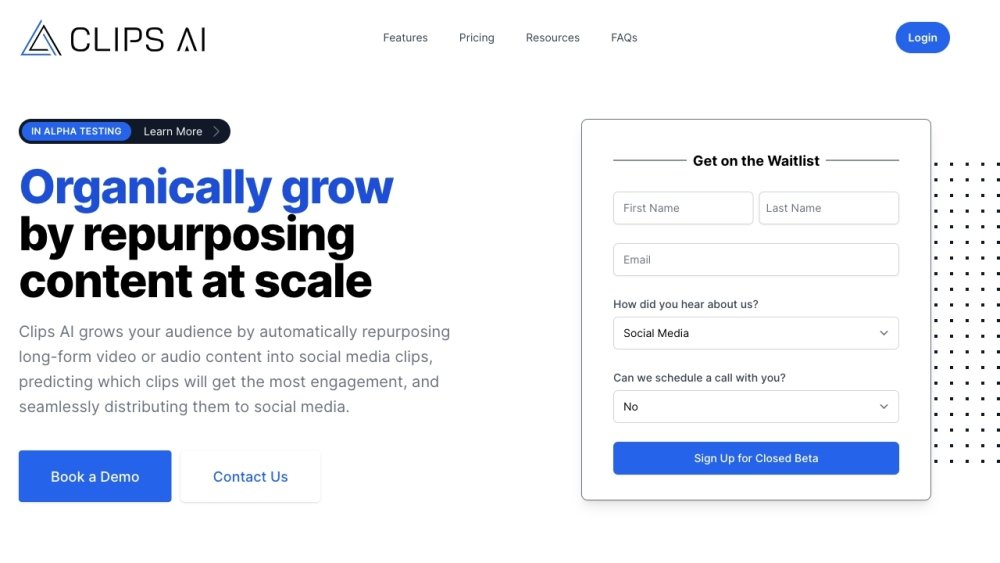
Clips AI automatically creates social media clips from long-form videos like podcasts, webinars, and vlogs, helping content marketing teams save time and improve social media metrics. As a Python library, it enables developers to automate the conversion of long videos into shorter clips. The tool is specifically designed for audio-centric, narrative-based content such as podcasts, interviews, speeches, and sermons. Its clipping algorithm analyzes video transcripts to identify segments, while its resizing algorithm dynamically reframes the video to focus on the speaker across different aspect ratios.
To use Clips AI, first install the Python library. Next, transcribe your video using WhisperX, use ClipFinder to identify clips based on the transcription, and finally, use the resize function to adjust the video, ensuring you provide your Pyannote HuggingFace token.
Clips AI is designed for audio-centric, narrative-based videos, including podcasts, interviews, speeches, and sermons.
A Hugging Face access token is required for resizing, as the tool utilizes Pyannote for speaker diarization.
The clipping algorithm analyzes the video's transcript to identify and generate clips.
Free plan available.
Use these comparison pages to understand the trade-offs between the models most relevant to Clips AI.
Compare Gemini 1.0 Pro Deprecated and Gemini 2.0 Flash across pricing, context window, capabilities, benchmarks, and API access to choose the better fit for long-context workloads versus long-context workloads.
Compare Gemini 2.0 Flash Lite and Gemini 2.0 Flash across pricing, context window, capabilities, benchmarks, and API access to choose the better fit for long-context workloads versus long-context workloads.
Compare Gemini 1.0 Pro Deprecated and Gemini 1.5 Flash Deprecated across pricing, context window, capabilities, benchmarks, and API access to choose the better fit for long-context workloads versus general-purpose AI workloads.
Compare Gemini 1.0 Pro Deprecated and Gemini 1.5 Flash Vision Deprecated across pricing, context window, capabilities, benchmarks, and API access to choose the better fit for long-context workloads versus general-purpose AI workloads.

Similar AI tool in the AI Transcription category.
Similar AI tool in the AI Copilot category.
Similar AI tool in the AI Summarizer category.
Similar AI tool in the AI Assistant category.
Similar AI tool in the AI Writing Assistants category.
Similar AI tool in the AI Chatbot category.
Similar AI tool in the AI Image Generator category.
Similar AI tool in the AI Chatbot category.
Similar AI tool in the AI Chatbot category.
Similar AI tool in the Large Language Models (LLMs) category.
Similar AI tool in the AI Assistant category.
Similar AI tool in the Large Language Models (LLMs) category.