
Free
$0Free plan available.
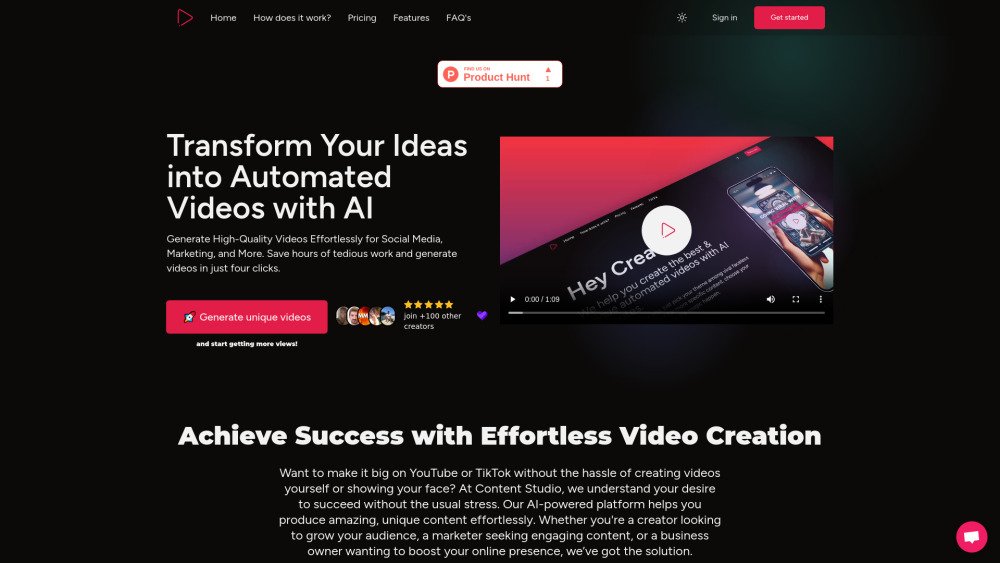
Content Studio AI streamlines video production through personalized generation, multilingual support, and diverse voice options. Designed for creators and businesses, the platform offers automated video creation, script customization, and social media integration to support your content strategy. It enables users to generate high-quality short videos in minutes without technical expertise, utilizing various themes and voice settings to personalize their content. The platform also allows for the customization of AI-generated scripts and requires no prior video editing experience.
Select a video type, choose your preferred language, and pick a voice. Customize the AI-generated scripts to match your specific style. Finally, render, download, or schedule your video using Metricool. Direct publishing to YouTube and TikTok will be available soon.
The AI analyzes trending topics to generate scripts tailored to your chosen niche and preferences. Simply select a theme and enter a brief prompt to generate your script.
Yes, you can easily edit and customize the generated scripts to align with your specific style and requirements, ensuring creative control while saving time.
Content Studio allows you to produce high-quality videos in just a few minutes. The streamlined process covers everything from initial script generation to final rendering.
The platform supports multiple languages, including English, Spanish, French, and Portuguese. You can also select from various voice options, such as Echo, Alloy, Onyx, Fable, and Nova, to match your video's tone.
The scheduling feature enables you to plan and publish videos at optimal times via our integration with Metricool. You can set specific release dates and times to ensure your content reaches your audience when they are most active.
No prior experience is necessary. The platform is designed to be intuitive and user-friendly, allowing anyone to create professional-quality videos with just a few clicks.
Free plan available.
Use these comparison pages to understand the trade-offs between the models most relevant to Content Studio AI.
Compare Gemini 1.0 Pro Deprecated and Gemini 2.0 Flash across pricing, context window, capabilities, benchmarks, and API access to choose the better fit for long-context workloads versus long-context workloads.
Compare Gemini 1.0 Pro Deprecated and Gemini 2.5 Flash across pricing, context window, capabilities, benchmarks, and API access to choose the better fit for long-context workloads versus long-context workloads.
Compare Gemini 2.0 Flash Lite and Gemini 2.0 Flash across pricing, context window, capabilities, benchmarks, and API access to choose the better fit for long-context workloads versus long-context workloads.
Compare Gemini 2.5 Flash and Gemini 2.0 Flash across pricing, context window, capabilities, benchmarks, and API access to choose the better fit for long-context workloads versus long-context workloads.

Similar AI tool in the AI Video Generator category.
Similar AI tool in the AI Chatbot category.
Similar AI tool in the AI Image Generator category.
Similar AI tool in the AI Video Generator category.
Similar AI tool in the AI Video Generator category.
Similar AI tool in the AI Image Generator category.
Similar AI tool in the AI Assistant category.
Similar AI tool in the AI Video Generator category.
Similar AI tool in the AI Image Generator category.
Similar AI tool in the AI Image Generator category.
Similar AI tool in the AI Chatbot category.
Similar AI tool in the AI Assistant category.