
Free
$0Free plan available.
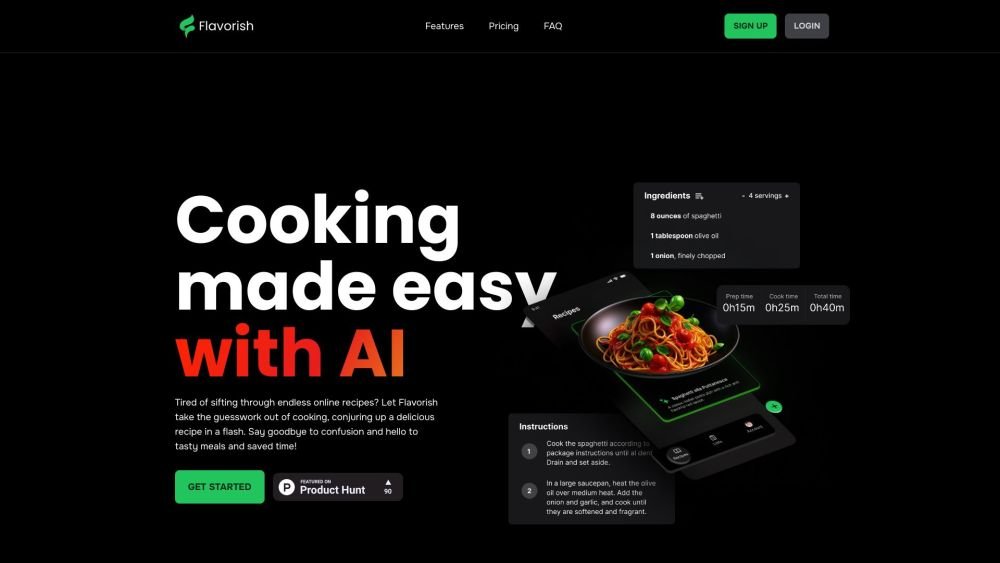
Flavorish simplifies cooking by using AI to create recipes, organize grocery needs, and simplify recipe storage. It allows users to save recipes from various sources like Instagram, TikTok, YouTube, handwritten notes, and cookbooks.
Users can save recipes from social media by sharing them to Flavorish, upload images of handwritten recipes, or import from recipe websites. The app then helps organize grocery lists and suggests AI-generated recipes based on user preferences.
You can save recipes from Instagram, Facebook, TikTok, and YouTube by sharing them directly to Flavorish. Once imported, you can edit the ingredients, instructions, and other details as needed.
Flavorish aims for high accuracy, though results may vary based on handwriting clarity, image quality, and recipe complexity. You can manually edit any details that require correction.
Flavorish uses AI to create personalized recipes tailored to your specific ingredients, dietary preferences, and cooking needs.
We prioritize safety and continuously work to improve the reliability of our AI. While we have implemented safeguards to ensure accuracy, please keep in mind that AI is an evolving technology.
Yes. You can input your dietary needs—such as vegan or gluten-free requirements—and Flavorish will adapt recipes to match your preferences.
Yes. Flavorish allows you to save and modify recipes from virtually any website. You can also create your own recipes from scratch to build a custom digital cookbook.
Flavorish generates organized grocery lists from your recipes, allowing you to sort items by aisle, recipe, or custom order. You can export ingredients from any recipe to your list to save time.
Yes, Flavorish offers a free plan that includes unlimited recipe storage, website imports, and grocery list creation. You can also test premium features for free without an immediate upgrade.
Yes, you can cancel at any time. Navigate to your account, select "Manage plan," and follow the prompts in the customer portal. Canceling will not delete your recipes or data; you will simply lose access to premium features at the end of your current billing cycle.
No. Your saved recipes, collections, and grocery lists remain secure if you downgrade to the free plan. You will only lose access to premium features once your billing period concludes. Your data is never deleted unless you choose to remove it.
Free plan available.
Use these comparison pages to understand the trade-offs between the models most relevant to Flavorish.
Compare Amazon Nova Pro and Amazon Nova Lite across pricing, context window, capabilities, benchmarks, and API access to choose the better fit for tool-augmented workflows versus tool-augmented workflows.
Compare Amazon Nova Lite and Amazon Nova Micro across pricing, context window, capabilities, benchmarks, and API access to choose the better fit for tool-augmented workflows versus tool-augmented workflows.
Compare Amazon Nova Lite and Mistral Medium 3 across pricing, context window, capabilities, benchmarks, and API access to choose the better fit for tool-augmented workflows versus tool-augmented workflows.
Compare Amazon Nova Lite and Mistral Small 3.1 (25.03) across pricing, context window, capabilities, benchmarks, and API access to choose the better fit for tool-augmented workflows versus cost-efficient scale.

Similar AI tool in the AI Assistant category.
Similar AI tool in the AI Assistant category.
Similar AI tool in the AI Chatbot category.
Similar AI tool in the AI Assistant category.
Similar AI tool in the AI Image Generator category.
Similar AI tool in the AI Assistant category.
Similar AI tool in the AI Chatbot category.
Similar AI tool in the AI Chatbot category.
Similar AI tool in the AI Image Generator category.
Similar AI tool in the AI Image Generator category.
Similar AI tool in the AI Assistant category.
Similar AI tool in the AI Assistant category.