
Free
$0Free plan available.
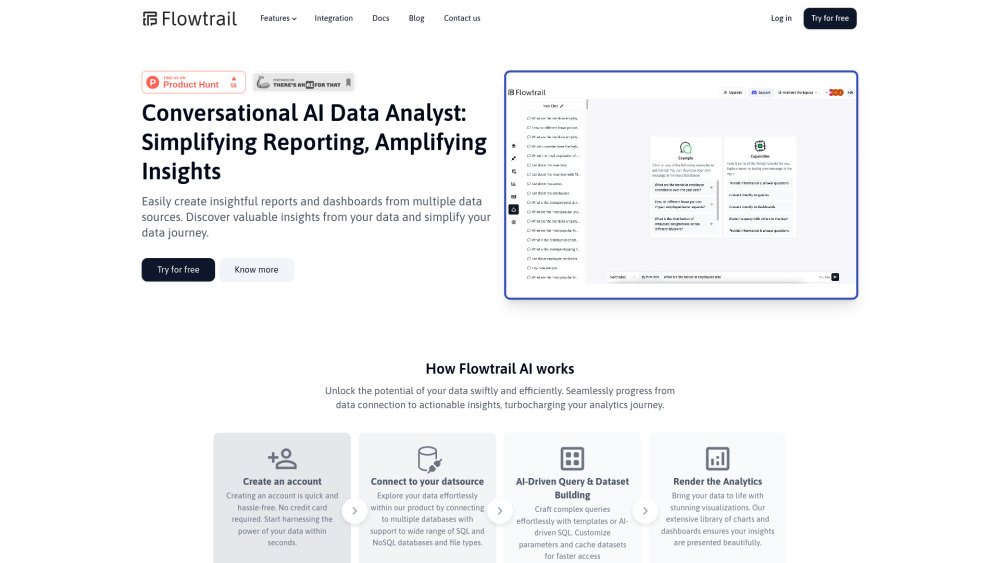
Flowtrail AI is a conversational AI assistant platform designed to simplify data analysis and daily operations for businesses. It allows users to connect their databases, files, and business tools to create custom AI assistants. These assistants can generate reports, visualizations, and insights based on natural language queries, accessible across platforms like WhatsApp, Slack, and web apps. Flowtrail AI accelerates decision-making and productivity by making real-time data easily available and actionable.
To use Flowtrail AI, connect your databases (such as MySQL, PostgreSQL, or MongoDB), upload Excel or CSV files, and integrate your preferred business tools. You can then build custom AI assistants to answer queries and generate charts, reports, and PDFs using natural language. These assistants are accessible via web apps, WhatsApp, Slack, and other integrated platforms.
Flowtrail AI is a conversational AI assistant platform that helps businesses simplify data analysis and daily operations. Users can connect databases, files, and business tools to create custom AI assistants that generate reports, visualizations, and insights from natural language queries. These assistants are accessible via WhatsApp, Slack, and web apps to help accelerate decision-making.
Flowtrail AI connects directly to databases like MySQL, PostgreSQL, and MongoDB using secure SSL and SSH tunneling. You can integrate your data via a simple form to start querying or generating insights without requiring technical expertise.
Yes, Flowtrail AI supports the upload of Excel files, CSVs, and other data formats. You can ask questions, compare multiple files, and generate visualizations or reports tailored to your business needs.
Conversational AI Data Agents are intelligent assistants powered by Flowtrail AI that interact with your data through natural language. These agents work with databases and files to provide instant insights and visualizations. You can customize agents for specific roles, such as creating a sales-focused agent by selecting relevant tables and files like customer records, sales reports, and inventory data.
Yes, you can access Flowtrail AI assistants through WhatsApp, Slack, and other platforms. Once you connect your knowledge sources—such as databases, files, and websites—you can interact with the assistant using natural language to receive answers, charts, reports, and PDFs directly within your messaging apps.
Flowtrail AI utilizes AI algorithms to process queries in real time. By integrating and training the AI with your data, you receive immediate answers in text, chart, or flowchart formats to support faster decision-making.
Flowtrail AI generates various visualizations, including bar charts, pie charts, line graphs, tables, and flowcharts. These visuals are customizable and can be saved to dashboards or shared with your team.
Flowtrail AI converts raw data into actionable insights by providing instant answers, intelligent visualizations, and tailored recommendations, enabling businesses to make informed decisions quickly.
Yes. Flowtrail AI features a user-friendly interface and natural language processing, making it accessible to both technical and non-technical users without requiring coding skills.
Flowtrail AI does not store your data. We only save database connection details using advanced encryption methods to ensure your information remains secure and is only accessed when necessary for analysis.
Yes, your data remains private. We follow industry-standard protocols, including encryption and secure access controls, to safeguard your information and maintain confidentiality.
Free plan available.
Use these comparison pages to understand the trade-offs between the models most relevant to Flowtrail AI.
Compare Amazon Nova Pro and Amazon Nova Lite across pricing, context window, capabilities, benchmarks, and API access to choose the better fit for tool-augmented workflows versus tool-augmented workflows.
Compare Amazon Nova Lite and Amazon Nova Micro across pricing, context window, capabilities, benchmarks, and API access to choose the better fit for tool-augmented workflows versus tool-augmented workflows.
Compare Amazon Nova Lite and Mistral Medium 3 across pricing, context window, capabilities, benchmarks, and API access to choose the better fit for tool-augmented workflows versus tool-augmented workflows.
Compare Amazon Nova Lite and Mistral Small 3.1 (25.03) across pricing, context window, capabilities, benchmarks, and API access to choose the better fit for tool-augmented workflows versus cost-efficient scale.

Similar AI tool in the AI Chatbot category.
Similar AI tool in the AI Assistant category.
Similar AI tool in the AI Assistant category.
Similar AI tool in the AI Assistant category.
Similar AI tool in the AI API category.
Similar AI tool in the AI Assistant category.
Similar AI tool in the AI Assistant category.
Similar AI tool in the AI Chatbot category.
Similar AI tool in the AI Chatbot category.
Similar AI tool in the AI Chatbot category.
Similar AI tool in the AI Productivity Tools category.
Similar AI tool in the AI Assistant category.