
Free
$0Free plan available.
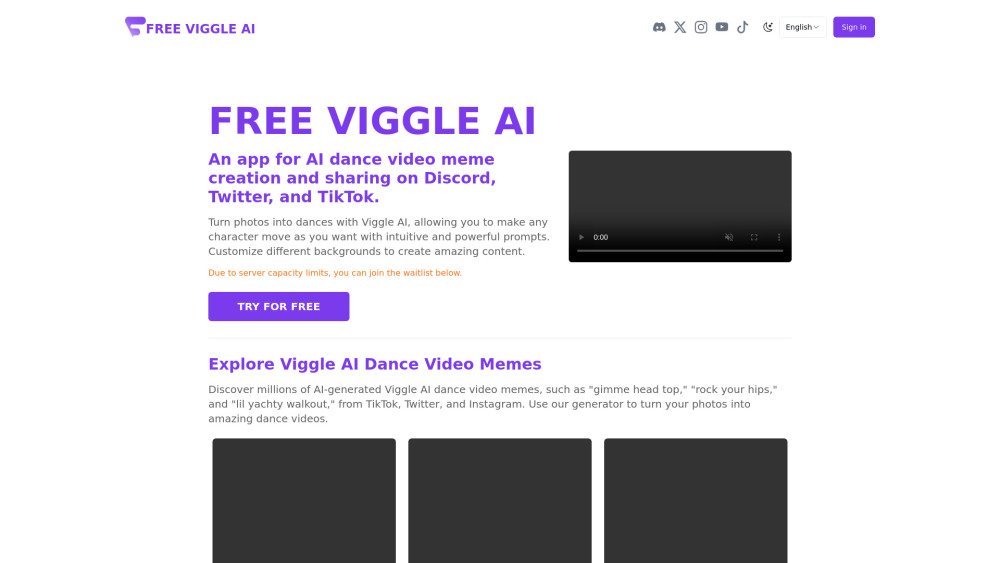
FreeViggleAI is a platform that allows users to create AI dance video memes. It enables users to turn photos into dances with intuitive prompts and customize backgrounds. Users can explore and share AI-generated dance video memes on platforms like Discord, Twitter, and TikTok.
To use FreeViggleAI, sign up for an account, upload a photo, and either upload a motion file or select from available templates. Once generated, download and share your dance video meme on platforms like Discord, Twitter, and TikTok. For Discord users, join the server and use the /animate command followed by a text motion prompt.
Viggle AI is accessible for free via its official website and Discord server, and it is also available as an iOS app. The iOS app includes an optional BFF Premium subscription for $6.99 that provides access to additional features.
Viggle AI is a tool developed by Viggle that generates 3D character animations from text prompts and photos, enabling users to animate characters as desired. It is commonly used for creating AI dance videos and memes.
Join the Discord server and use the /animate command with a text motion prompt describing the desired animation. You can customize settings such as character appearance, movement, and background. Additional commands like /mix, /ideate, and /stylize are also available; consult the official documentation for further guidance.
You can access Viggle AI by visiting their official website, joining their Discord community, or downloading the iOS app to use the free features. A BFF Premium upgrade is available for $6.99 through the App Store.
Navigate to the official Viggle AI website, upload a photo of your character, and either upload a motion video or choose a template. Once the video generation is complete, you can download the file.
Viggle AI utilizes the JST-1 machine learning model. This model interprets complex movements within videos and integrates that motion with still images to produce animated content.
Free plan available.
Use these comparison pages to understand the trade-offs between the models most relevant to FreeViggleAI.
Compare Gemini 1.0 Pro Deprecated and Gemini 2.0 Flash across pricing, context window, capabilities, benchmarks, and API access to choose the better fit for long-context workloads versus long-context workloads.
Compare Gemini 1.0 Pro Deprecated and Gemini 2.5 Flash across pricing, context window, capabilities, benchmarks, and API access to choose the better fit for long-context workloads versus long-context workloads.
Compare Gemini 2.0 Flash Lite and Gemini 2.0 Flash across pricing, context window, capabilities, benchmarks, and API access to choose the better fit for long-context workloads versus long-context workloads.
Compare Gemini 2.5 Flash and Gemini 2.0 Flash across pricing, context window, capabilities, benchmarks, and API access to choose the better fit for long-context workloads versus long-context workloads.

Similar AI tool in the AI Image Generator category.
Similar AI tool in the AI Video Generator category.
Similar AI tool in the AI Image Generator category.
Similar AI tool in the AI Image Generator category.
Similar AI tool in the AI Assistant category.
Similar AI tool in the AI Writing Assistants category.
Similar AI tool in the AI Video Generator category.
Similar AI tool in the AI Video Generator category.
Similar AI tool in the AI Marketing category.
Similar AI tool in the AI Image Generator category.
Similar AI tool in the AI Assistant category.
Similar AI tool in the AI Video Generator category.