
Free
$0Free plan available.
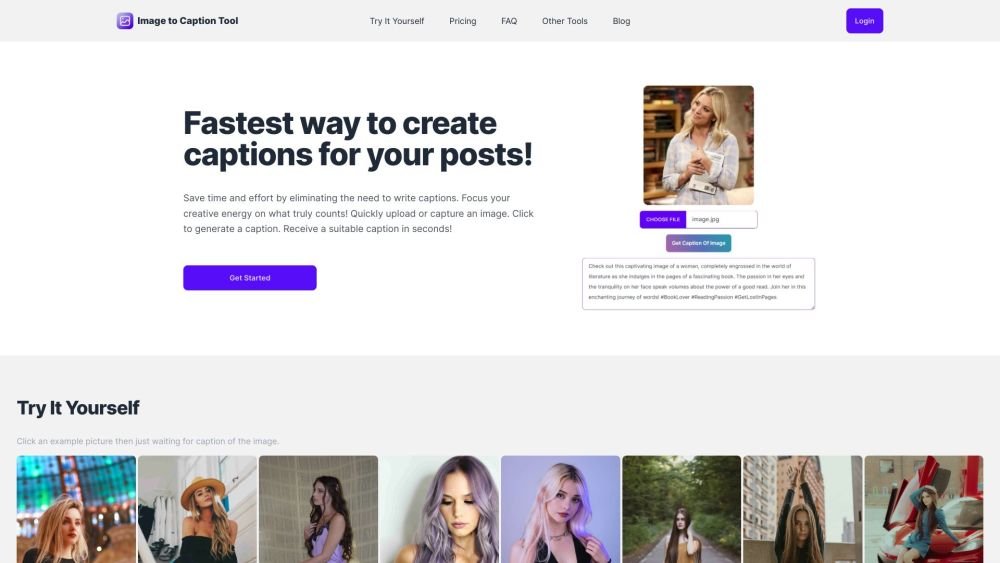
The Image to Caption Tool is an AI-powered solution designed to generate engaging captions for your images. By automating the captioning process, it saves you time and effort, allowing you to focus on other creative tasks. The tool generates suitable captions in seconds after you upload or capture an image.
Upload or capture an image, click the button to generate a caption, and receive your result in seconds. If you are not satisfied with the initial output, you can regenerate the caption.
Upload an image, click the 'Get Caption Of Image' button, and wait for the result to appear. You can then click the result to copy it to your clipboard. If you are not satisfied with the output, simply click the button again to generate a new one.
Yes. Upon registration, you receive a set of credits to experience the tool for free. If you find the product useful, you have the option to purchase additional credits.
Each time a caption is generated, one credit is consumed.
You can generate a new caption by clicking the button again.
Yes, you may request a refund within 7 days of your purchase by contacting us via email.
Currently, the tool only supports English. We are working on adding support for additional languages.
Free plan available.
Use these comparison pages to understand the trade-offs between the models most relevant to Image to Caption Tool.
Compare Gemini 1.0 Pro Deprecated and Gemini 2.0 Flash across pricing, context window, capabilities, benchmarks, and API access to choose the better fit for long-context workloads versus long-context workloads.
Compare Gemini 1.0 Pro Deprecated and Gemini 2.5 Flash across pricing, context window, capabilities, benchmarks, and API access to choose the better fit for long-context workloads versus long-context workloads.
Compare Gemini 2.0 Flash Lite and Gemini 2.0 Flash across pricing, context window, capabilities, benchmarks, and API access to choose the better fit for long-context workloads versus long-context workloads.
Compare Gemini 2.5 Flash and Gemini 2.0 Flash across pricing, context window, capabilities, benchmarks, and API access to choose the better fit for long-context workloads versus long-context workloads.

Similar AI tool in the AI Social Media category.
Similar AI tool in the AI Social Media category.
Similar AI tool in the AI API category.
Similar AI tool in the AI Social Media Post Generator category.
Similar AI tool in the AI Chatbot category.
Similar AI tool in the AI Image Generator category.
Similar AI tool in the AI Assistant category.
Similar AI tool in the AI Text-to-Speech category.
Similar AI tool in the AI Chatbot category.
Similar AI tool in the AI Design Generator category.
Similar AI tool in the AI Art Generator category.
Similar AI tool in the AI Image Generator category.