
Free
$0Free plan available.
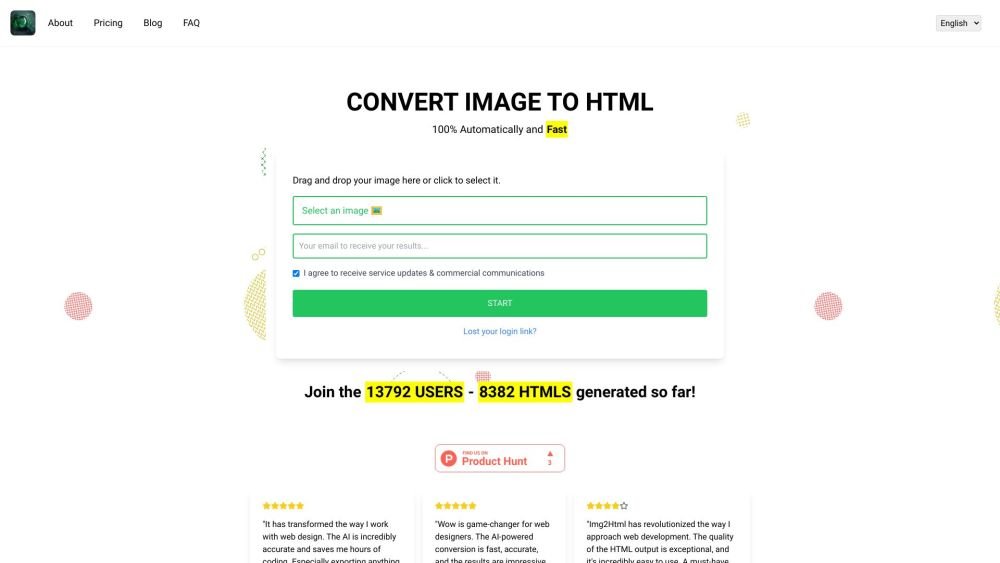
IMG2HTML is an AI-powered image to HTML converter that transforms images into clean, responsive HTML, CSS, and JavaScript code. It allows users to convert screenshots and designs into functional code instantly, supporting frameworks like Tailwind CSS, React, Vue, and Angular. The service offers features like URL cloning, component exporting, and AI image generation to streamline web development workflows.
To use IMG2HTML, upload an image of your design or screenshot to the platform. The AI will automatically convert the image into HTML, CSS, and JavaScript code. You can then customize the generated output and export it for use in your web development projects.
Upload your image through our web interface, and our AI will automatically convert it into clean HTML, CSS, and JavaScript code. No coding experience is required.
No, we do not currently offer free credits. The service is available exclusively through paid credits.
IMG2HTML supports various image formats, including JPEG, PNG, GIF, JPG, BMP, and WEBP. You can upload any of these formats to convert them into HTML code.
The alt attribute provides alternative text for images, which improves accessibility for screen reader users and displays if an image fails to load. IMG2HTML supports the use of alt attributes to enhance SEO and accessibility.
We cannot offer refunds because the costs associated with AI website generation are high. Our upstream providers do not offer refunds for the GPU processing time used to create your websites, making it a non-refundable service. By signing up, you agree to waive your right to a refund.
Free plan available.
Use these comparison pages to understand the trade-offs between the models most relevant to IMG2HTML.
Compare Amazon Nova Pro and Amazon Nova Lite across pricing, context window, capabilities, benchmarks, and API access to choose the better fit for tool-augmented workflows versus tool-augmented workflows.
Compare Amazon Nova Lite and Amazon Nova Micro across pricing, context window, capabilities, benchmarks, and API access to choose the better fit for tool-augmented workflows versus tool-augmented workflows.
Compare Amazon Nova Lite and Mistral Medium 3 across pricing, context window, capabilities, benchmarks, and API access to choose the better fit for tool-augmented workflows versus tool-augmented workflows.
Compare Amazon Nova Lite and Mistral Small 3.1 (25.03) across pricing, context window, capabilities, benchmarks, and API access to choose the better fit for tool-augmented workflows versus cost-efficient scale.

Similar AI tool in the AI Chatbot category.
Similar AI tool in the AI Assistant category.
Similar AI tool in the AI Marketing category.
Similar AI tool in the AI Productivity Tools category.
Similar AI tool in the AI Assistant category.
Similar AI tool in the AI Writing Assistants category.
Similar AI tool in the No-Code&Low-Code category.
Similar AI tool in the AI Chatbot category.
Similar AI tool in the AI Image Generator category.
Similar AI tool in the AI Assistant category.
Similar AI tool in the AI Chatbot category.
Similar AI tool in the AI Productivity Tools category.