
Free
$0Free plan available.
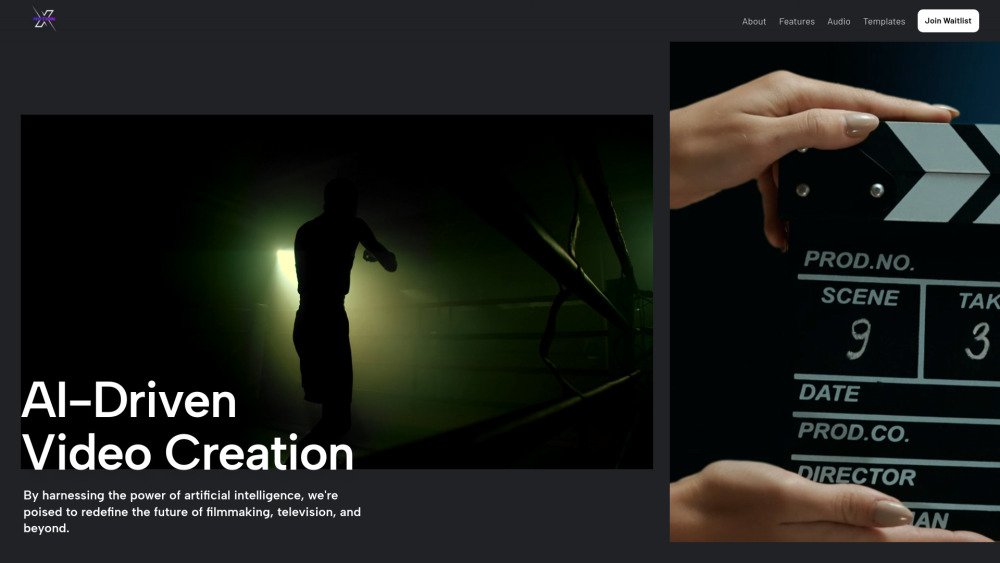
MotionX is an AI-driven video editing and generation platform built to transform workflows in filmmaking, television, and media production. By utilizing artificial intelligence, it streamlines the creation process through features such as script-to-video generation, prompt-based video editing, and automated sound effect integration. The platform is designed to accelerate content production, simplify video creation, support collaboration, and provide new creative possibilities through AI tools.
Users can generate videos by uploading a script or entering a detailed prompt, allowing the AI to produce visuals for a high-quality video. Alternatively, users can upload an existing video, select a specific frame, and provide a prompt to apply edits, receiving the updated video within minutes.
MotionX is an AI-based video editing and generation platform designed to transform media production.
You can generate videos by uploading a script or providing a detailed prompt, which the AI system uses to create visuals.
You can upload a video, select a frame, and provide a prompt for edits to receive the modified video in minutes.
Free plan available.
Use these comparison pages to understand the trade-offs between the models most relevant to MotionX.
Compare Gemini 1.0 Pro Deprecated and Gemini 2.0 Flash across pricing, context window, capabilities, benchmarks, and API access to choose the better fit for long-context workloads versus long-context workloads.
Compare Gemini 1.0 Pro Deprecated and Gemini 2.5 Flash across pricing, context window, capabilities, benchmarks, and API access to choose the better fit for long-context workloads versus long-context workloads.
Compare Gemini 2.0 Flash Lite and Gemini 2.0 Flash across pricing, context window, capabilities, benchmarks, and API access to choose the better fit for long-context workloads versus long-context workloads.
Compare Gemini 2.5 Flash and Gemini 2.0 Flash across pricing, context window, capabilities, benchmarks, and API access to choose the better fit for long-context workloads versus long-context workloads.

Similar AI tool in the AI Assistant category.
Similar AI tool in the AI Assistant category.
Similar AI tool in the AI Marketing category.
Similar AI tool in the AI Video Generator category.
Similar AI tool in the AI Assistant category.
Similar AI tool in the AI Image Generator category.
Similar AI tool in the AI Assistant category.
Similar AI tool in the AI Video Generator category.
Similar AI tool in the No-Code&Low-Code category.
Similar AI tool in the AI Productivity Tools category.
Similar AI tool in the AI Marketing category.
Similar AI tool in the AI Assistant category.