
Free
$0Free plan available.
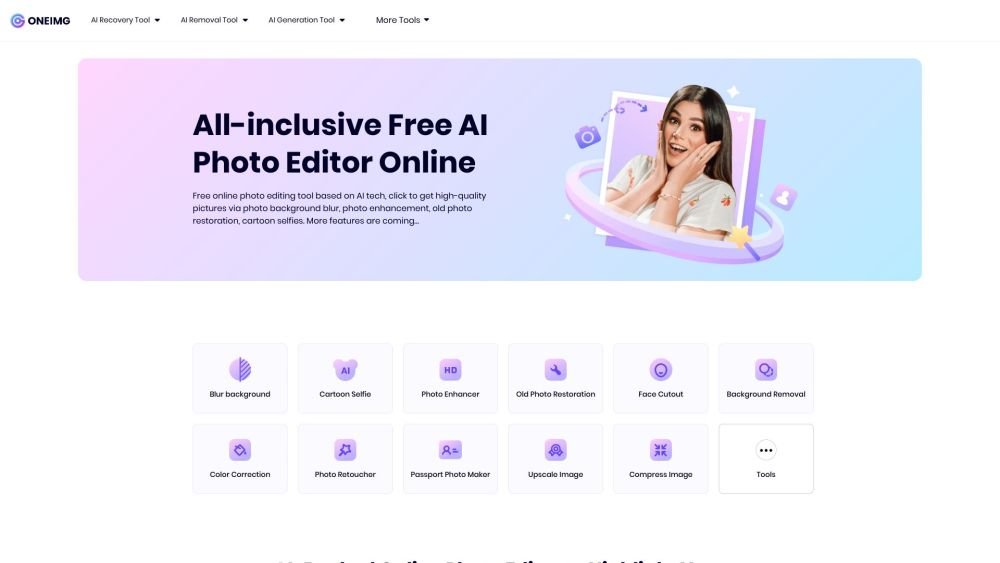
ONEIMG is a free, AI-powered online photo editing platform designed to optimize and enhance photos with simple clicks. It offers a comprehensive suite of tools for various photo processing needs, including photo enhancement, old photo restoration, background blurring, cartoon selfies, and more. The platform is accessible on any device, aiming to free users from manual photo editing and boost productivity for both personal and professional use.
Users can access ONEIMG online from any device, including Android, iOS, and desktop. Simply visit the website, select the desired photo editing feature, upload your image, apply the AI-powered edits with a few clicks, and download the high-quality, optimized result.
ONEIMG uses advanced AI technology to automatically process photo edits efficiently. It offers functions such as blurring photo backgrounds, restoring old photos, enhancing images, and cartoonizing photos, including selfies. It is free to use online without requiring any app downloads.
Yes, you can access the ONEIMG website on any device, including an iPhone. You can visit the site directly and select your desired feature without needing a laptop.
No, ONEIMG is completely free. You have access to a library of practical, easy-to-use photo editing tools to optimize your pictures, including cartoonizing selfies, blurring backgrounds, enhancing photos, and restoring old images.
Data security is a top priority for ONEIMG. They ensure user privacy and protection, and provide self-service data deletion options. For more information, please refer to their Privacy Policy and Terms of Use.
Yes, ONEIMG is designed for everyone, regardless of Photoshop experience. It uses AI technology to automatically recognize photos and apply edits through feature presets. Users simply need to make a few clicks and wait for the download.
Free plan available.
Use these comparison pages to understand the trade-offs between the models most relevant to ONEIMG.
Compare Amazon Nova Pro and Amazon Nova Lite across pricing, context window, capabilities, benchmarks, and API access to choose the better fit for tool-augmented workflows versus tool-augmented workflows.
Compare Amazon Nova Lite and Amazon Nova Micro across pricing, context window, capabilities, benchmarks, and API access to choose the better fit for tool-augmented workflows versus tool-augmented workflows.
Compare Amazon Nova Lite and Mistral Medium 3 across pricing, context window, capabilities, benchmarks, and API access to choose the better fit for tool-augmented workflows versus tool-augmented workflows.
Compare Amazon Nova Lite and Mistral Small 3.1 (25.03) across pricing, context window, capabilities, benchmarks, and API access to choose the better fit for tool-augmented workflows versus cost-efficient scale.

Similar AI tool in the AI Image Generator category.
Similar AI tool in the AI Background Remover category.
Similar AI tool in the AI Image Generator category.
Similar AI tool in the AI Chatbot category.
Similar AI tool in the AI Image Generator category.
Similar AI tool in the AI Image Generator category.
Similar AI tool in the AI Image Generator category.
Similar AI tool in the AI Chatbot category.
Similar AI tool in the AI Image Generator category.
Similar AI tool in the AI Image Generator category.
Similar AI tool in the AI Image Generator category.
Similar AI tool in the AI Image Generator category.