
Free
$0Free plan available.
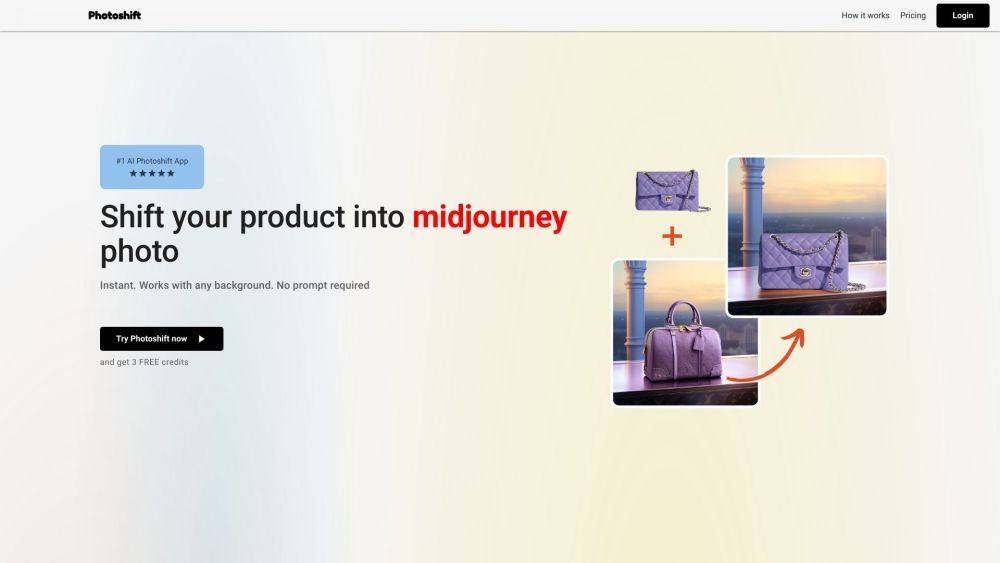
Photoshift is an AI-powered tool designed to effortlessly transform product photos by seamlessly blending them into Midjourney or any backdrop scene for stunning, realistic imagery. It elevates product presentation by allowing users to integrate their product into stock images or Midjourney scenes, providing instantaneous transformations without the need for prompts.
To use Photoshift, upload a background scene and then upload your product image. The tool automatically removes the background and seamlessly integrates your product into the chosen scene with a single click.
Yes, Photoshift is designed to be compatible with any product image.
Yes, Photoshift integrates with any stock photo or backdrop, providing flexibility for creating engaging scenes.
Yes, Photoshift includes adaptable composition features that allow you to adjust the angle, size, and placement to ensure your product looks natural within the scene.
The AI automatically adjusts lighting and shadows to match the product with the selected backdrop.
Yes, images with transparent backgrounds are supported and recommended for optimal results.
You retain full ownership. We grant you a full commercial license for your photos.
Yes, we offer free credits. Please sign up on our website to get started.
Photoshift operates on a monthly, auto-renewing subscription model. You may cancel at any time.
Yes, invoices are available for your purchases.
Yes, you can cancel your subscription whenever you choose.
Yes, we provide a variety of templates and pre-set backdrops to help you begin quickly.
Free plan available.
Use these comparison pages to understand the trade-offs between the models most relevant to Photoshift.
Compare Gemini 1.0 Pro Deprecated and Gemini 2.0 Flash across pricing, context window, capabilities, benchmarks, and API access to choose the better fit for long-context workloads versus long-context workloads.
Compare Gemini 1.0 Pro Deprecated and Gemini 2.5 Flash across pricing, context window, capabilities, benchmarks, and API access to choose the better fit for long-context workloads versus long-context workloads.
Compare Gemini 2.0 Flash Lite and Gemini 2.0 Flash across pricing, context window, capabilities, benchmarks, and API access to choose the better fit for long-context workloads versus long-context workloads.
Compare Gemini 2.5 Flash and Gemini 2.0 Flash across pricing, context window, capabilities, benchmarks, and API access to choose the better fit for long-context workloads versus long-context workloads.

Similar AI tool in the AI Chatbot category.
Similar AI tool in the AI Image Generator category.
Similar AI tool in the No-Code&Low-Code category.
Similar AI tool in the AI Video Generator category.
Similar AI tool in the AI Chatbot category.
Similar AI tool in the AI Image Generator category.
Similar AI tool in the AI Assistant category.
Similar AI tool in the AI Video Generator category.
Similar AI tool in the AI Image Generator category.
Similar AI tool in the AI Design Generator category.
Similar AI tool in the AI Art Generator category.
Similar AI tool in the AI Image Generator category.