
Free
$0Free plan available.
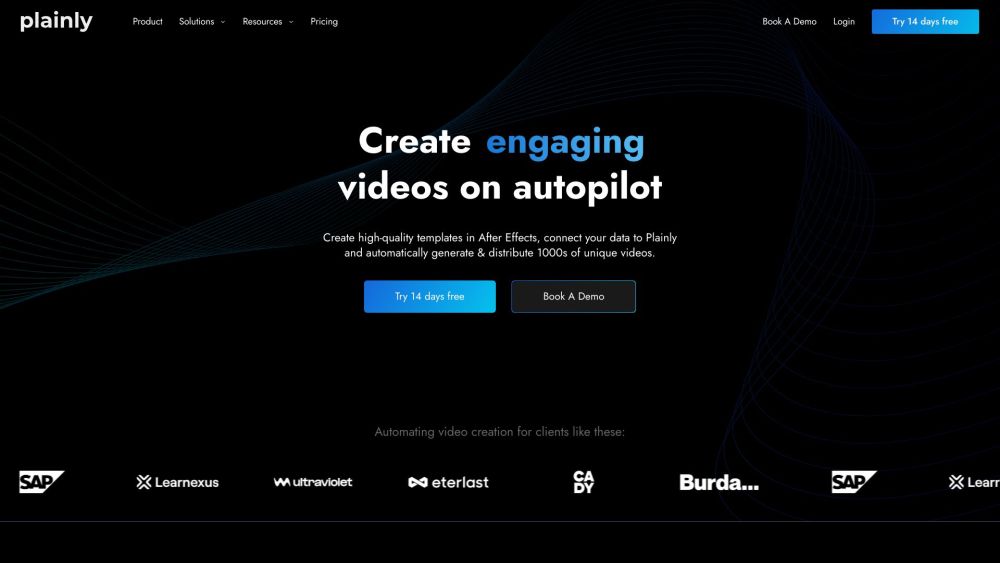
Plainly is a user-friendly video automation software that allows users to create automated video creation workflows and generate thousands of videos in just a few clicks. It enables the creation of data-driven videos on autopilot by connecting After Effects templates to data sources, automatically rendering and distributing video variations.
To use Plainly, upload your After Effects templates, connect your data source (CSV, API, or native integrations), and let Plainly automatically render and distribute your video variations. You can mark dynamic elements, connect your data, and render videos in the cloud.
Video automation software allows you to automatically create many different versions of the same video. Once you create a video template, you can connect it to a data source—such as a database, spreadsheet, or API—to automate production and swap elements like text, images, videos, audio, and colors.
An automated video editing tool is not exactly the same as a video automation tool, though the terms are sometimes used interchangeably. Please refer to our resource on automated video editing for more details.
Video automation software is used for creating personalized videos at scale or generating video variations in bulk. The tool simplifies the process of creating dynamic layers to produce multiple video versions quickly.
Yes, Plainly is fully compatible with After Effects and is built on an infrastructure that leverages it. You create video templates in After Effects, then upload them to Plainly for easy versioning and personalization. We also provide an After Effects plugin that allows you to upload templates directly to the platform.
There is no limit to the number of videos you can create. However, your plan includes a specific number of rendering minutes, which determines the total amount of video content you can render.
Plainly uses a cloud-based After Effects infrastructure to render your videos. Depending on your plan, you can render multiple videos simultaneously to increase processing speed.
Yes, Plainly is fully compatible with After Effects and is built on an infrastructure that leverages it. You create video templates in After Effects, then upload them to Plainly for easy versioning and personalization. We also provide an After Effects plugin that connects your software directly with Plainly.
Technically, no. You do not need to be an expert in After Effects to use Plainly. However, you or a team member must create the video template in After Effects first. Once the template is ready, you can upload it to Plainly and generate variations.
Each second you export counts toward your monthly limit. We do not round up to the nearest minute, and we do not measure rendering time; we only count the duration of your exported videos.
Video retention refers to the duration your rendered videos are stored on our servers before automatic deletion. Cloud storage space is the capacity allocated to your account for your projects. If you reach your limit, you may need to delete older projects or upgrade your plan.
All paid plans include fast email support. Higher-tier plans provide access to training sessions from our team and support via Slack or online meetings.
Yes, our creative team is available to assist you with custom templates.
Plainly offers over 12 native integrations with popular tools, and you can build custom integrations using our API. If you require a specific workflow or a new integration, our technical team is available to assist.
Layer scripting allows you to go beyond changing values in dynamic layers. You can set up conditional rendering, time-based rules, or modify layer properties such as font, duration, and start time. Learn more about scripting in Plainly here.
The Unlimited plan offers unlimited video rendering minutes per month and unlimited cloud storage. The base Unlimited plan allows for 2 concurrent renders; if you require more, you can upgrade your plan to increase your rendering capacity.
No, you can invite as many team members as you need at no additional cost.
A dedicated rendering node is a resource not shared with other users. While you still utilize our shared infrastructure, your renders are prioritized and processed first on your dedicated node.
Free plan available.
Use these comparison pages to understand the trade-offs between the models most relevant to Plainly.
Compare Gemini 1.0 Pro Deprecated and Gemini 2.0 Flash across pricing, context window, capabilities, benchmarks, and API access to choose the better fit for long-context workloads versus long-context workloads.
Compare Gemini 1.0 Pro Deprecated and Gemini 2.5 Flash across pricing, context window, capabilities, benchmarks, and API access to choose the better fit for long-context workloads versus long-context workloads.
Compare Gemini 2.0 Flash Lite and Gemini 2.0 Flash across pricing, context window, capabilities, benchmarks, and API access to choose the better fit for long-context workloads versus long-context workloads.
Compare Gemini 2.5 Flash and Gemini 2.0 Flash across pricing, context window, capabilities, benchmarks, and API access to choose the better fit for long-context workloads versus long-context workloads.

Similar AI tool in the AI Assistant category.
Similar AI tool in the AI Marketing category.
Similar AI tool in the AI Writing Assistants category.
Similar AI tool in the AI Video Generator category.
Similar AI tool in the AI Image Generator category.
Similar AI tool in the AI Writing Assistants category.
Similar AI tool in the AI Writing Assistants category.
Similar AI tool in the AI Video Generator category.
Similar AI tool in the AI Chatbot category.
Similar AI tool in the No-Code&Low-Code category.
Similar AI tool in the AI Productivity Tools category.
Similar AI tool in the AI Marketing category.