
Free
$0Free plan available.
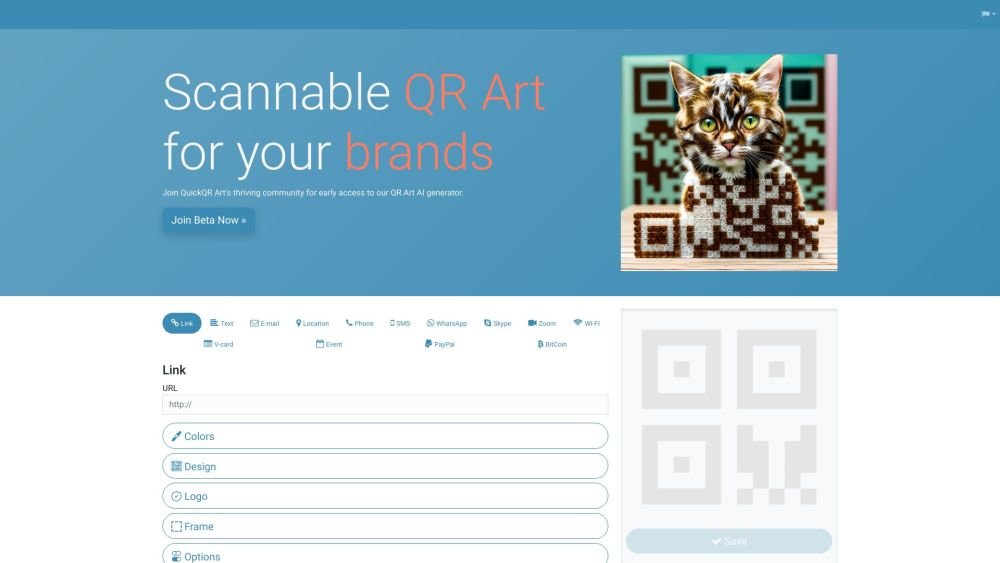
Quick QR Art is an AI-powered QR code art generator that allows users to create, customize, and track stunning QR codes. It seamlessly integrates artistic codes into marketing materials, packaging, and digital platforms, helping brands stand out. The platform also offers link management and link-in-bio features.
Users can generate QR code art by entering a prompt, customizing the design, and integrating the resulting code into marketing materials or digital platforms. The platform also provides tools for managing and tracking the performance of these QR codes.
For detailed instructions, please visit our documentation page at: Quick QR Art Documentation
Join our official Discord server at Quick QR Art Discord and ask your questions in the #trial-support channel.
To access features such as watermark removal, commercial use, and a 1,000 QR code art limit, you can subscribe to our membership plans. Learn more at: Subscription Plans
If your QR code art fails to scan, try adjusting the 'QR Weight' parameter toward 2 during generation. Additionally, try scanning the image from a distance approximately 10 times its size. Learn more at: Improve the Readability of the QR Code Art.
The generation process takes up to 60 seconds. Please wait for the process to complete before generating another QR code.
The generated QR code art is provided in PNG format with dimensions of 768x768 pixels.
For bulk orders or enterprise-level requests, please contact us via email at sean@quickqr.art for assistance.
Yes, we provide an API for integration into your applications. For access details, please visit: Quick QR Art API Pricing
Please email sean@quickqr.art with your purchase details, and we will assist you promptly.
Free plan available.
Use these comparison pages to understand the trade-offs between the models most relevant to Quick QR Art.
Compare Amazon Nova Pro and Amazon Nova Lite across pricing, context window, capabilities, benchmarks, and API access to choose the better fit for tool-augmented workflows versus tool-augmented workflows.
Compare Amazon Nova Lite and Amazon Nova Micro across pricing, context window, capabilities, benchmarks, and API access to choose the better fit for tool-augmented workflows versus tool-augmented workflows.
Compare Amazon Nova Lite and Mistral Medium 3 across pricing, context window, capabilities, benchmarks, and API access to choose the better fit for tool-augmented workflows versus tool-augmented workflows.
Compare Amazon Nova Lite and Mistral Small 3.1 (25.03) across pricing, context window, capabilities, benchmarks, and API access to choose the better fit for tool-augmented workflows versus cost-efficient scale.

Similar AI tool in the AI Assistant category.
Similar AI tool in the AI Chatbot category.
Similar AI tool in the AI Writing Assistants category.
Similar AI tool in the AI Image Generator category.
Similar AI tool in the AI Image Generator category.
Similar AI tool in the AI Writing Assistants category.
Similar AI tool in the AI Writing Assistants category.
Similar AI tool in the AI Assistant category.
Similar AI tool in the AI Image Generator category.
Similar AI tool in the AI Chatbot category.
Similar AI tool in the AI Image Generator category.
Similar AI tool in the AI Chatbot category.