
Free
$0Free plan available.
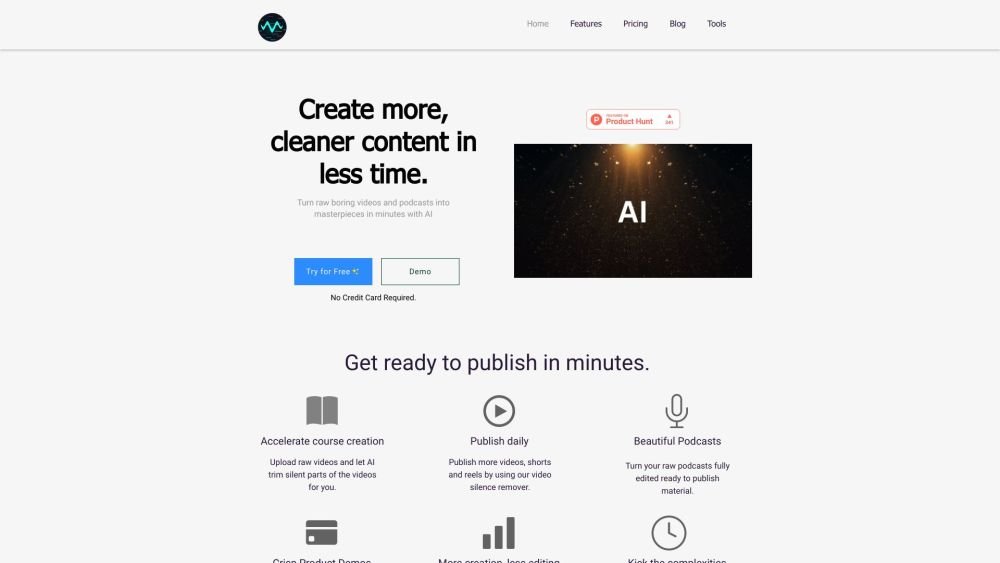
Snapy.ai is an AI-powered platform that transforms long-form content into engaging short videos in minutes. It offers tools like AI Auto Editor, AI Silence Remover, AI Shorts Generator, AI Video Dubber, AI Video Background Remover, PPT to Video Converter, and AI Background Noise Remover. It helps users create professional content for social media with automatic editing, silence removal, and custom animations.
Upload your video or audio content to Snapy.ai. Utilize the AI-powered tools to automatically edit, remove silence, generate shorts, dub videos, remove backgrounds, convert PPT to video, and remove background noise. Customize the style, length, and transitions as needed, then export your content in various formats and resolutions.
Snapy AI Video Agent is an advanced tool that automatically edits your videos and converts podcasts into professional content for YouTube, Instagram Reels, and TikTok. It uses artificial intelligence to transform raw footage into social media-ready videos based on your prompts.
The AI analyzes your raw video or audio, identifies key moments, adds transitions, generates captions, and optimizes the format for social media. Simply upload your content and provide guidance through prompts, and the AI manages the editing process.
No. Snapy AI features an intuitive interface designed for users without prior video editing experience or technical knowledge. You upload your content, describe your requirements, and the AI handles the technical production.
Yes. You can specify your preferred style, tone, transitions, and effects using the prompt system. You can also create and save templates to maintain consistent branding across your content.
Yes. Automatic captioning is included in all plans. The AI generates accurate captions that can be translated into multiple languages, with options to customize style, size, and positioning.
Free plan available.
Use these comparison pages to understand the trade-offs between the models most relevant to Snapy.ai.
Compare Gemini 1.0 Pro Deprecated and Gemini 2.0 Flash across pricing, context window, capabilities, benchmarks, and API access to choose the better fit for long-context workloads versus long-context workloads.
Compare Gemini 1.0 Pro Deprecated and Gemini 2.5 Flash across pricing, context window, capabilities, benchmarks, and API access to choose the better fit for long-context workloads versus long-context workloads.
Compare Gemini 2.0 Flash Lite and Gemini 2.0 Flash across pricing, context window, capabilities, benchmarks, and API access to choose the better fit for long-context workloads versus long-context workloads.
Compare Gemini 2.5 Flash and Gemini 2.0 Flash across pricing, context window, capabilities, benchmarks, and API access to choose the better fit for long-context workloads versus long-context workloads.

Similar AI tool in the AI Video Generator category.
Similar AI tool in the AI Image Generator category.
Similar AI tool in the AI API category.
Similar AI tool in the AI Background Remover category.
Similar AI tool in the AI Image Generator category.
Similar AI tool in the AI Assistant category.
Similar AI tool in the AI Video Generator category.
Similar AI tool in the AI Video Generator category.
Similar AI tool in the AI Chatbot category.
Similar AI tool in the AI Video Editor category.
Similar AI tool in the AI Marketing category.
Similar AI tool in the AI Video Generator category.