
Free
$0Free plan available.
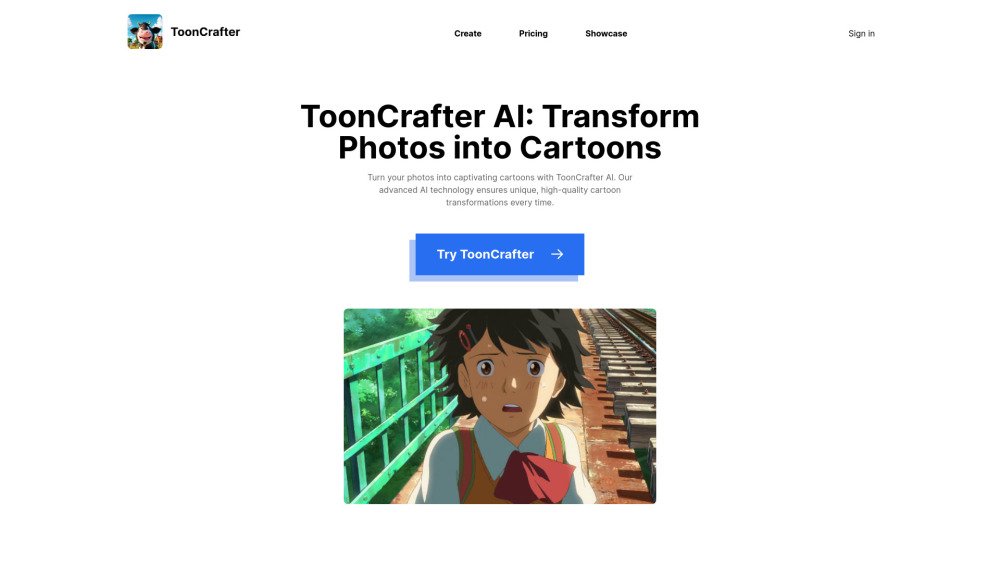
ToonCrafter AI is an innovative generative cartoon interpolation tool that utilizes pre-trained image-to-video diffusion models to seamlessly interpolate between two cartoon images, creating a fluid visual narrative. It allows users to transform static cartoons into dynamic 2-second animations by uploading two images. It also turns photos into captivating cartoons with advanced AI technology, ensuring unique, high-quality cartoon transformations every time. ToonCrafter AI is designed for various applications such as cartoon sketch interpolation, reference-based sketch colorization, and sparse sketch-guided generation.
To use ToonCrafter AI, select two key images, provide a descriptive prompt to guide the AI, and download the resulting cartoon animation.
ToonCrafter AI is a generative cartoon interpolation tool that uses pre-trained image-to-video diffusion models to create fluid visual narratives by interpolating between two cartoon images.
ToonCrafter AI was developed by researchers from The Chinese University of Hong Kong, City University of Hong Kong, and Tencent AI Lab, including Jinbo Xing, Hanyuan Liu, Menghan Xia, Yong Zhang, Xintao Wang, Ying Shan, and Tien-Tsin Wong.
ToonCrafter AI is designed for applications such as cartoon sketch interpolation, reference-based sketch colorization, and sparse sketch-guided generation.
ToonCrafter AI may occasionally struggle with semantic understanding of image content, which can result in incorrect motion generation. As an open-source research tool, it may not meet all commercial requirements.
Setting up ToonCrafter AI involves using Anaconda to create a virtual environment and installing the required packages listed in the requirements.txt file. Setup guides are available on the GitHub repository.
For detailed information, visit the ToonCrafter AI project page and its GitHub repository for technical documentation, updates, and community discussions.
Yes, ToonCrafter AI is open-source and licensed under the Apache-2.0 license, allowing for public access and contribution.
ToonCrafter AI generates videos up to 512x320 resolution with 16 frames. Inference speed can be optimized by adjusting the number of DDIM steps.
To run the tool locally, download the pre-trained model, place it in the designated directory, and execute the provided scripts or use the Gradio demo. Instructions are provided on the GitHub repository.
Yes, the ToonCrafter AI GitHub repository serves as a community hub for users to ask questions, share ideas, and contribute to the project.
You can contribute to ToonCrafter AI by submitting pull requests, reporting issues, or participating in discussions on the project's GitHub repository.
Yes, ToonCrafter AI provides a Gradio demo application that allows users to test the tool without requiring a local installation.
ToonCrafter requires a system capable of running Anaconda and the specified Python packages. Detailed requirements are listed on the GitHub repository.
As an open-source tool, ToonCrafter can be integrated into other software and workflows, provided the user has the necessary technical expertise for implementation.
ToonCrafter is updated with new features and improvements regularly. Users can track updates via the project's GitHub repository or community discussions.
Free plan available.
Use these comparison pages to understand the trade-offs between the models most relevant to ToonCrafter AI.
Compare Gemini 1.0 Pro Deprecated and Gemini 2.0 Flash across pricing, context window, capabilities, benchmarks, and API access to choose the better fit for long-context workloads versus long-context workloads.
Compare Gemini 1.0 Pro Deprecated and Gemini 2.5 Flash across pricing, context window, capabilities, benchmarks, and API access to choose the better fit for long-context workloads versus long-context workloads.
Compare Gemini 2.0 Flash Lite and Gemini 2.0 Flash across pricing, context window, capabilities, benchmarks, and API access to choose the better fit for long-context workloads versus long-context workloads.
Compare Gemini 2.5 Flash and Gemini 2.0 Flash across pricing, context window, capabilities, benchmarks, and API access to choose the better fit for long-context workloads versus long-context workloads.

Similar AI tool in the AI Image Generator category.
Similar AI tool in the AI Video Generator category.
Similar AI tool in the AI API category.
Similar AI tool in the AI Video Generator category.
Similar AI tool in the AI Image Generator category.
Similar AI tool in the AI Assistant category.
Similar AI tool in the AI Writing Assistants category.
Similar AI tool in the AI Video Generator category.
Similar AI tool in the AI Video Generator category.
Similar AI tool in the AI Video Editor category.
Similar AI tool in the AI Marketing category.
Similar AI tool in the AI Image Generator category.