
Free
$0Free plan available.
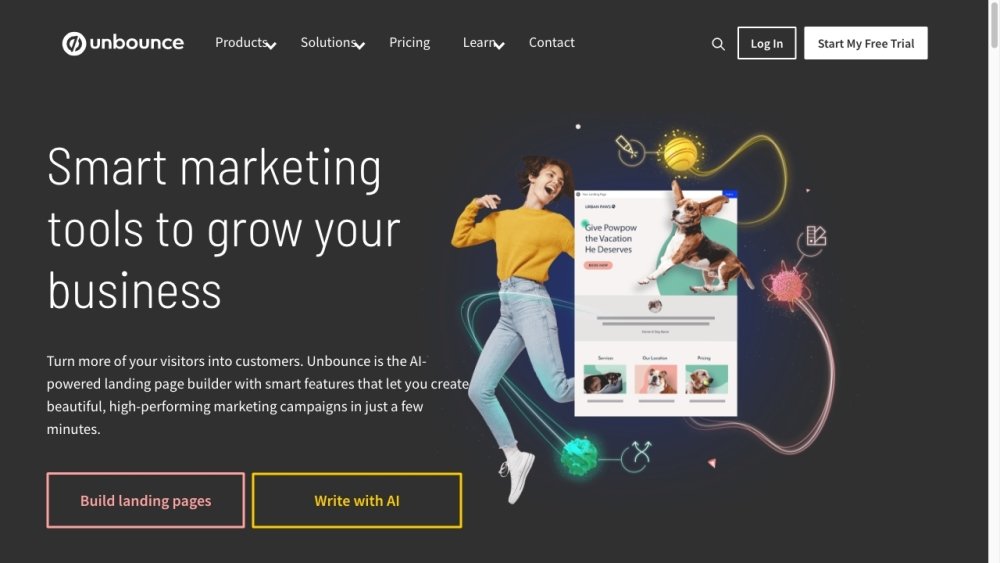
Unbounce is a landing page platform built for marketers and agencies to generate more leads and sales. It allows users to create, test, and optimize landing pages without code, using AI-driven insights powered by billions of conversions. Unbounce offers a web app, desktop app, and Chrome extension, bringing Smart Copy across favorite tools. It also provides tools for A/B testing, AI copywriting, real-time analytics, and AI optimization.
Users can build landing pages using a drag-and-drop builder, A/B test different versions without code, use AI to generate copy, analyze performance with real-time analytics, and optimize pages with AI.
Your 14-day free trial on a Build, Experiment, or Optimize plan provides full access to all features included in that plan. We will send a reminder email near the end of your trial to confirm if you wish to continue. You may cancel at any time by logging into your Unbounce account, navigating to “Account Management,” selecting “Subscriptions,” and clicking “Cancel.”
We require credit card information when you sign up for a 14-day trial on our Build, Experiment, or Optimize plans to ensure there is no interruption to your service if you choose to continue after the trial period. Alternatively, you can explore the Unbounce interactive demo without providing credit card details.
A conversion is recorded when a user completes a designated goal on your landing page, popup, or sticky bar, such as clicking a call-to-action button or submitting a form. A visitor is defined as an individual who views your landing page, popup, or sticky bar at least once per month. We use cookies to ensure each visitor is counted only once, regardless of how many times they return.
If you approach your conversion or traffic limits, we will notify you via email and in-app messages. If you exceed your limit, your account will be automatically upgraded to a plan with higher limits for the following billing cycle. You can find more information regarding plan limits in our documentation.
Free plan available.
Use these comparison pages to understand the trade-offs between the models most relevant to Unbounce.
Compare Amazon Nova Pro and Amazon Nova Lite across pricing, context window, capabilities, benchmarks, and API access to choose the better fit for tool-augmented workflows versus tool-augmented workflows.
Compare Amazon Nova Lite and Amazon Nova Micro across pricing, context window, capabilities, benchmarks, and API access to choose the better fit for tool-augmented workflows versus tool-augmented workflows.
Compare Amazon Nova Lite and Mistral Medium 3 across pricing, context window, capabilities, benchmarks, and API access to choose the better fit for tool-augmented workflows versus tool-augmented workflows.
Compare Amazon Nova Lite and Mistral Small 3.1 (25.03) across pricing, context window, capabilities, benchmarks, and API access to choose the better fit for tool-augmented workflows versus cost-efficient scale.

Similar AI tool in the AI Chatbot category.
Similar AI tool in the AI Assistant category.
Similar AI tool in the AI Marketing category.
Similar AI tool in the AI Assistant category.
Similar AI tool in the AI API category.
Similar AI tool in the AI Writing Assistants category.
Similar AI tool in the No-Code&Low-Code category.
Similar AI tool in the AI Marketing category.
Similar AI tool in the AI Chatbot category.
Similar AI tool in the AI Assistant category.
Similar AI tool in the AI Chatbot category.
Similar AI tool in the AI Chatbot category.