
Free
$0Free plan available.
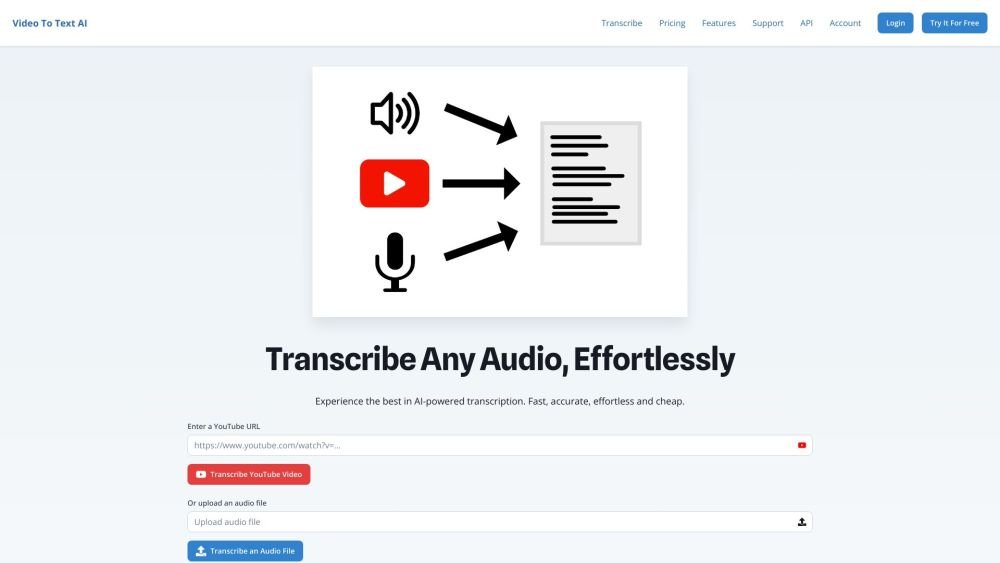
VideoToTextAI is an AI-powered platform that automatically transcribes, translates, and captions video and audio files. It allows users to convert speech to text, translate text into multiple languages, edit text and subtitles, and download the results in various formats.
Upload your video or audio file, or provide a YouTube link. The AI automatically generates transcriptions, translations, and captions. You can then edit the text and subtitles before downloading the final output in formats such as SRT, VTT, or plain text.
Video-to-text transcription is the process of converting the spoken audio content within a video into written text.
The primary methods include manual transcription, using dedicated transcription software, or utilizing AI-powered services like VideoToTextAI.
You can transcribe a video by manually typing the content, using transcription software, or employing an AI-based transcription service.
Yes, VideoToTextAI is an AI tool capable of automatically transcribing video content.
Yes, VideoToTextAI allows you to transcribe YouTube videos by simply entering the video URL.
Upload your video file to VideoToTextAI, and the platform will automatically convert the audio into text.
Yes, VideoToTextAI can translate transcribed text into multiple languages.
Yes, VideoToTextAI supports the conversion of audio files into text.
VideoToTextAI provides AI-powered transcription, translation, subtitling, and 'Chat with your video' features, offering 99% accuracy and support for over 130 languages.
Yes, VideoToTextAI enables you to transcribe and translate your video content into various languages.
Free plan available.
Use these comparison pages to understand the trade-offs between the models most relevant to VideoToTextAI.
Compare Gemini 1.0 Pro Deprecated and Gemini 2.0 Flash across pricing, context window, capabilities, benchmarks, and API access to choose the better fit for long-context workloads versus long-context workloads.
Compare Gemini 1.0 Pro Deprecated and Gemini 2.5 Flash across pricing, context window, capabilities, benchmarks, and API access to choose the better fit for long-context workloads versus long-context workloads.
Compare Gemini 2.0 Flash Lite and Gemini 2.0 Flash across pricing, context window, capabilities, benchmarks, and API access to choose the better fit for long-context workloads versus long-context workloads.
Compare Gemini 2.5 Flash and Gemini 2.0 Flash across pricing, context window, capabilities, benchmarks, and API access to choose the better fit for long-context workloads versus long-context workloads.

Similar AI tool in the AI Transcription category.
Similar AI tool in the AI Copilot category.
Similar AI tool in the AI Summarizer category.
Similar AI tool in the AI Image Generator category.
Similar AI tool in the No-Code&Low-Code category.
Similar AI tool in the AI Marketing category.
Similar AI tool in the AI Chatbot category.
Similar AI tool in the AI Chatbot category.
Similar AI tool in the AI Chatbot category.
Similar AI tool in the AI Writing Assistants category.
Similar AI tool in the AI Chatbot category.
Similar AI tool in the Large Language Models (LLMs) category.