
Free
$0Free plan available.
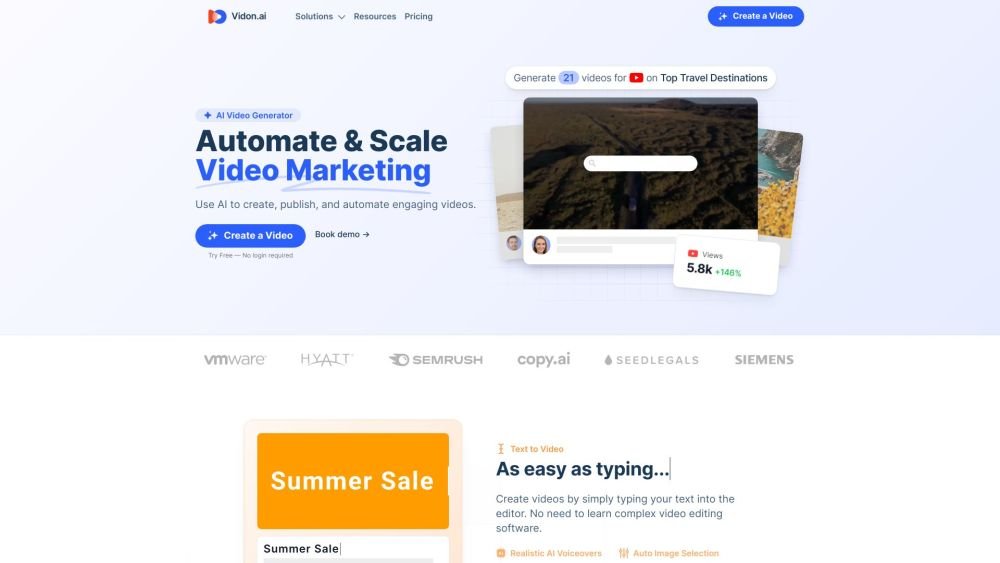
Vidon.ai is a video marketing platform that helps you create, schedule, and share videos on social media. It uses AI to create, publish, and automate engaging videos from text, URLs, and prompts. It offers features like realistic AI voiceovers, a stock library, auto image selection, automatic captions, content repurposing, and video marketing automation tools.
Users can create videos by entering text into the editor, providing a URL to repurpose existing content, or using AI to generate scripts and videos from prompts. The platform also supports scheduling and publishing videos directly to social media channels.
You can use the editor to create videos for free. Payment is only required when you choose to export a video.
A video credit is required to export a video. One credit allows you to export a video in three different aspect ratios: landscape, square, and vertical.
We can provide a custom plan to suit your needs. Please contact us for more information.
Videos can contain up to 4,000 characters, which typically results in a duration of 5 to 10 minutes, depending on the voiceover speed.
Using a video credit to export a video allows you to schedule it for social media, download the MP4 file, obtain the SRT subtitle file, and save the thumbnail image.
Yes, you can choose between monthly or annual billing. You can toggle between these options at the top of the pricing page.
Free plan available.
Use these comparison pages to understand the trade-offs between the models most relevant to Vidon.ai.
Compare Gemini 1.0 Pro Deprecated and Gemini 2.0 Flash across pricing, context window, capabilities, benchmarks, and API access to choose the better fit for long-context workloads versus long-context workloads.
Compare Gemini 1.0 Pro Deprecated and Gemini 2.5 Flash across pricing, context window, capabilities, benchmarks, and API access to choose the better fit for long-context workloads versus long-context workloads.
Compare Gemini 2.0 Flash Lite and Gemini 2.0 Flash across pricing, context window, capabilities, benchmarks, and API access to choose the better fit for long-context workloads versus long-context workloads.
Compare Gemini 2.5 Flash and Gemini 2.0 Flash across pricing, context window, capabilities, benchmarks, and API access to choose the better fit for long-context workloads versus long-context workloads.

Similar AI tool in the AI Social Media category.
Similar AI tool in the AI Social Media category.
Similar AI tool in the AI Marketing category.
Similar AI tool in the AI Video Generator category.
Similar AI tool in the AI Image Generator category.
Similar AI tool in the AI Assistant category.
Similar AI tool in the AI Assistant category.
Similar AI tool in the AI Video Generator category.
Similar AI tool in the AI Chatbot category.
Similar AI tool in the AI Marketing category.
Similar AI tool in the AI Marketing category.
Similar AI tool in the AI Marketing category.