
Free
$$0Pricing from the source listing.
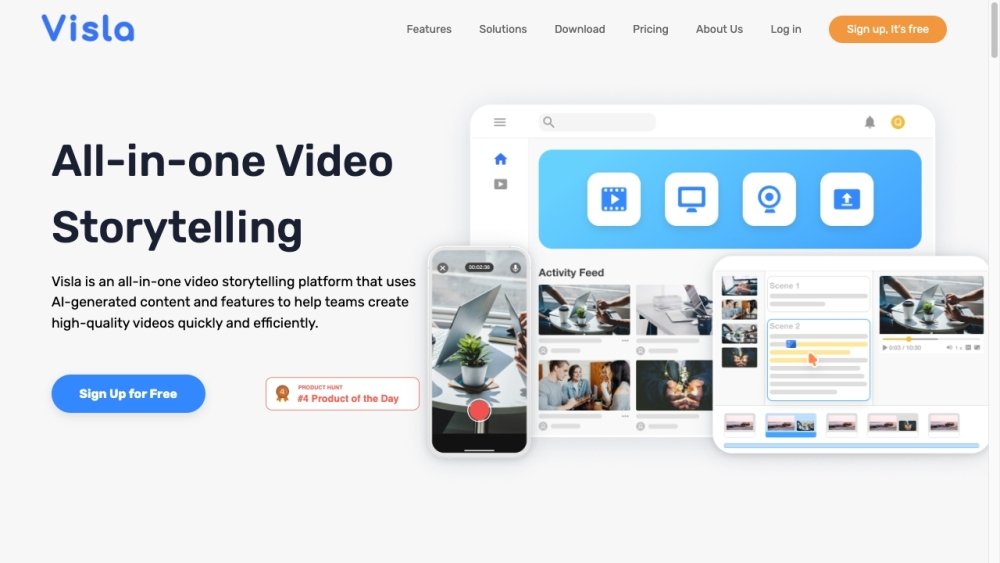
Visla is an efficient AI-powered video creation and editing tool designed for businesses and teams. It offers features like AI-generated content, auto-transcription, screen recording, and collaborative editing to simplify video production. Visla aims to make video creation accessible and scalable for marketing, sales, training, and other business communication needs.
Visla streamlines video production using AI-powered tools. Users can generate videos from text, scripts, or ideas, utilize AI editing features, record their screen and camera, and collaborate with team members in shared workspaces. The platform also supports the addition of subtitles, voice-overs, and custom branding elements.
Visla operates on a credit-based system where subscriptions include base credits, with the option to purchase additional flexible credits. Credit consumption varies based on the project type—such as text, voice, or visual elements—and the total length of the video.
If your account balance reaches zero or becomes negative, your account will be locked. You will be unable to perform resource-intensive tasks until you purchase flexible credits or your base credits refresh at the start of your next billing cycle.
No, Free Tier users are restricted to base credits, which reset monthly on their subscription anniversary.
Using Visla's public TTS voices consumes approximately 18 credits for every minute of generated speech.
Generating speech with a custom voice consumes approximately 45 credits per minute, which is 2.5 times the rate of public voices. Additionally, cloning your voice to create a custom voice requires a one-time fee of 2,000 credits.
Pricing from the source listing.
Pricing from the source listing.
Pricing from the source listing.
Pricing from the source listing.
Use these comparison pages to understand the trade-offs between the models most relevant to Visla.
Compare Gemini 1.0 Pro Deprecated and Gemini 2.0 Flash across pricing, context window, capabilities, benchmarks, and API access to choose the better fit for long-context workloads versus long-context workloads.
Compare Gemini 1.0 Pro Deprecated and Gemini 2.5 Flash across pricing, context window, capabilities, benchmarks, and API access to choose the better fit for long-context workloads versus long-context workloads.
Compare Gemini 2.0 Flash Lite and Gemini 2.0 Flash across pricing, context window, capabilities, benchmarks, and API access to choose the better fit for long-context workloads versus long-context workloads.
Compare Gemini 2.5 Flash and Gemini 2.0 Flash across pricing, context window, capabilities, benchmarks, and API access to choose the better fit for long-context workloads versus long-context workloads.

Similar AI tool in the AI Video Generator category.
Similar AI tool in the AI API category.
Similar AI tool in the AI Video Generator category.
Similar AI tool in the AI Image Generator category.
Similar AI tool in the AI Image Generator category.
Similar AI tool in the AI Assistant category.
Similar AI tool in the AI Writing Assistants category.
Similar AI tool in the AI Video Generator category.
Similar AI tool in the AI Video Editor category.
Similar AI tool in the AI Marketing category.
Similar AI tool in the AI Assistant category.
Similar AI tool in the AI Video Generator category.