
Free
$0Free plan available.
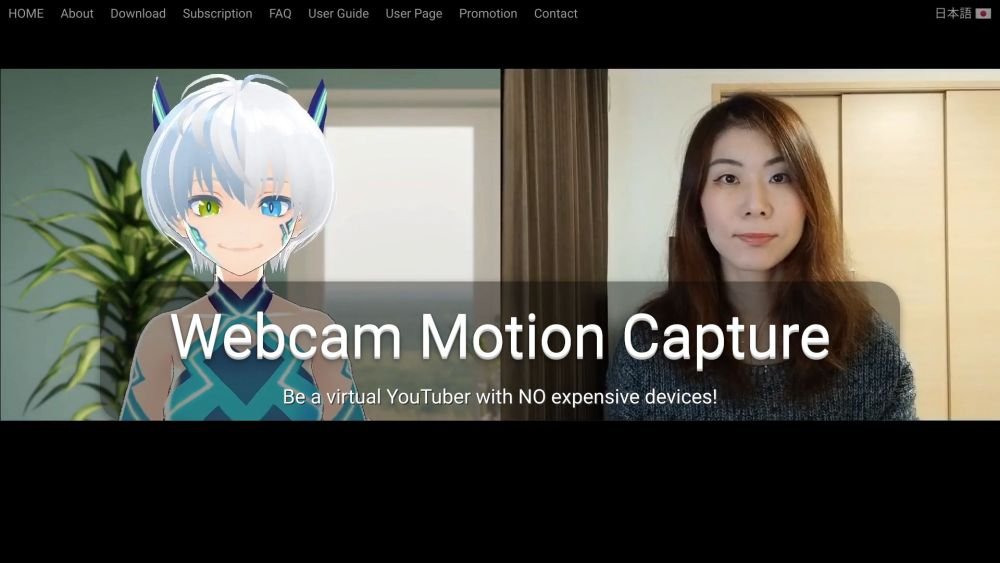
Webcam Motion Capture is an AI-powered software that allows users to control 3D avatars using only a webcam. It eliminates the need for expensive motion capture devices, making virtual YouTubing and character animation accessible to a wider audience. The software tracks hand and finger movements, head and facial expressions, eye gaze, and upper body movements, and can send this data to external applications via VMC Protocol or save it to FBX files.
Download the software for Windows or macOS, extract the files, and launch the executable (WebcamMotionCapture.exe or the Mac equivalent). Refer to the User Guide for complete setup and operation instructions. The software will track your movements through your webcam and map them onto your 3D avatar.
Yes. You can live stream on YouTube using OBS Studio. Refer to the 'Set Up OBS Studio' guide for details.
Yes. You can accomplish this using OBS Studio. Refer to the 'Set Up OBS Studio' guide for details.
Yes. Webcam Motion Capture can animate your 3D avatar using pre-recorded video files instead of a live webcam feed. You can record a video with your smartphone and use it as an input source. This allows you to control your 3D avatar even on computers with lower performance. See the documentation for more details.
You can use VRoid Studio, a free and user-friendly tool for creating 3D avatars that requires no specialized skills. Export your avatar as a .vrm file and import it into Webcam Motion Receiver.
Yes. You can set the Webcam Motion Receiver background to transparent and overlay it onto your preferred video within OBS Studio. Refer to the 'Set Up OBS Studio' guide for details.
All tracking features are available without a subscription. A subscription is only required if you wish to hide the user interface for professional streams or video production, or to export tracking data to external applications via VMC protocol or FBX files.
Yes, you may use Webcam Motion Capture to create and monetize digital content, including live streams, videos, animations, and games. However, you are prohibited from reselling, redistributing, or incorporating the application into other products, such as software, games, or digital services.
Free plan available.
Use these comparison pages to understand the trade-offs between the models most relevant to Webcam Motion Capture.
Compare Gemini 1.0 Pro Deprecated and Gemini 2.0 Flash across pricing, context window, capabilities, benchmarks, and API access to choose the better fit for long-context workloads versus long-context workloads.
Compare Gemini 1.0 Pro Deprecated and Gemini 2.5 Flash across pricing, context window, capabilities, benchmarks, and API access to choose the better fit for long-context workloads versus long-context workloads.
Compare Gemini 2.0 Flash Lite and Gemini 2.0 Flash across pricing, context window, capabilities, benchmarks, and API access to choose the better fit for long-context workloads versus long-context workloads.
Compare Gemini 2.5 Flash and Gemini 2.0 Flash across pricing, context window, capabilities, benchmarks, and API access to choose the better fit for long-context workloads versus long-context workloads.

Similar AI tool in the AI Chatbot category.
Similar AI tool in the AI Assistant category.
Similar AI tool in the AI Writing Assistants category.
Similar AI tool in the AI Video Generator category.
Similar AI tool in the AI Image Generator category.
Similar AI tool in the AI Image Generator category.
Similar AI tool in the AI Video Generator category.
Similar AI tool in the AI Chatbot category.
Similar AI tool in the AI Chatbot category.
Similar AI tool in the AI Image Generator category.
Similar AI tool in the AI Chatbot category.
Similar AI tool in the AI Chatbot category.